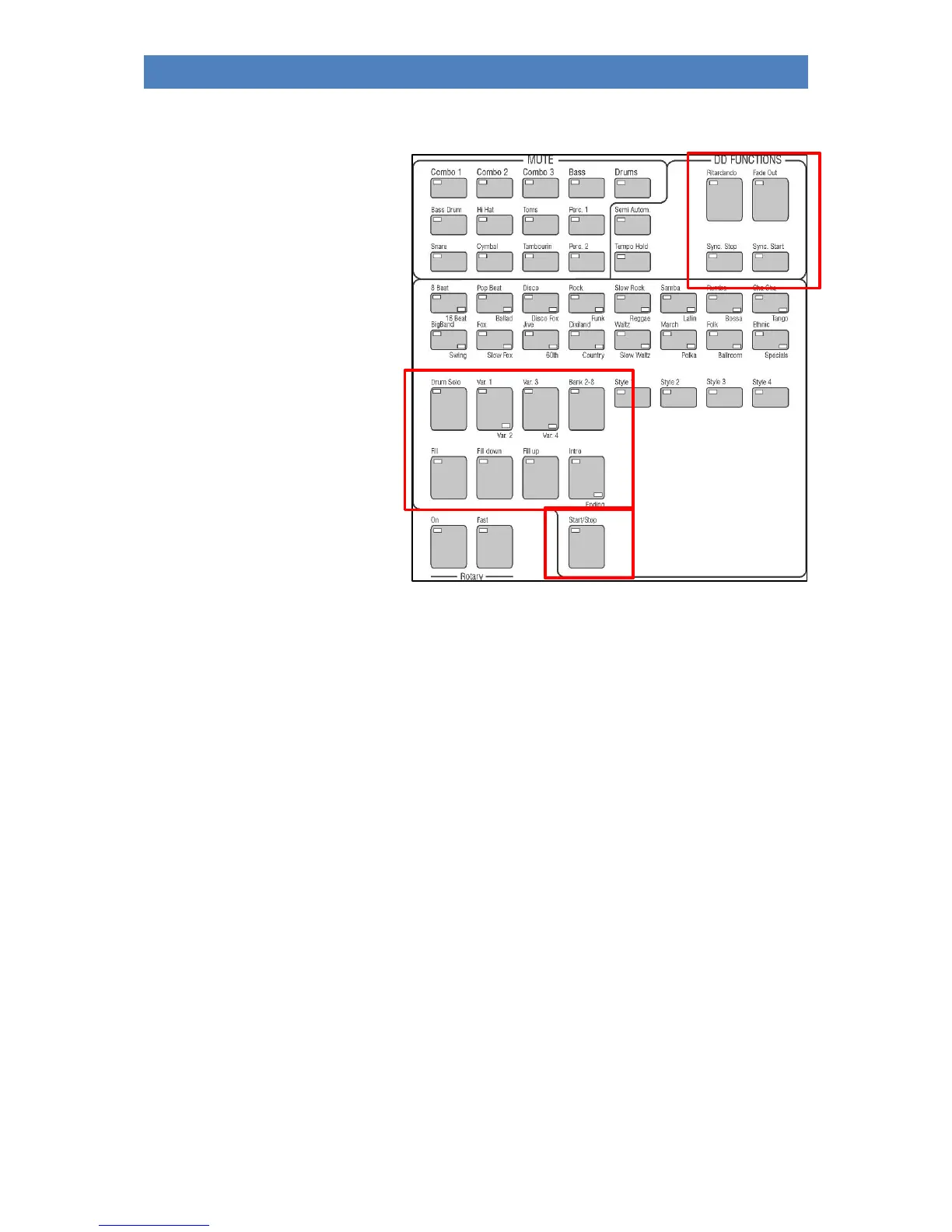
The style/pattern functions
On the left control panel you will find
the functions for controlling the
accompaniment while playing:
Start / Stop: The normal Start/Stop function: Press once to start playback of the
accompaniment, press again to stop playback.
Intro /Ending: With this button you can start the style directly with an intro. If the function
Sync. Start is not active, the style starts directly by pressing the Intro button.
If Sync. Start is activated, the style only starts when a chord is played on the
accompaniment manual (usually lower manual left).
If the button is pressed while the accompaniment is running, the ENDING will
be played from the next bar on. With a double press on the Intro/Ending
button the corresponding INTRO can be recalled from the current style.
Note: Not all styles have 4 intros or endings. If the fourth pattern is not occupied, the
intro/ending 3 sounds here as well.
Variation 1...4: With these buttons 4 variations of the current style can be called up. The
variation change takes place at the beginning of the next bar.
When playing with playbacks (interactive midi files), [Variation 1] calls the
verse 1 pattern, [Variation 2] the verse 2 pattern, and [Variation 3] the
chorus pattern.
Break: To trigger the break in style (usually one-bar percussion solo)
Ritardando/Tap: If pressed while the style is playing, it triggers the Ritardando function: The
tempo is slowed down and a fill-in is played at the end. Then the style stops.
If pressed while the accompaniment is stopped, the button works as a tap
tempo button: The tempo can then be suggested via the button, by hitting



 To Next Page