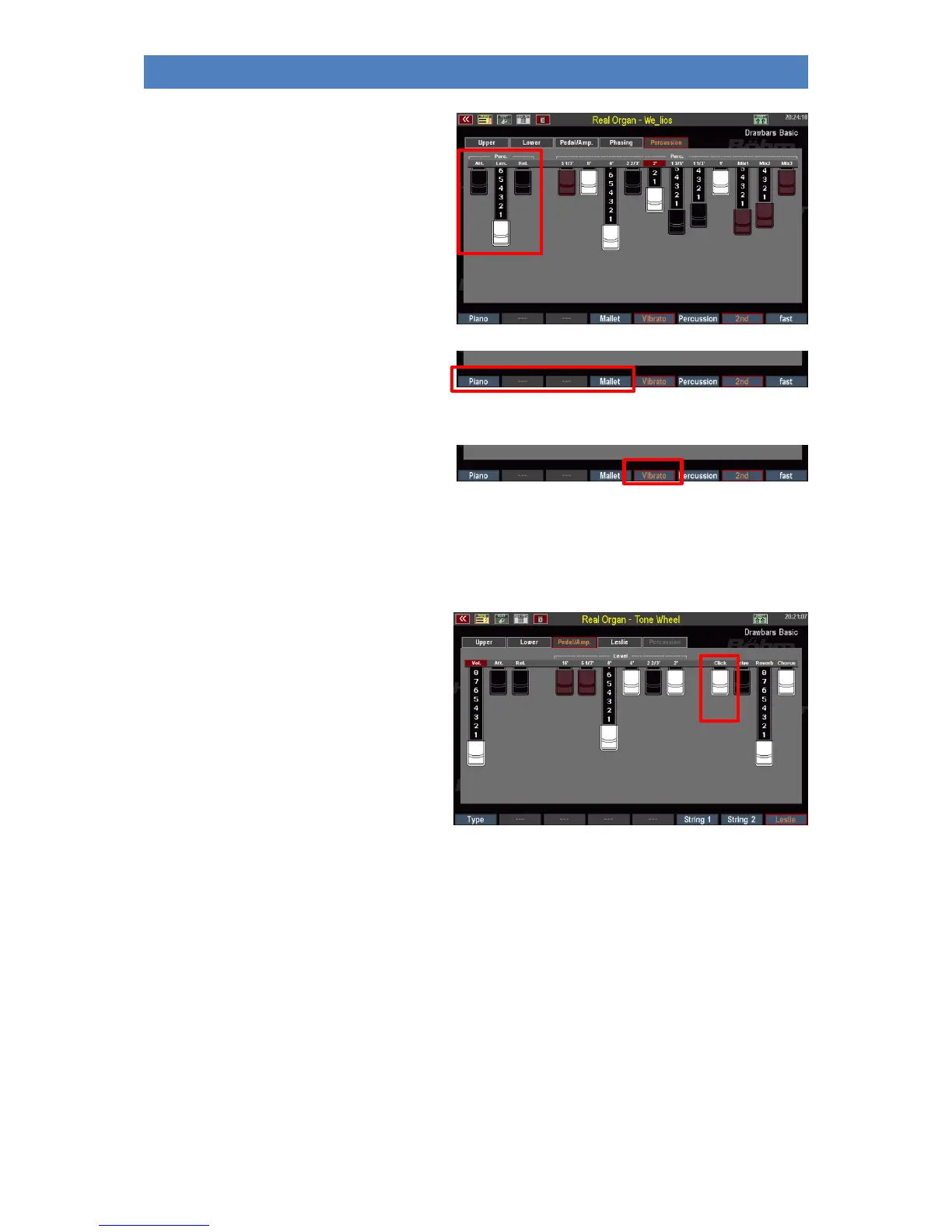
• For some organ types (WE-lios, WE-
ctra) the footages are not set via
switches (on/off), but - according to
the original organs - continuously via
drawbars.
• Depending on the organ type, you
will also find Volume (Level) and
envelope Drawbars in the Percussion
menu for Attack, Length (fades while
key is pressed) or Release (fades
when keyboard keys are released).
The two F keys [Piano] and [Mallet] represent
a special feature. These call up preset
percussion settings that are piano or
vibraphone-like in sound.
With the F button [Vibrato] on the
Percussion menu page, you can determine
whether the percussion should also run over the rotor effect or sound "dry" without a rotor.
Note: Foot positions that are switched to percussion no longer sound in the actual drawbar setting!
Key click
Due to the fact that a separate contact was
switched for each tone and key, the classic
tonewheel organs produced a characteristic
contact noise when playing a key, the so-
called “key click”.
The RealOrgan reproduces this typical contact
noise.
With the drawbar [Click] the intensity of the
Keyclick can be adjusted.
Note: Some organ types have envelopes for the drawbar sounds (see above). Attack and release can be adjusted in the display
using the corresponding drawbars.
If, on the other hand, the key click is activated for such an organ type, the RealOrgan necessarily switches to the mechanical
key click, because the key click is only available here. This deactivates the envelopes for the drawbar sound. So if you want to
play with the Drawbar sound fading, the Click Drawbar on the Ped/Amp display page must be pushed in completely.



 To Next Page