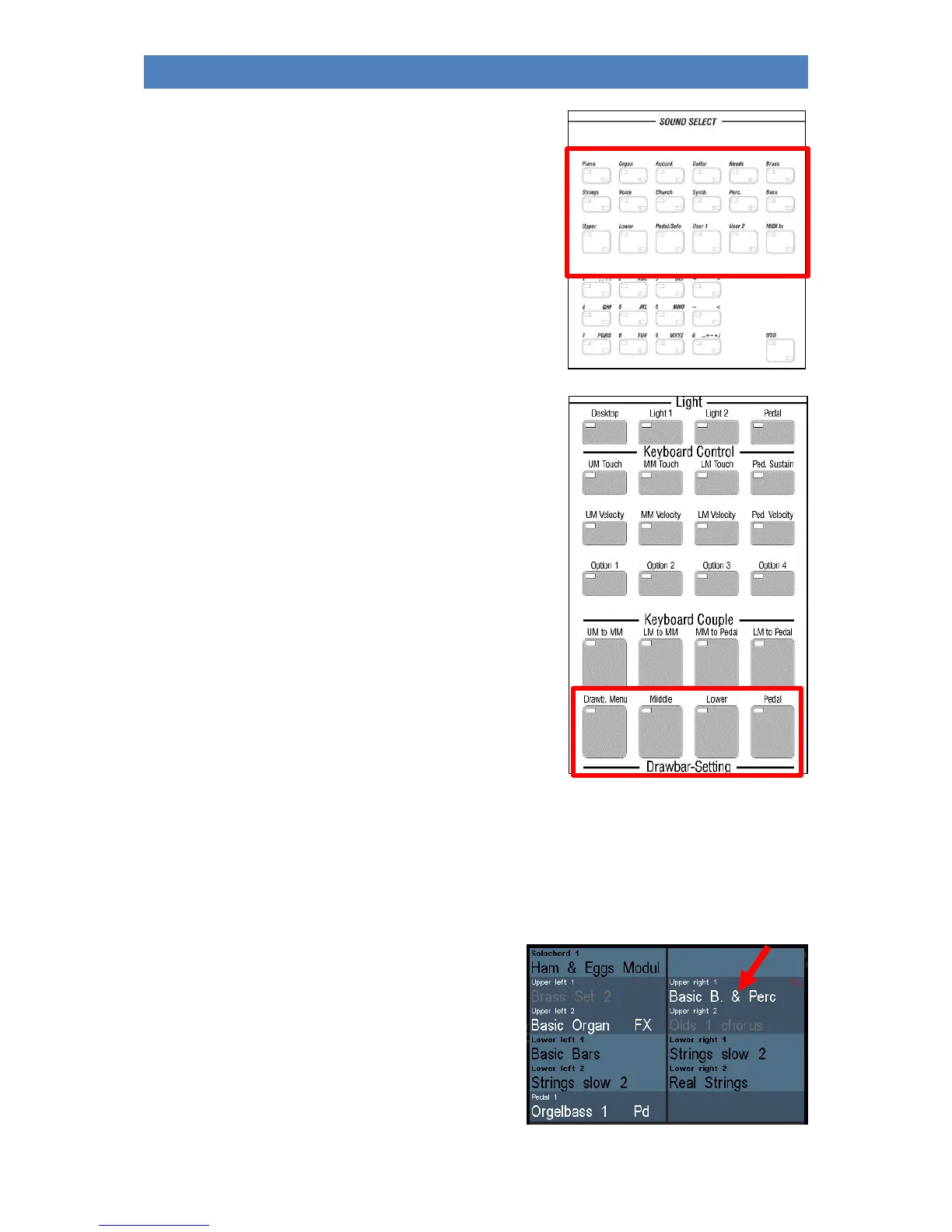
Let's take a look to the right at the middle control panel. Here
we find the button group SOUND SELECT:
The buttons for selecting the RealOrgan (drawbar organ) are
located in the lowermost row of buttons on the upper right
control panel (on the 480SE on the panel right to the
keyboards):
Select Sounds
Let's first take a look at the selection of AMADEUS and - if available - Cloud Studio sounds. These can
be selected via the SOUND SELECT button group in conjunction with the display.
In the button group you will find the 12 buttons [Piano]...[Bass] for the sound categories of the
SEMPRA. These buttons are also assigned a matching sound from the respective category.
If none of the 5 selector buttons [Upper]...[MIDI IN] is
active, the 12 category buttons act on the Upper 1 right
part of the basic screen.
• Now switch through the 12 category buttons and
pay attention to the Upper 1 right part in the
basic screen: you will see how the timbre for this
part changes accordingly.



 To Next Page