Further below, you will learn how to define the
sounds that are called by the buttons yourself.
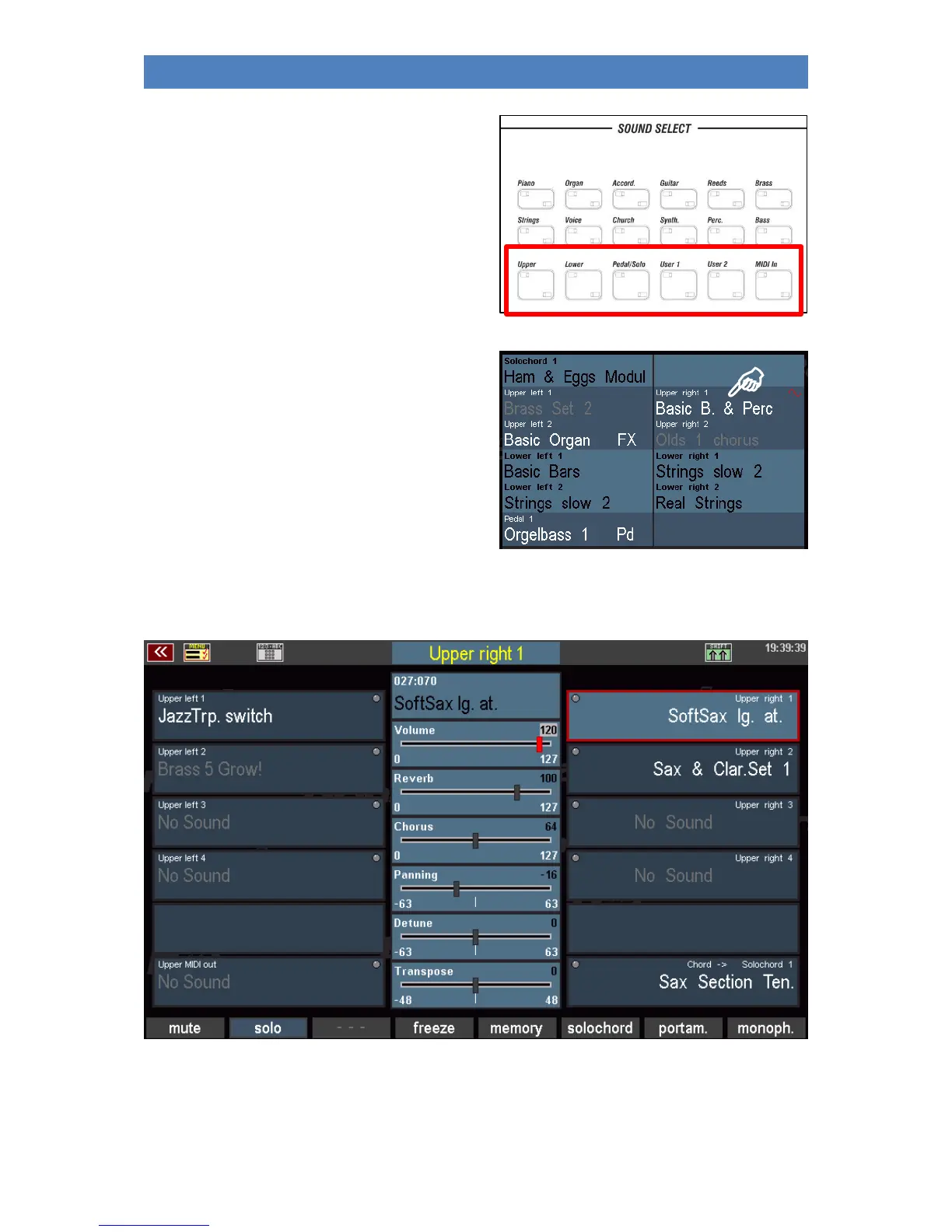
Use the SELECTOR buttons below the sound
categories to call up the so-called Part Editor for the
respective manual in the display. Here you will see
all parts for the respective manual or pedal, or for
the MIDI area and can assign sounds to these parts
or set various playing parameters for the individual
parts.
You can also access the part editor for the
corresponding manual or pedal by tapping directly
on one of the displayed parts in the display.
Whatever you call up the part editor, whether via the SELECTOR buttons or directly via the display:
this is how it looks, here using the example of the upper manual:
Right and left you can see the parts for the manual, both for the right and the left half of the manual.
If a split point for the manual is set using the [Split] button (see next section), the parts are distributed
accordingly to the left and right sides.



 To Next Page