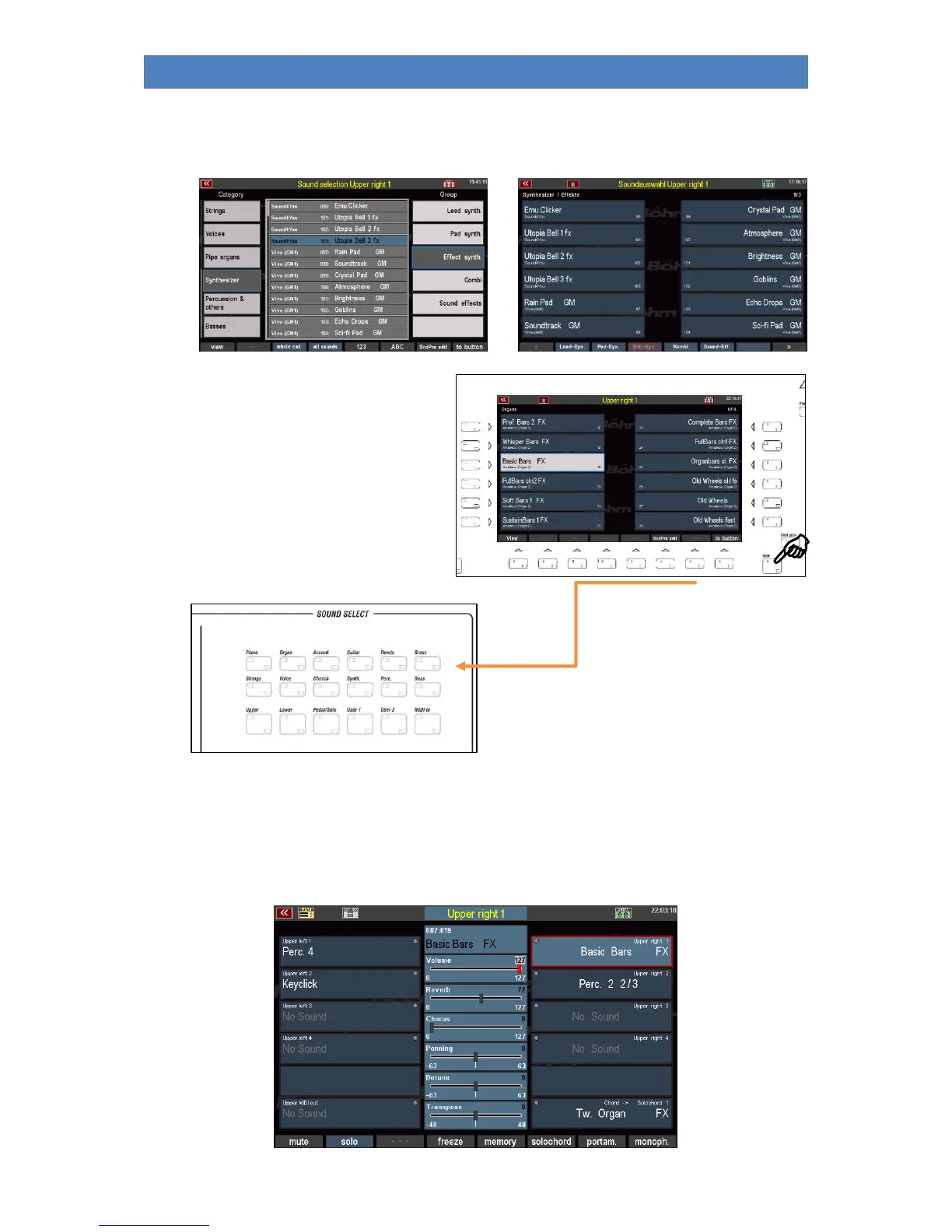
You can change the assignment of the sound buttons according to your wishes:
• In the display, select the sound you want to assign to a sound button:
• When you have selected the sound,
press the [Shift] button while
pressing [F8] to button below the
display.
• Now press the sound button to which
you want to assign the selected
sound.
• The sound selected in the display is now assigned to the active sound button. From now, the
sound button will select this sound directly when it is pressed.
If you like, you can now add more sound buttons to your sound favorites in the same way. Otherwise
we return to the part editor now:



 To Next Page