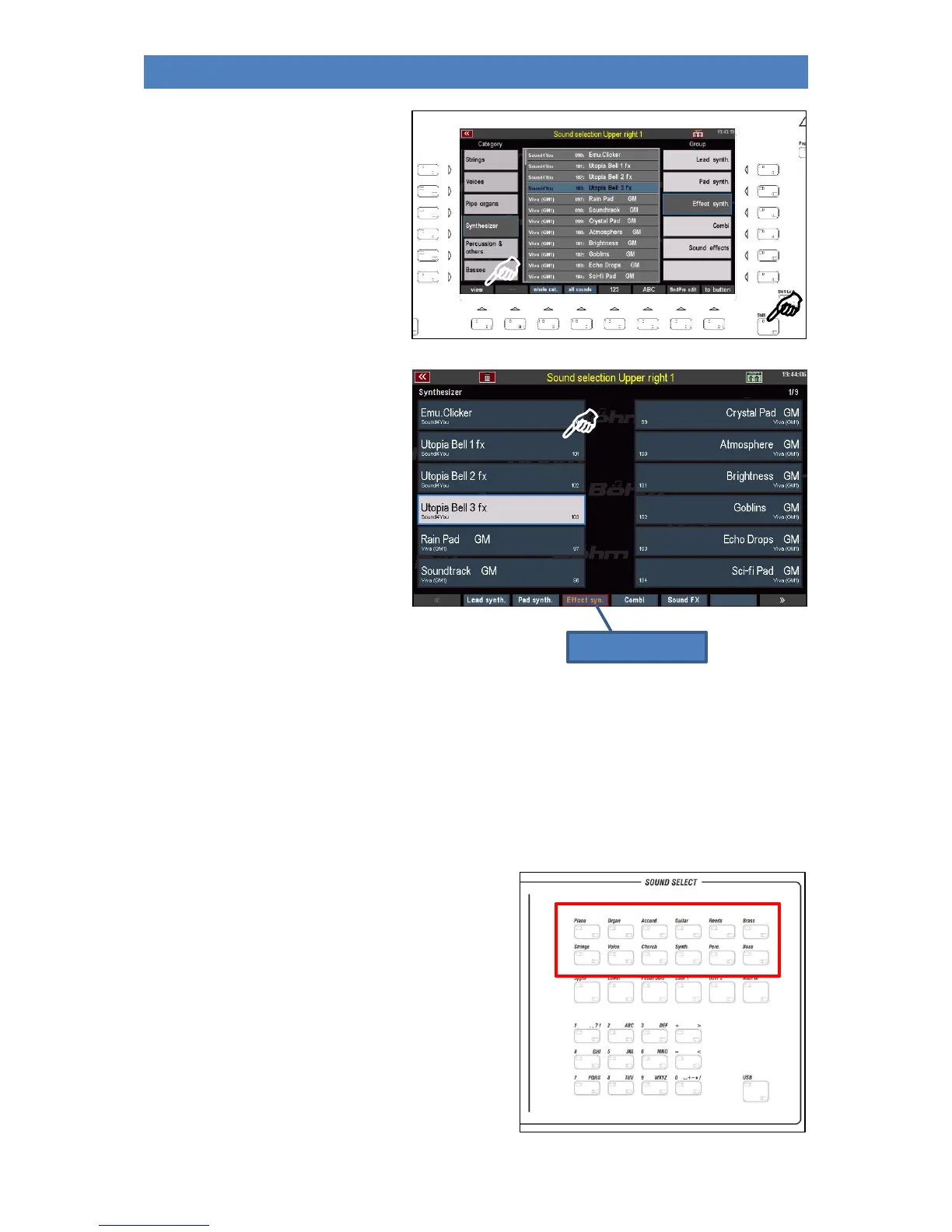
• The [Shift] (hold down) and
[F1] View buttons can be used
to switch between the two
display modes:
This view focuses on the individual
sounds.
You can select the groups of the current
category using the F buttons below.
The sound categories can be selected
using the 12 sound buttons of the
SOUND SELECT group on the right of
the control panel.
With the cursor keys <= or => you can switch quickly through the list page by page, or scroll quickly
through the individual sounds with the data wheel.
• Tap the desired sound to select it.
• Depending on the view mode, the display returns directly to the part editor after a sound has
been selected, or you can return to it using the [ESC] key.
Assign the Sound buttons
You can also press the sound buttons on the right panel
to select one of the assigned sounds or the
corresponding sound category.
The sound assigned to the respective sound button is
selected directly.



 To Next Page