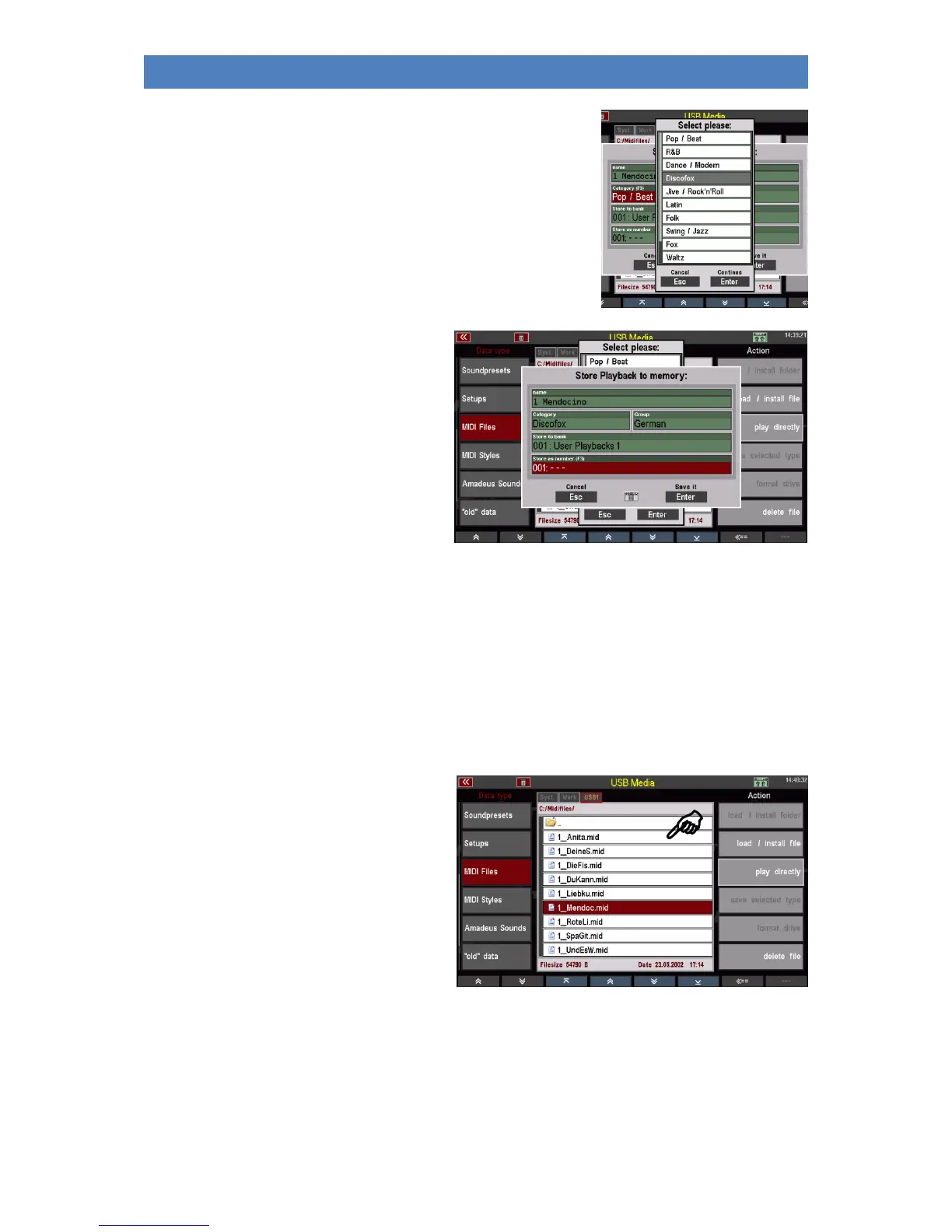
You can select the parameters by selecting the corresponding
field and turning the data wheel, or alternatively tap on the
respective field to open a list selection and make your selection
from the list. Confirm the selection with [Enter] to close the
respective list view.
• When you have assigned all criteria,
confirm with [Enter].
The playback is stored internally according to your assignment and can then be used or further
edited and optimized in the playback editor.
Play MIDI file directly from USB stick
You can also use MIDI files directly for playing without loading them into the SEMPRA. The MIDI file is
only loaded temporarily and can be used until another MIDI file, playback or style is activated
manually or by a SONG/preset call.
• Use the cursor to select the MIDI file
you want to play.
• Tap on the action field on the right to
play directly.



 To Next Page