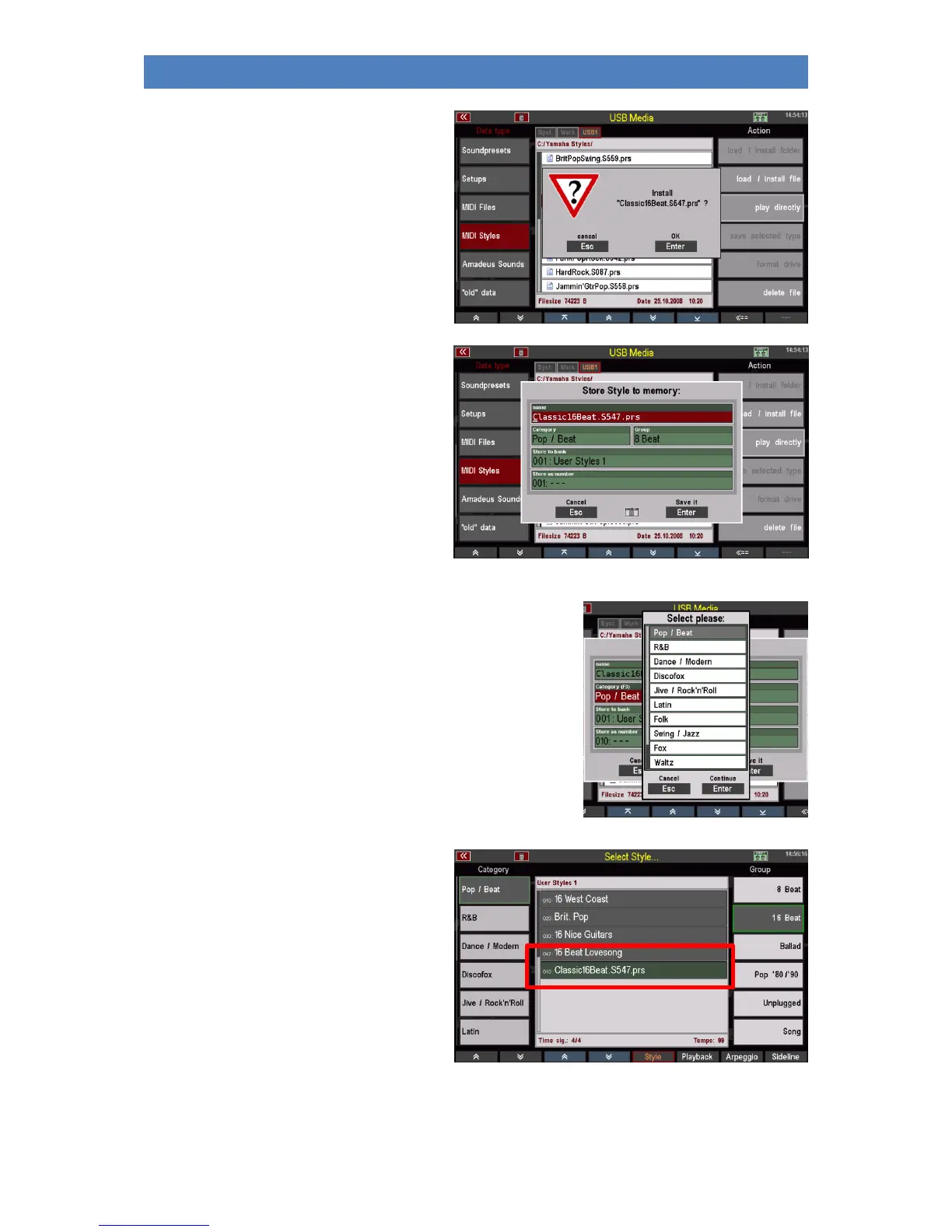
• The display asks if the file should
really be loaded. Confirm the query
with [Enter] (abort with [Esc]).
• A box appears in which you can
change the name for the style
and the sorting settings must be
made:
- Style category and group
- Style bank
- Style no. within the bank.
According to your entries here the
style is saved internally on a user
style place and can be found there
again.
You can select the corresponding parameters by
selecting the corresponding field and turning the data
wheel, or alternatively tap on the respective field to
open a list selection and make your selection from the
list. Confirm with [Enter].
• When you have assigned all criteria, confirm with
[Enter].
• The style is saved internally
according to your assignment. Here
it can be found at the corresponding
position:
You can use the style directly or edit and
optimize it in the Style Editor.



 To Next Page