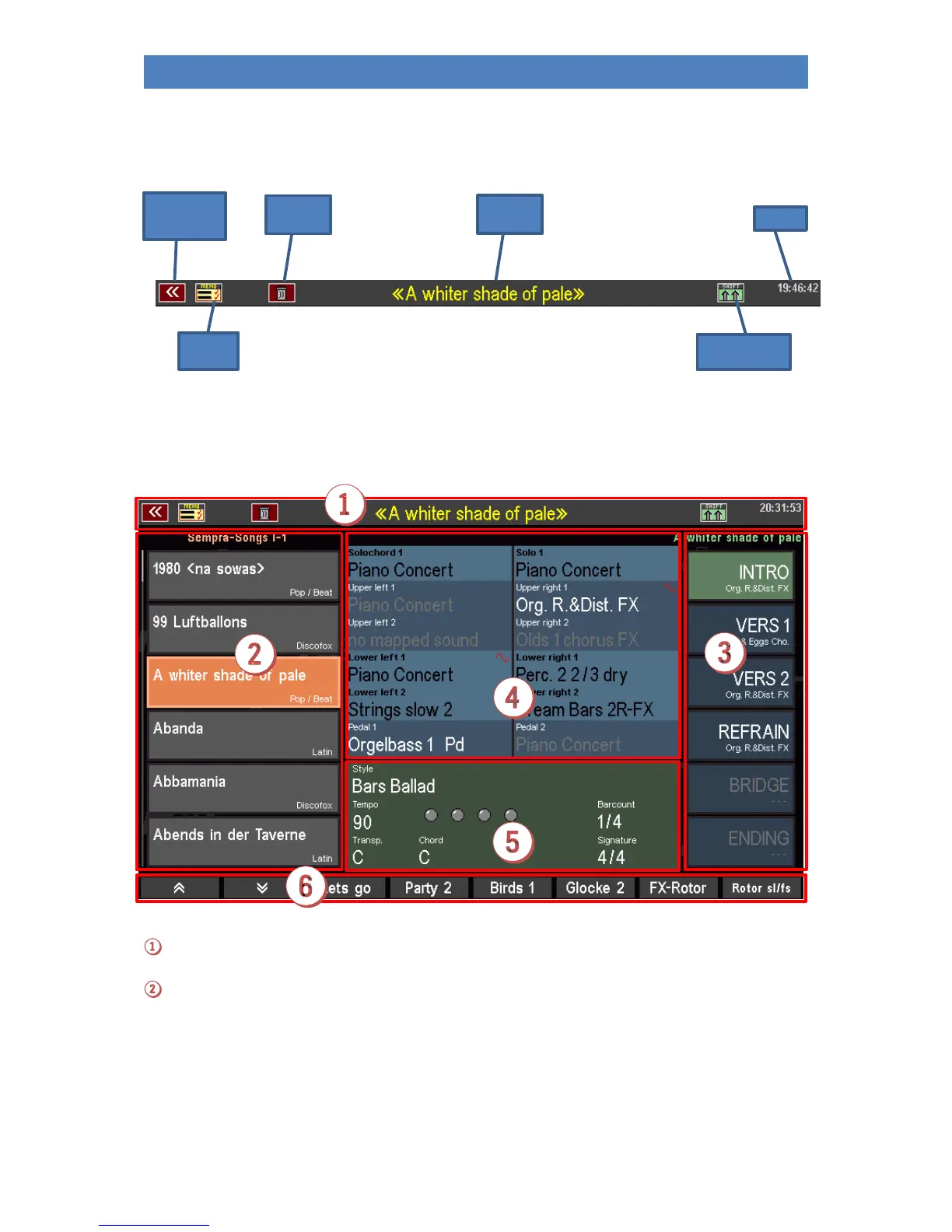
At the top of the display you will find a status line showing the current SONG name or - if you edit in
the BMC menu - the menu name, the style or playback name, etc. In addition, you will always find the
time on the right and some symbols for different functions on the left and right:
In the following picture you will see the basic screen of the display again. You will usually have called
this up while playing. Let's see what the basic screen has to tell us:
Status line with current SONG name
SONG list
The SONG list can be scrolled with the arrow buttons [F1] or [F2] below the display, with the cursor
buttons [UP] / [DOWN] or with the data wheel. To call up a SONGS, tap directly on the list, press the
corresponding [F] button to the left of the display or the [Enter] button. The [ESC] button jumps back
to the current SONG.



 To Next Page