Less number of
keys for chord detection: By entering 1...3 you can determine the minimum number of keys that
must be played on the accompaniment manual for the chord
recognition to respond. With the factory setting "3", for example, you
can play with up to two keys on the accompaniment manual without
changing the chord in the accompaniment.
Delay time
for chord recognition: You can set a delay time for the response of the chord recognition
between 100 and 500 ms.
Hold accompaniment
chords: If the function is switched on ("on"), the accompaniment will
continue to be played even if no key is played on the accompaniment
manual.
If the function is switched off, the accompaniment stops immediately
if no more keys are played. Only the drums sound.
Clear accompaniment
chords after stop: If the function is switched on ("on)", the chord memory will be cleared
at the next stop.
Bass Tracks: Hand on your heart: As an organist, you play the pedal, i.e. the bass,
yourself, don't you? With this function you can basically determine
whether the bass tracks of the automatic accompaniment should
sound ("on") or not ("off"). Choose if you want to use the
accompaniment but prefer to play the bass on the pedal yourself.
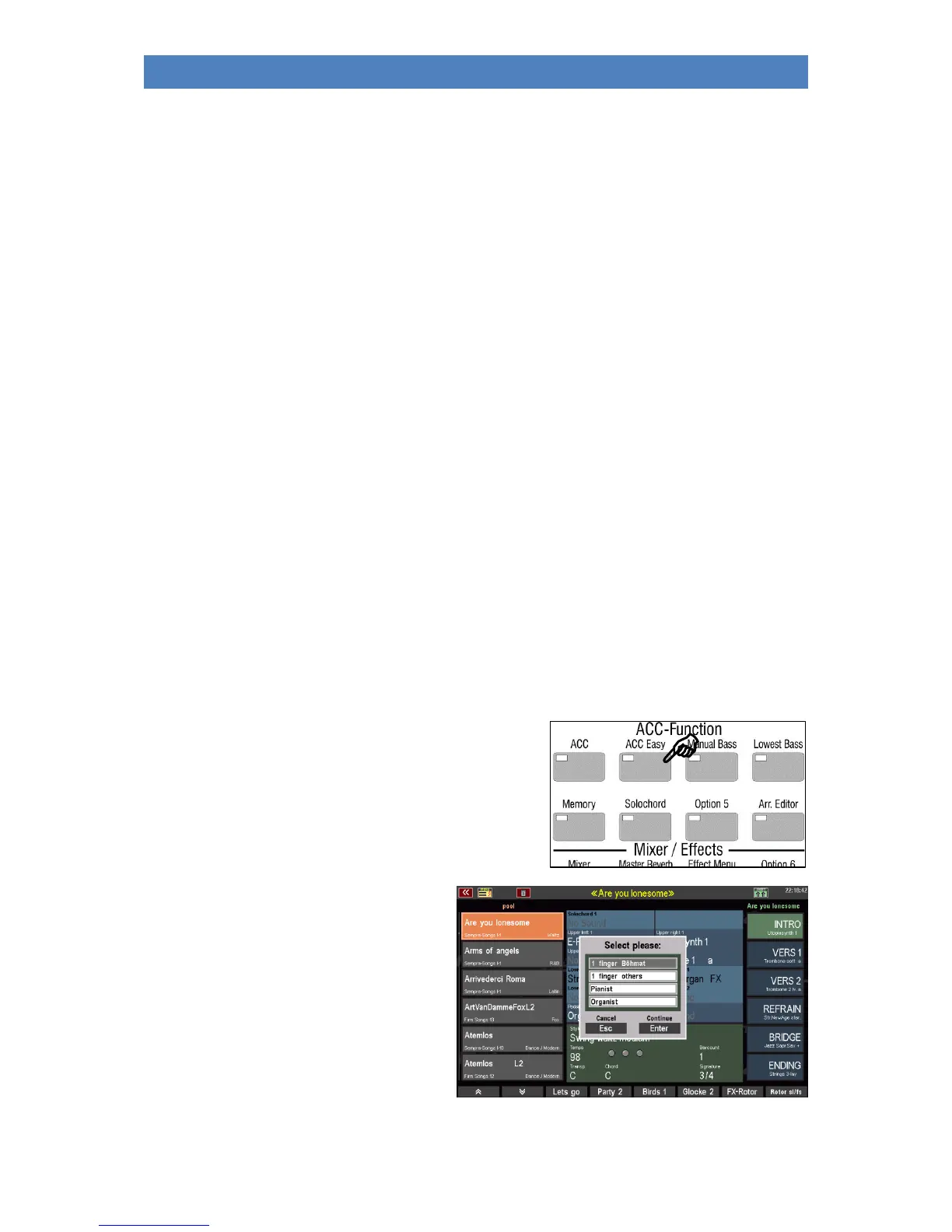
ACC easy:
If the [ACC Easy] button is turned off, the accompaniment
evaluates harmonies played on the accompaniment manual
with full grip for chord recognition.
With this button [ACC easy] you can set
different (one-finger) modes for the
accompaniment. If you press the button a
little longer, a selection box appears:



 To Next Page