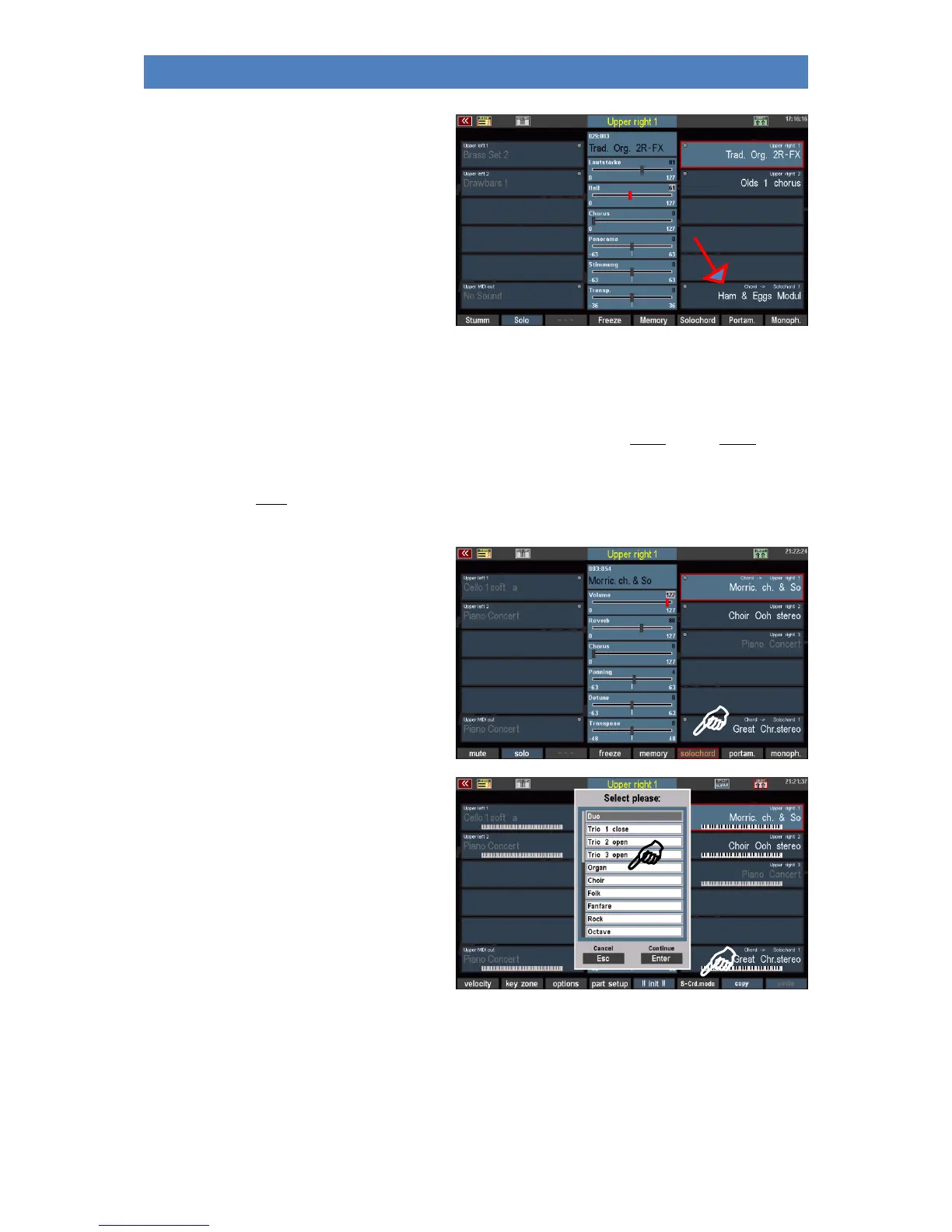
We already got to know the Part editor when
it came to the selection of sounds for the
manuals and the pedalboard.
In the Part editor of the upper and solo
manuals, you will find a separate part that is
controlled by the Solochord when the
function is activated and a sound is set for this
part.
Multi Solochord
But SEMPRA goes one step further: A completely new function now allows every part on every manual
or pedal to become a Solochord part and to be controlled by the Solochord.
And even more: Each of these parts can also play with an individual Solochord type. This has never
been done before and is one of the special and unique new features of SEMPRA!
• To turn a part into a solo chord part,
select this part in the selector and
press the [F]-button Solochord below
the display. The part is controlled by
the Solo chord now.
• To select the Solochord type to be
used for that part, hold down the
[SHIFT] button to the right of the
display and press the [F6] Solochord
mode button.
• A list of the available 24 Solochord
modes is displayed. Select the
desired mode with the data wheel
and confirm with ENTER.



 To Next Page