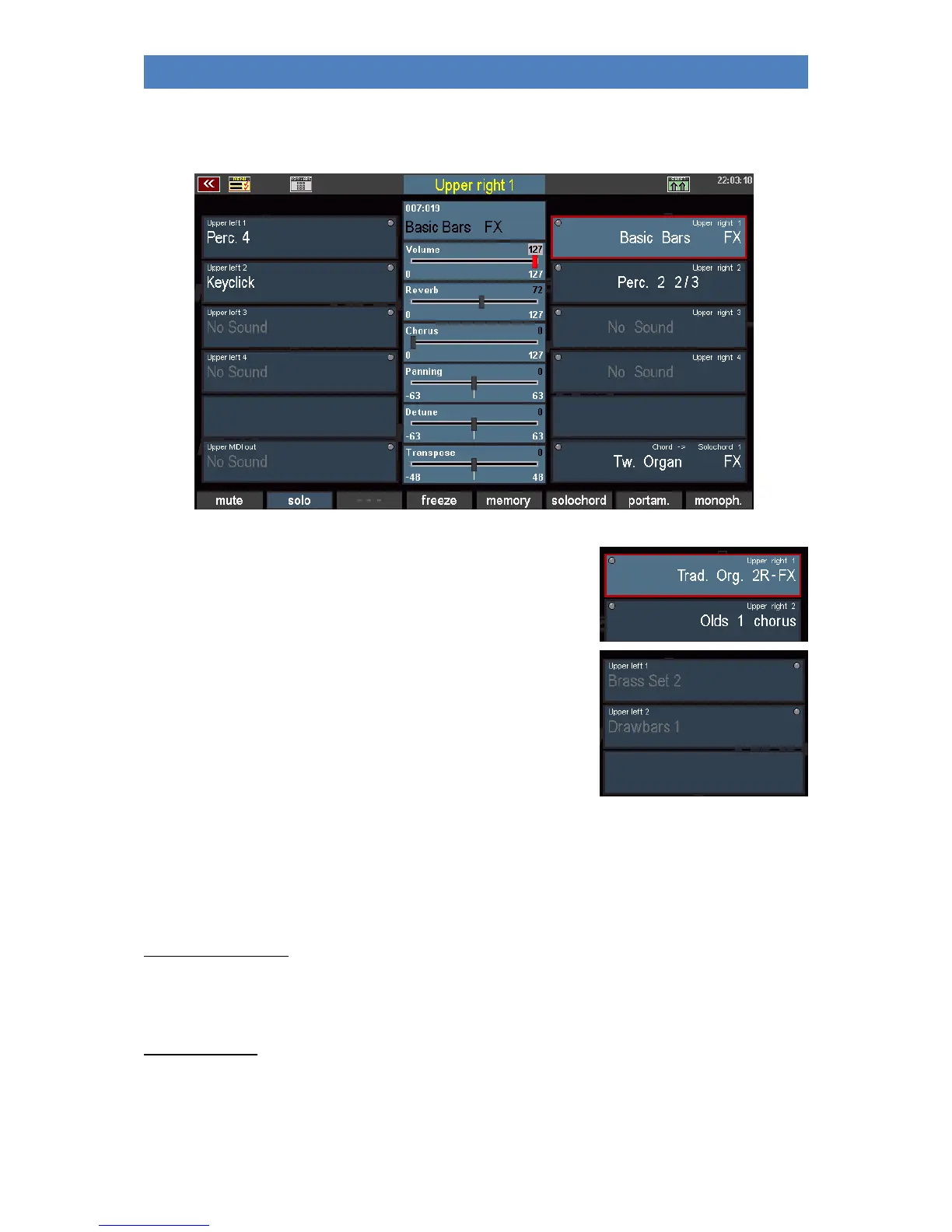
Whatever you call up the part editor, whether via the SELECTOR buttons or directly via the display:
this is how it looks, here using the example of the upper manual:
On the right and left of the display you can see the available parts
for the left (left) and right (right) manual areas with the assigned
sounds. In active parts, the sound names are displayed in white.
In inactive (muted) parts, the sound names are displayed in gray
font.
Parts that are not labeled are not present or occupied in your
instrument.
The number of available parts and thus the number of simultaneously playable sounds per
manual/pedal varies depending on the model or equipment of your organ. Here is an overview of the
standard configuration of the SEMPRA models:
SINFONIA 480/500SE:
Upper: 4 x Upper right + 4 x Upper left + MIDI Out + Solochord
Lower: 4 x Lower left + 4 x Lower right + MIDI Out left + MIDI Out right
Pedal: 3 x Pedal + 1 x MIDI Out
EMPORIO 500SE:
Solo: 3 x Solo + MIDI OUT
Upper: 5 x Upper right + 5 x Upper left + MIDI Out + Solochord
Lower: 5 x Lower left + 5 x Lower right + MIDI Out left + MIDI Out right
Pedal: 3 x Pedal + 1 x MIDI Out



 To Next Page