• Statistical information
• Current lift speed
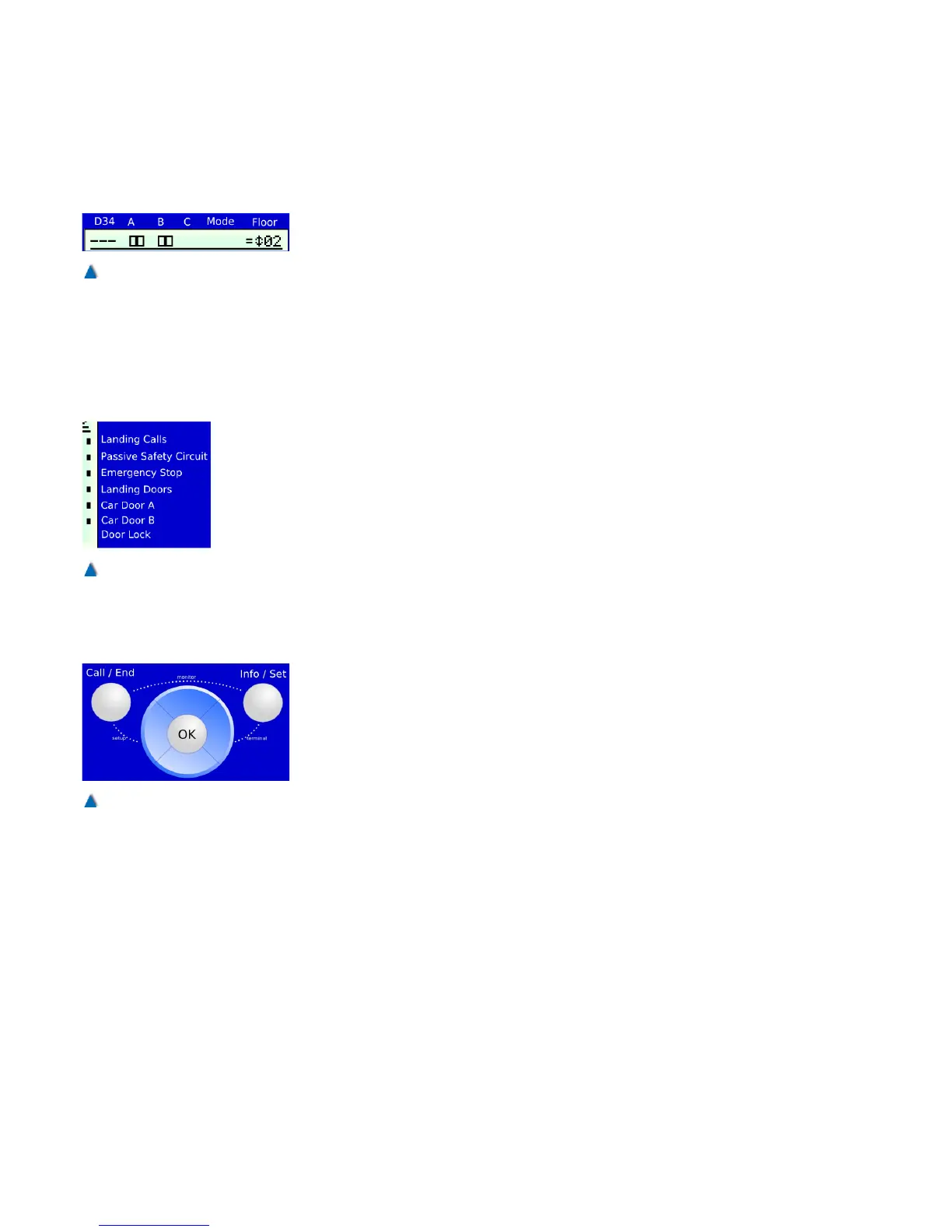
5.7.5.2 Lift Status Bar
The lift status bar is shown in the top half of the display in all menus.
It provides the following information:
• Pre-control (Relay K1-K4)
• Doors A/B/C with limit switches and reversal signals (photo-
cell, door open« push button)
• Mode (e.g. status safety circuit status)
• Position information (flush-level control ) +/ =/ -
• Signalisation of travels
• Car position
5.7.5.3 Safety Circuit Status Bar
The safety circuit status bar is on the right side of the display in all
menus. It provides the following information:
• Landing control status (on/off)
• Safety circuit status (terminals
X 5.9/.16/.17/.18/.19)
5.7.5.4 Operator Panel
The operator panel is at the bottom of the display. It has 7 buttons
that are used for navigating through the various menus, displaying
status information and changing parameters.
The operator panel buttons »Up«, »Down«, »Left«, »Right« and
»OK« are arranged as a central navigation block. The »Call/End«
button is on its left and the »Info/Set« button on its right.
5.7.6 Service Menu
Parameters and times that are not safety-relevant and may be
changed during system operation such as door times, BlueModus
energy saving functions on/off etc. can be set in the bp308 service
menu.
32 Installation Manual System »bp308« – Control System »bp308«
Fig. 13
The lift status bar is displayed in
all menus.
Fig. 14
The safety circuit status bar is
displayed in all menus.
Fig. 15
Use the buttons on the operator
panel to navigate through the
menus.


 To Next Page