EasyManua.ls Logo

Bosch INTEGRUS - User Manual

Bosch INTEGRUS
94 pages
Print Icon
To Next Page IconTo Next Page
Loading...
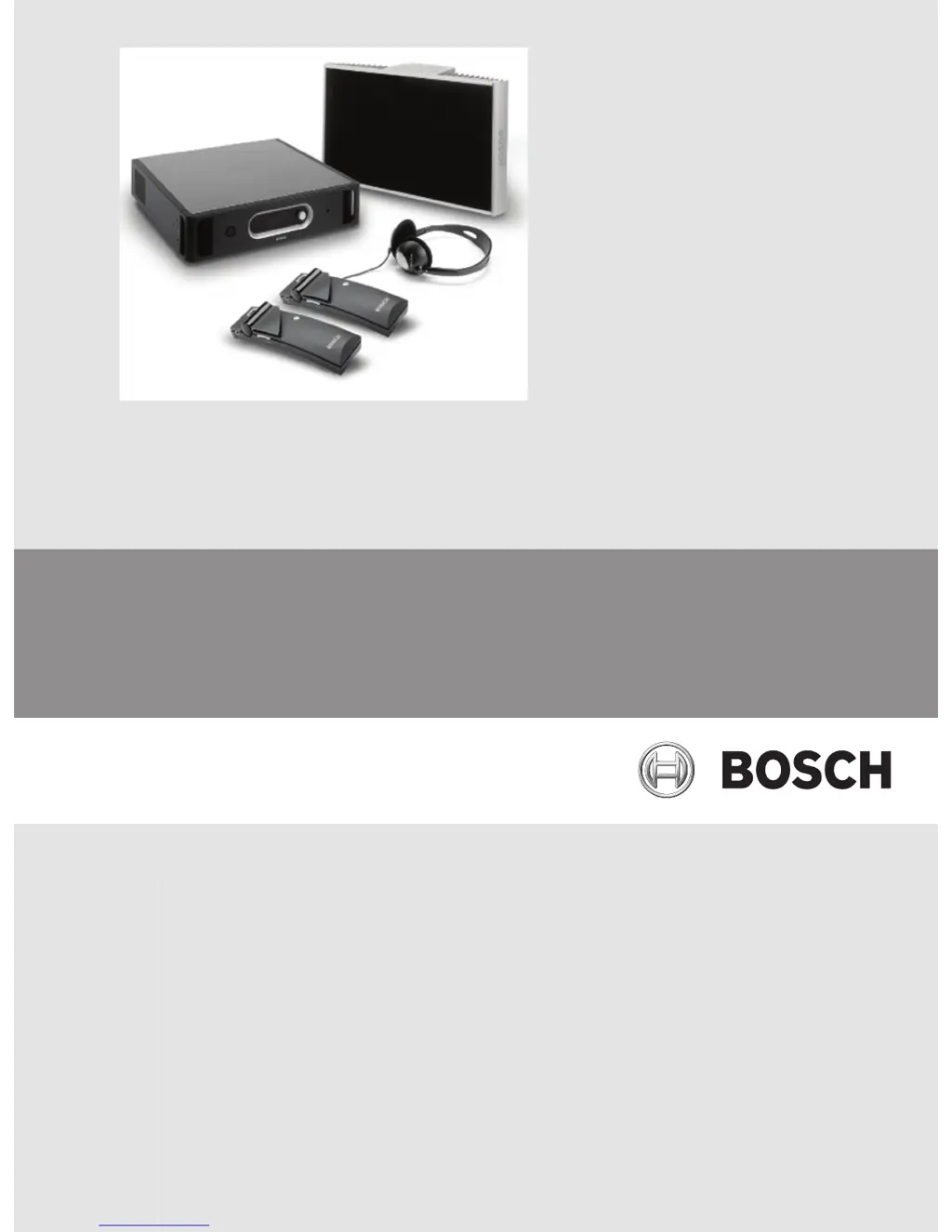
Language Distribution System
Integrus
en Operation manual

Table of Contents

Other manuals for Bosch INTEGRUS

Questions and Answers

  • B
    brendanconradSep 14, 2025
    Why does the emergency contact not work on my Bosch Conference System?
    • J
      jamesbillySep 14, 2025
      If the emergency contact feature on your Bosch Conference System isn't working, make sure the emergency contact is properly connected. Also, verify that the auxiliary input mode is set to 'Mono + Emergency'.
  • J
    Julie WilliamsSep 13, 2025
    Why is the charging indicator LED on my Bosch Conference System receiver blinking?
    • B
      Bryan DavisSep 13, 2025
      If the charging indicator LED on your Bosch Conference System receiver is blinking, try the following: 1. Ensure the charging unit is used under the specified working conditions. 2. Verify the receiver contains a correctly connected battery pack. 3. Make sure the receiver is at room temperature, then re-insert it into the charging unit. 4. If the indicator continues to blink, replace the battery pack to see if that resolves the issue.
  • T
    Tyler AllenSep 12, 2025
    What to do if the Bosch Conference System infra red receiver fails to function properly?
    • R
      Ryan PearsonSep 12, 2025
      If your Bosch Conference System's infra-red receiver isn't working correctly, try these steps: * If using disposable batteries, make sure they have enough power and are correctly inserted. * If using a battery pack, ensure it's fully charged. * Check the headphone connection. * Turn on the receiver and see if it displays a channel. * Ensure the receiver gets a strong enough IR signal, and the antenna symbol appears. * Test the receiver close to the transmitter's mini radiator. * Increase the volume. * Put the transmitter into test mode and listen for the test tone on the receiver. If you cannot hear the test tone, try the same test with other receivers. If all receivers fail at that spot, check the system coverage.
  • A
    anthony52Sep 12, 2025
    How to synchronize the transmitter of my Bosch Electronic dictionary automatically to the maximum number of channels in DCN?
    • W
      Wendy SuttonSep 12, 2025
      To synchronize the transmitter of your Bosch Electronic dictionary automatically to the maximum number of channels in DCN, ensure that the number of channels is set to automatic using menu item 4B. Also, check whether a DCN interface module of version 01.05 or higher is used.
  • M
    Michael PaulSep 10, 2025
    What to do if the transmitter of my Bosch Electronic dictionary indicates “radiator fault”?
    • N
      nicholasgonzalesSep 10, 2025
      If the transmitter of your Bosch Electronic dictionary indicates 'radiator fault', examine the radiator LEDs.
  • J
    Jonathan JohnsonSep 9, 2025
    What to do if the emergency contact of my Bosch Electronic dictionary does not work?
    • R
      Roger SanchezSep 9, 2025
      If the emergency contact of your Bosch Electronic dictionary does not work, check that the emergency contact is connected correctly.
  • J
    Joanna AndersenAug 25, 2025
    Why does my Bosch Transmitter indicate 'no network'?
    • G
      George BrownAug 25, 2025
      If your Bosch Transmitter indicates 'no network', verify that the optical network is correctly connected. Also, check that the DCN Next Generation conference system's control unit is switched on, or disable the network mode in menu 4B.
  • B
    breanna83Sep 7, 2025
    What to do if the transmitter of my Bosch Electronic dictionary indicates “no radiators”?
    • J
      John MooreSep 7, 2025
      If the transmitter of your Bosch Electronic dictionary indicates “no radiators”, ensure that connections to all radiators have been made correctly and that each radiator’s mains supply is connected and switched on.
  • B
    breanna81Sep 6, 2025
    What to do if red LED flashes and amber LED is on of one or both IRED panels of a radiator of my Bosch Electronic dictionary?
    • T
      Tony OchoaSep 6, 2025
      If the red LED flashes and the amber LED is on for one or both IRED panels of a radiator in your Bosch Electronic dictionary, it means the IRED panel is in temperature protection mode. Check that the natural airflow around the radiator is not obstructed. If the airflow is fine, replace the radiator.
  • C
    Christopher MaciasSep 5, 2025
    What to do if my Bosch Electronic dictionary receiver discharges very quickly?
    • A
      Anthony JonesSep 5, 2025
      If your Bosch Electronic dictionary receiver discharges very quickly, replace the battery pack to see if the problem is resolved.

Summary

Safety

Warning!

Alerts users to potential hearing damage from prolonged high volume listening.

System Overview

Integrus Transmitters

Details the core component of the system, its types, and connectivity options.

Integrus Radiators

Describes the radiators that emit infrared radiation for audio distribution.

Integrus Receivers

Explains the function and features of the multi-channel infrared receivers.

Installation

Medium and High Power Radiators

Steps for mounting and securing radiators in various installation scenarios.

Connection

Connect the DCN Next Generation system

How to connect the transmitter to the DCN Next Generation conference system.

Connect radiators

Instructions for loop-through connection of radiators to the transmitter outputs.

Configuration

Testing

Test the coverage area

Ensuring adequate IR radiation coverage and identifying potential dead spots.

Operation

Troubleshooting

Faultfinding guide

A step-by-step guide to identify and fix common installation or operational issues.

Bosch INTEGRUS Specifications

General IconGeneral
Audio TransmissionDigital Infrared
InteroperabilityCompatible with other Bosch conference systems
System TypeInfrared Conference System
TechnologyDigital
Number of ChannelsUp to 32 channels
Languages SupportedUp to 32
Audio QualityCD quality (16 bit, 48 kHz)
Power SupplyVaries depending on the device (e.g., 230 VAC, 50/60 Hz)
Control InterfaceRS-232, Ethernet
SecuritySecure transmission

Related product manuals