152
Copying Patterns
When you want to change a preset pattern slightly to create
a desired pattern, you can copy the preset pattern to a song
pattern, after which you have complete freedom to change
the performance data.
1
Confirm that [PAD] is not lit, then press [PATTERN].
[PATTERN] and [RHYTHM ON/OFF] light.
2
Press [RHYTHM EDIT].
The Pattern Edit screen appears in the display.
3
Use CURSOR [ ] [ ] and the TIME/VALUE dial
to select the copy-source pattern.
4
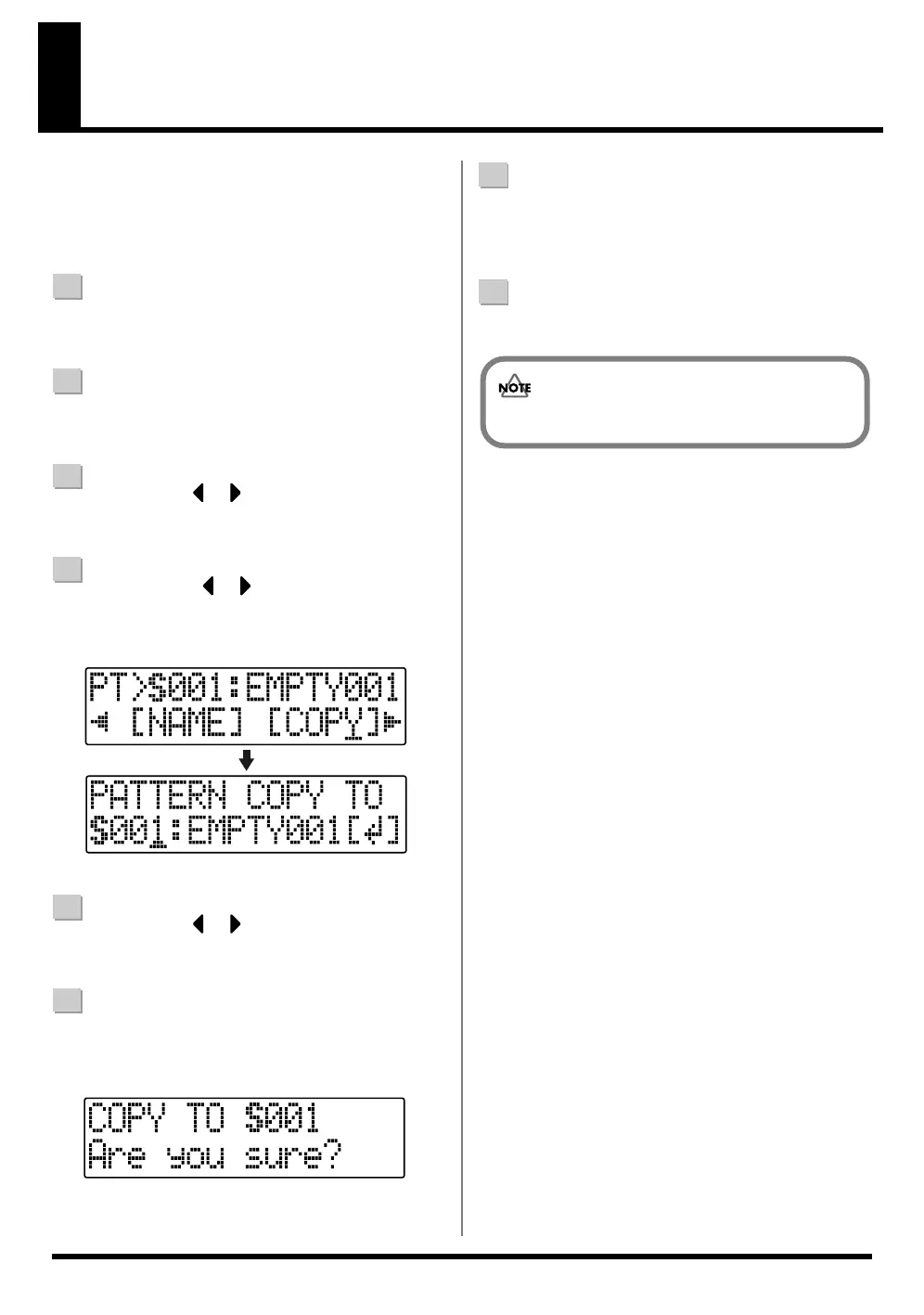
Press CURSOR [ ] [ ] to move the cursor to
“COPY,” and press [ENTER].
The Pattern Copy screen appears in the display.
fig.04-470
5
Use CURSOR [ ] [ ] and the TIME/VALUE dial
to select the copy-destination pattern (S001 – S100).
6
Press [ENTER].
The screen for confirming the copy appears in the
display.
fig.04-480
7
Press [ENTER] again.
“Keep power on!” appears in the display, and the copy
is executed.
8
Press [EXIT] repeatedly to return to the Play screen.
You cannot copy to the preset patterns.



 To Next Page