151
Section 4
Naming Patterns
Song patterns can be given a name (pattern name) that
consists of up to eight characters.
1
Confirm that [PAD] is not lit, then press [PATTERN].
[PATTERN] and [RHYTHM ON/OFF] light.
2
Press [RHYTHM EDIT].
The Pattern Edit screen appears in the display.
3
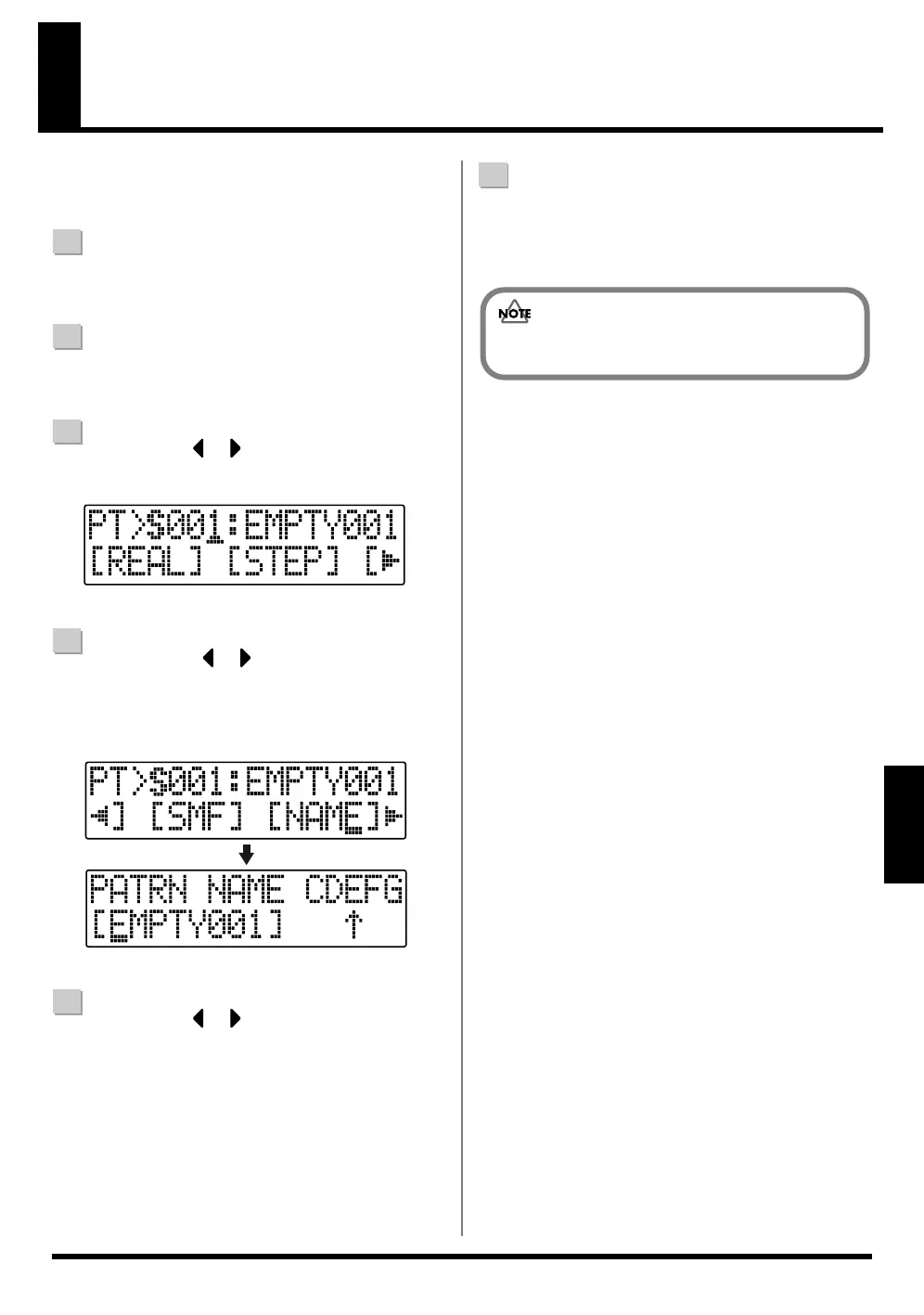
Use CURSOR [ ] [ ] and the TIME/VALUE dial
to select a song pattern (S001 – 100).
fig.04-450
4
Press CURSOR [ ] [ ] to move the cursor to
“NAME,” and press [ENTER].
The Change Pattern Name screen appears in the
display.
fig.04-460
5
Use CURSOR [ ] [ ] and the TIME/VALUE dial
to change the characters.
After moving the cursor to a letter, you can switch
between uppercase and lowercase by pressing [ENTER].
6
Press [EXIT] repeatedly to return to the Play screen.
“Keep power on!” appears in the display, and the
changed pattern name is saved.
You cannot change the names of the preset patterns.



 To Next Page