30
Connecting Peripheral Devices
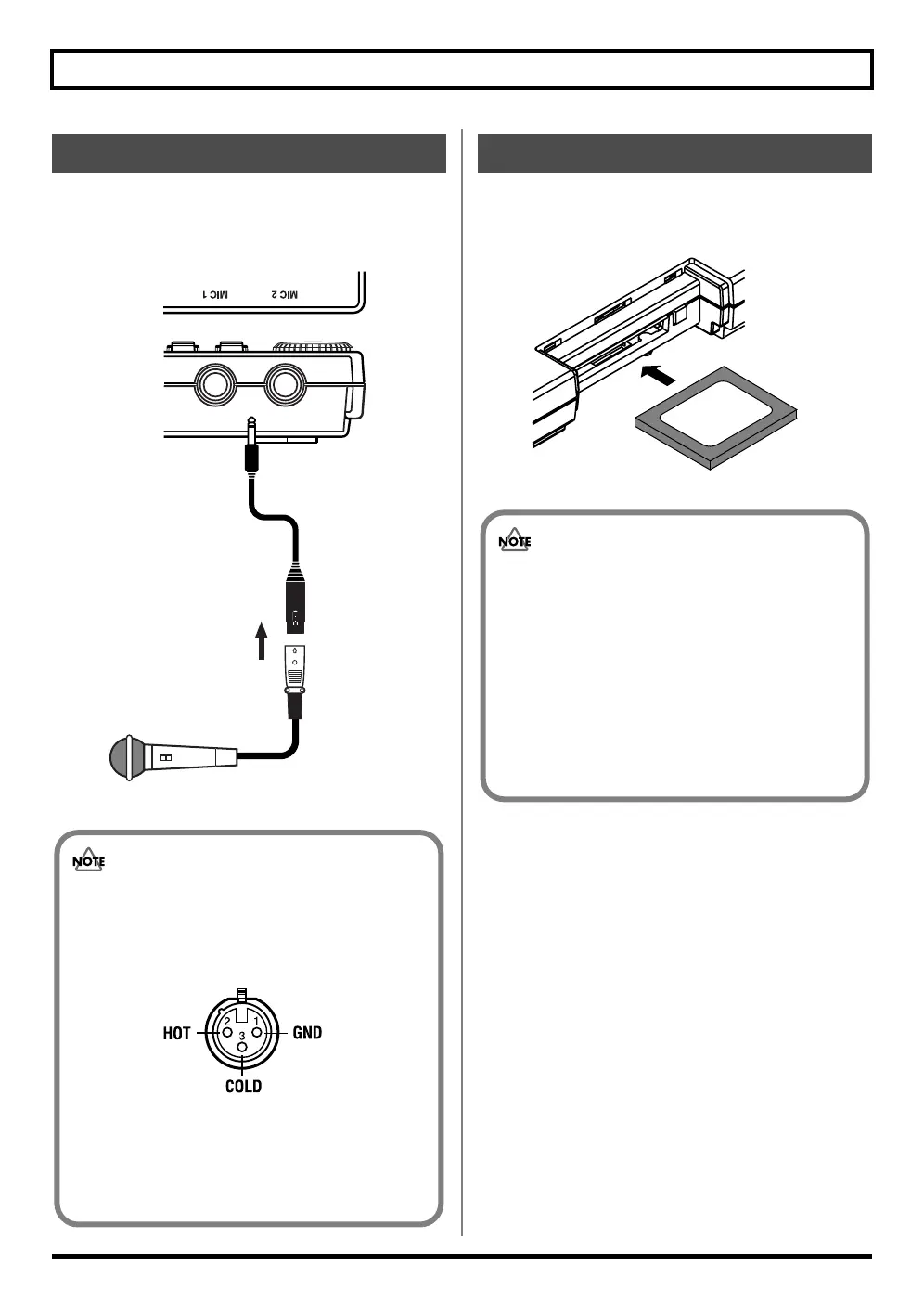
If your mic cable has an XLR connector, you can connect the
mic using the converter cable included with the BR-600. The
following describes how to connect the mic using this cable.
fig.00-111
Insert the memory card (CompactFlash) with the card label
facing upward.
fig.00-112
Using a Mic Converter Cable
Mic
Converter Cable
• The pin assignment for the XLR connector is
shown below. Before making any connections,
make sure that this pin assignment is compatible
with that of all your other devices.
fig.00-120
• As the BR-600 does not feature any phantom
power supply, note that no sound will be
produced with condenser mics and other mics
requiring phantom power.
Inserting the Memory Card
• Carefully insert the memory card all the way
in-–until it is firmly in place. Also, do not use
undue force to insert the memory card.
• Do not touch the contacts of the memory card or
allow them to become dirty.
• Before inserting the memory card, be sure to first
turn off the BR-600. If a memory card is inserted
when the power is turned on, the data in the
memory card may be destroyed, or the memory
card may become unusable.



 To Next Page