74
Search for the Music’s Start and End (Scrub/Preview)
Besides switching the scrub point in the Play screen (p. 73),
you can also use the following method to switch the scrub
point.
1
Confirm that [PAD] is not lit, then press [UTILITY].
2
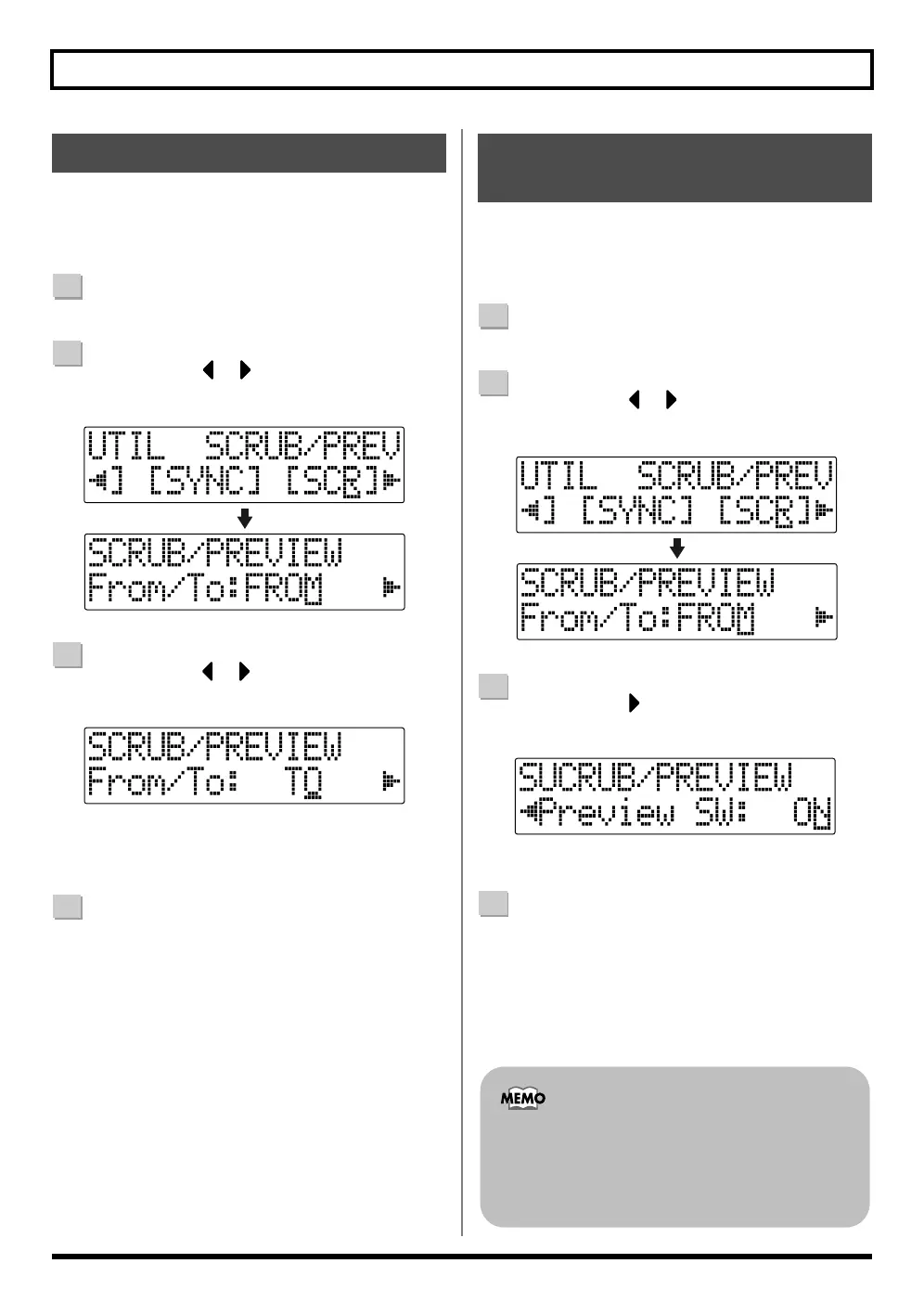
Press CURSOR [ ] [ ] to move the cursor to
“SCR,” and press [ENTER].
fig.02-040
3
Press CURSOR [ ] [ ] to select “FROM/TO,” and
turn the TIME/VALUE dial to change scrub points.
fig.02-050
TO : Scrubs to your current position.
FROM : Scrubs from your current position.
4
After completing the setting, press [UTILITY] (or
press [EXIT] repeatedly) to return to the Play screen.
Besides using [PLAY] for the Preview function (p. 73), you
can also set the unit so that [REW] and [FF] can be used
with the Preview function.
1
Confirm that [PAD] is not lit, then press [UTILITY].
2
Press CURSOR [ ] [ ] to move the cursor to
“SCR,” and press [ENTER].
fig.02-060
3
Press CURSOR [ ] to select “Preview SW,” and
turn the TIME/VALUE dial to set “ON.”
fig.02-070
This enables use of the Preview function.
4
Press [UTILITY] (or press [EXIT] repeatedly) to return
to the Play screen.
Changing the Scrub Points
Enabling Use of the Preview
Function with [REW] and [FF]
You can temporarily switch to Preview during scrub
with the following operations.
Press [REW] : PREVIEW TO
Press [FF] : PREVIEW FROM



 To Next Page