94
Using the Insert Effects
Follow the procedure below to enter a name (patch name)
for an effect that you’ve modified, and save it as a new
effect patch.
* If you do not need to change the patch name, go to Step 4
after entering the Effect screen.
1
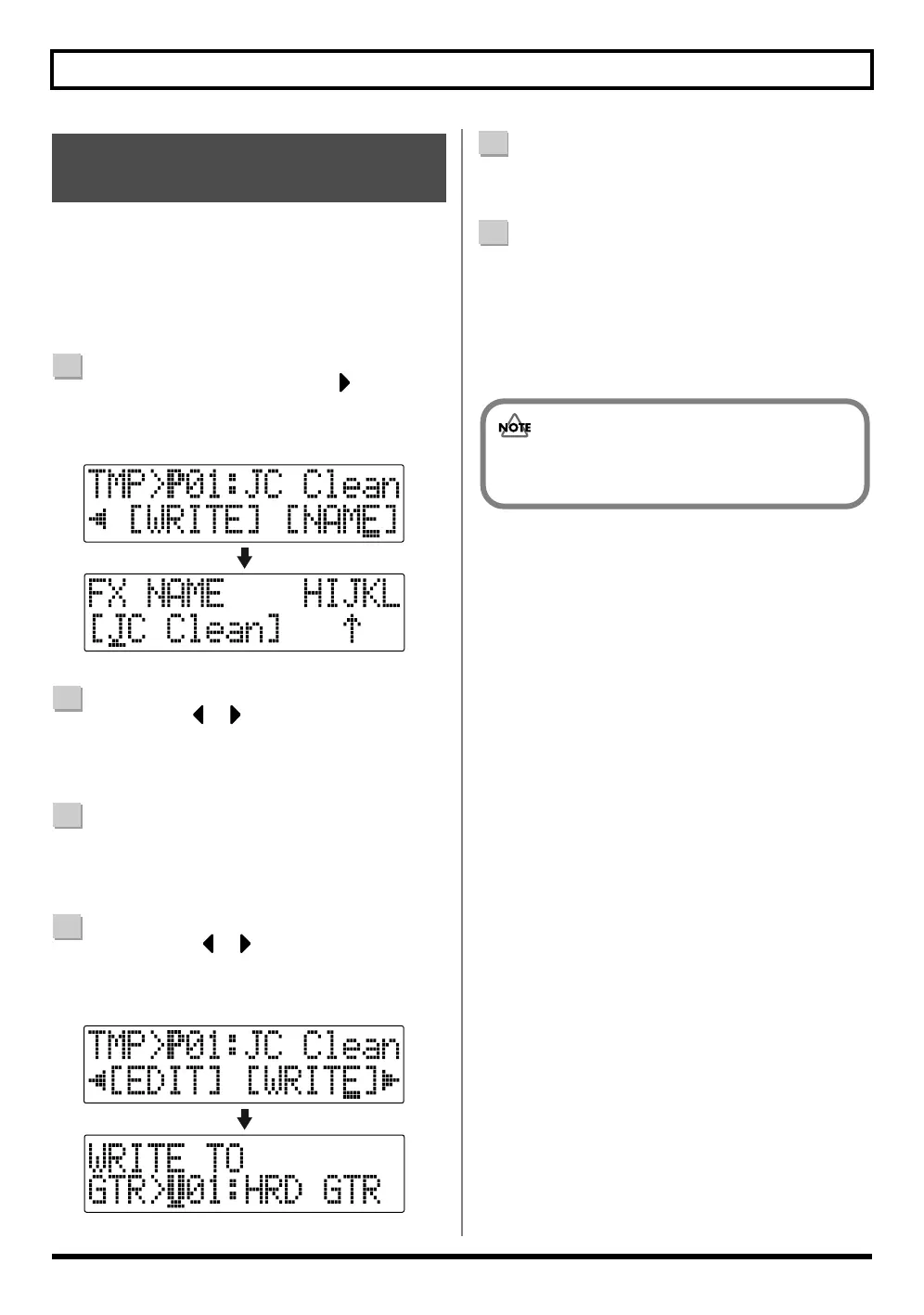
At the Effect screen, press CURSOR [ ] to move the
cursor to “NAME,” and press [ENTER].
The Patch Name Setting screen appears in the display.
fig.03-080
2
Use CURSOR [ ] [ ] and the TIME/VALUE dial
to enter the patch name.
* Press [ENTER] to switch between uppercase and lowercase.
3
After you have completed entering the effect settings
and patch name as desired, press [EXIT] to return to
the Effect screen.
4
Press CURSOR [ ] [ ] to move the cursor to
“WRITE,” and press [ENTER].
The Write screen appears in the display.
fig.03-090
5
Turn the TIME/VALUE dial to select the number to
which to write the new effect patch.
6
After you’ve selected the destination, press [ENTER].
After the save has been completed, you are returned to
the Effect screen.
* During updating, “Keep power on!” appears in the upper
line of the display, while the lower line shows what is being
processed.
Saving Insert Effects Settings
(Write)
You cannot save an effect patch during the recording
or playback of a song.



 To Next Page