35
Quick Start
Preparing Songs For Recording
When the memory card contains more than one song, the
song that was recorded last is automatically selected.
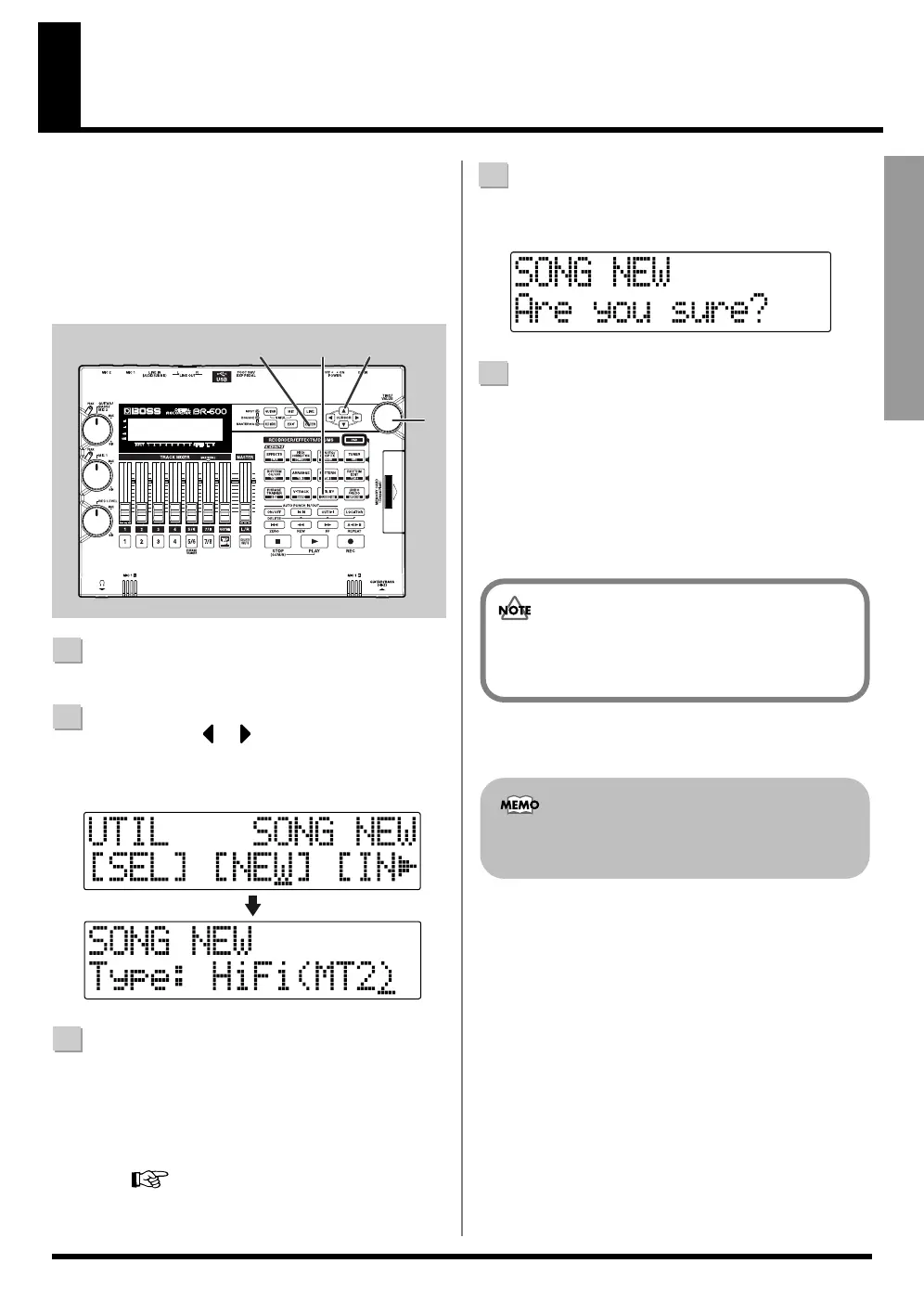
To record a new song, follow the procedure given below.
fig.00-250
1
Confirm that [PAD] is not lit, then press [UTILITY].
2
Press CURSOR [ ] [ ] to move the cursor to
“NEW,” and press [ENTER].
“Type” appears in the display.
fig.00-260
3
Turn the TIME/VALUE dial to select the desired data type.
Ordinarily, you should select the data type that meets
your needs for a particular recording situation, while
considering the desired quality and recording time.
However, for our purposes here, you can select HiFi (MT2).
For more about data types, refer to“Recording”
(p. 54).
4
Press [ENTER].
“Are you sure?” appears in the display.
fig.00-270
5
Press [ENTER].
When the new song is ready, you are returned to the
Play screen.
* During updating, “Keep power on!” appears in the upper
line of the display, while the lower line shows what is being
processed.
■ Recording a new song
(Song New)
1
2,4,5
3
2
The BR-600 uses a sample rate of 44.1 kHz. It is not
possible to change the sample rate.
You can create up to a maximum of 99 songs with the
BR-600.



 To Next Page