81
Editing the Performance on a Track (Track Edit)
Section 2
4
Turn the TIME/VALUE dial to select “AB” and press
[ENTER].
fig.02-320
5
Use CURSOR [ ] [ ] and the TIME/VALUE dial
to select the track/V-Track to move from, and track/V-
Track to move to.
6
Press [ENTER].
fig.02-330
7
Use CURSOR [ ] [ ] and the TIME/VALUE dial
to specify the time of the beginning of the location
“T” (To) where you want the data to be moved.
8
When you are ready to execute the move, press
[ENTER].
The display will ask “Are you sure?,” so that you can
confirm the operation.
9
Press [ENTER].
Move Event is executed.
10
Press [UTILITY] (or press [EXIT] repeatedly) to
return to the Play screen.
* During updating, “Keep power on!” appears in the upper
line of the display, while the lower line shows what is being
processed.
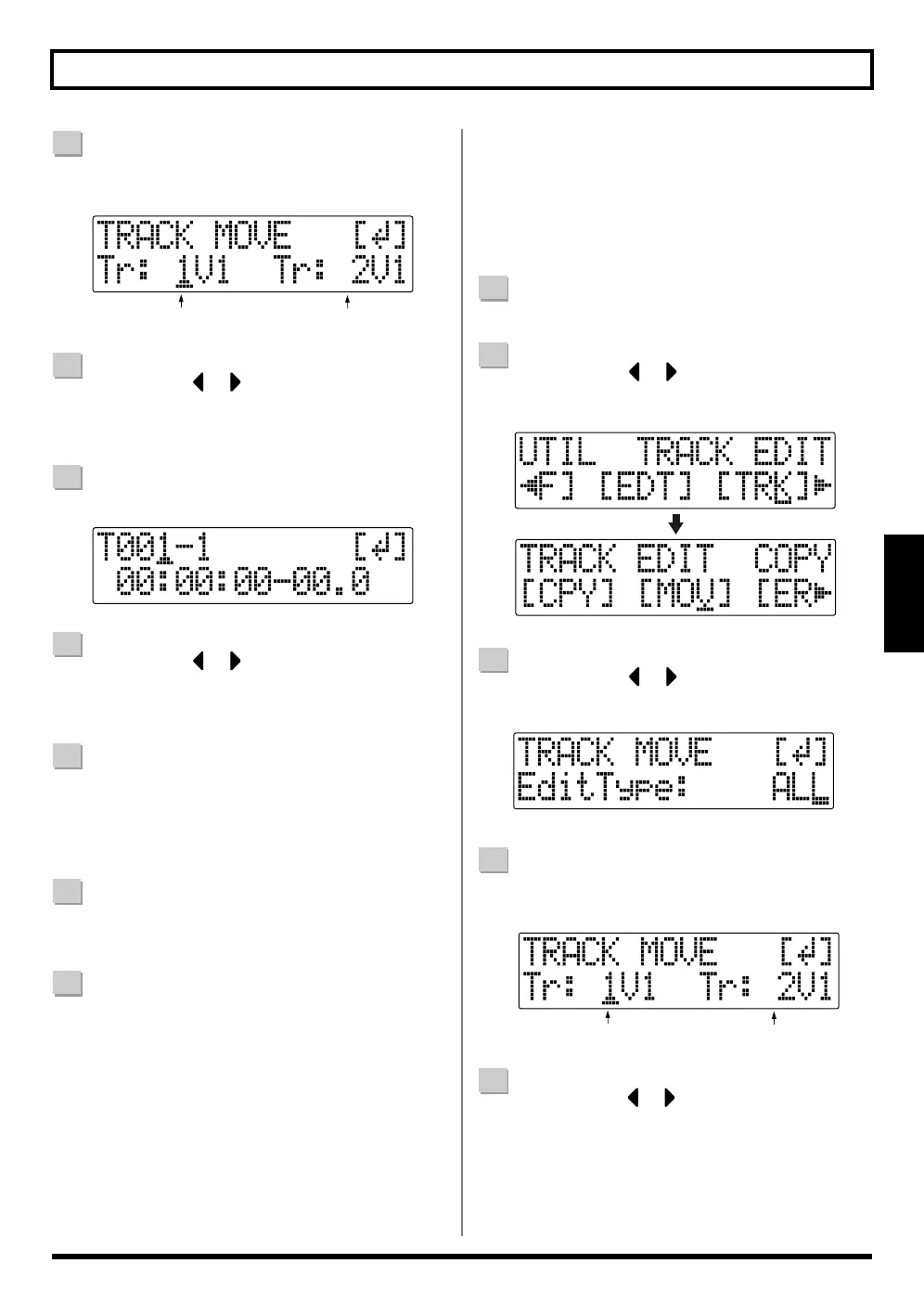
Perform the procedure given below to move the complete
data from one track to another.
1
Confirm that [PAD] is not lit, then press [UTILITY].
2
Press CURSOR [ ] [ ] to move the cursor to
“TRK,” and press [ENTER].
fig.02-420
3
Press CURSOR [ ] [ ] to move the cursor to
“MOV,” and press [ENTER].
fig.02-430
4
Turn the TIME/VALUE dial to select “ALL” and press
[ENTER].
fig.02-440
5
Press CURSOR [ ] [ ] and the TIME/VALUE dial
to select the track/V-Track to move from, and track/V-
Track to move to.
Move Source
Move Destination
■ Moving a complete track
(ALL)
Move Source
Move Destination



 To Next Page