23
Panel Descriptions
fig.00-090
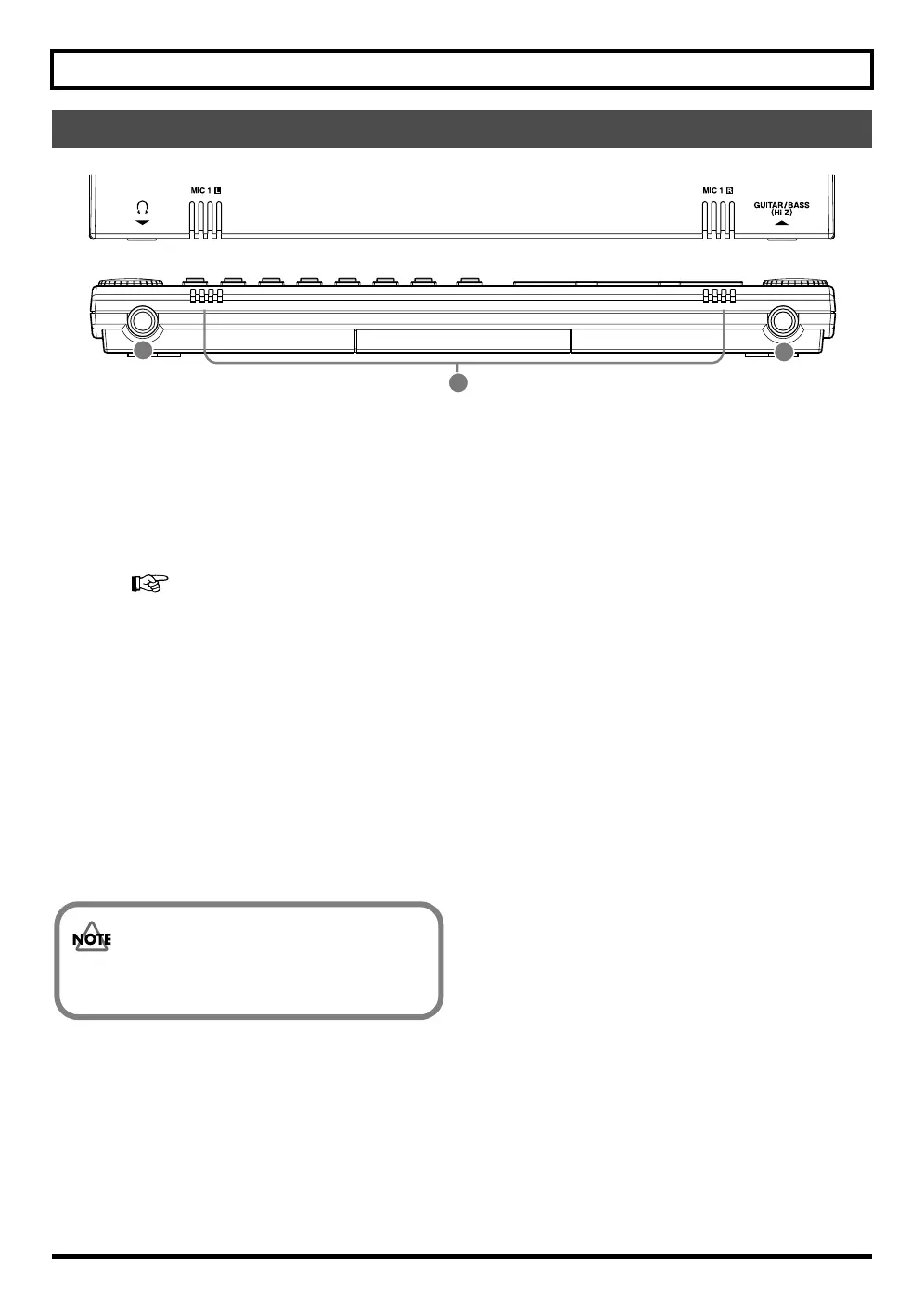
1. GUITAR / BASS jack
High-impedance input jack to directly connect your guitar
or bass.(p. 34)
2. MIC1 L / R (onboard stereo microphone L / R)
This microphone can be used for recording with the BR-600.
“Selecting the Input” (p. 36)
“Turning on the onboard stereo microphone” (p. 36)
* This mic is not a speaker. If you want to listen to sounds
from the BR-600, use headphones or connect LINE OUT to
an appropriate audio device.
3. Headphones jack
Headphones (sold separately) are connected here. When
headphones are connected, the same output as that from
LINE OUT can be heard from the headphones.
Front Panel
2
3
1
The headphone volume is adjusted with the MASTER
fader.



 To Next Page