42
Using the Rhythm
1
Confirm that [PAD] is not lit, then press [ARRANGE]
so that the button lights up.
fig.00-400
[RHYTHM ON/OFF] simultaneously lights, confirm
that the rhythms are enabled.
2
Select an arrangement.
Use CURSOR [ ] [ ] and the TIME/VALUE dial
to select the Preset/Song and number.
fig.00-410
Preset Arrangements (P)
The preset arrangements contain preset data.
Their settings cannot be changed, and you cannot
create a new preset arrangement.
Song Arrangements (S)
Song arrangements can be written; however, the data
for song arrangements are stored along with the song
data to the memory card.
fig.00-420
3
Press [EXIT] to return to the Play screen.
1
Confirm that [PAD] is not lit, then press [PATTERN]
so that the button lights up.
fig.00-430
[RHYTHM ON/OFF] simultaneously lights, confirm
that the rhythms are enabled.
2
Select a pattern.
Use CURSOR [ ] [ ] and the TIME/VALUE dial to
select the Preset/Song and number.
fig.00-440
Preset Patterns (P)
The preset patterns contain preset data.
Their settings cannot be changed, and you cannot
create a new preset pattern.
Song Patterns (S)
Song patterns can be written; however, the data for
song patterns are stored along with the song data to
the memory card.
fig.00-450
3
Press [EXIT] to return to the Play screen.
■ Changing arrangements
P:Preset / S:Song
Number
Arrangement Name
Memory Card
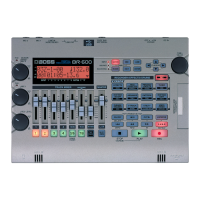
BR-600
Song
Song
Arrangement
Preset
Arrangement
■ Changing patterns
P:Preset / S:Song
Number
Pattern Name
Memory Card
BR-600
Song
Song
Pattern
Preset
Pattern


 To Next Page