190
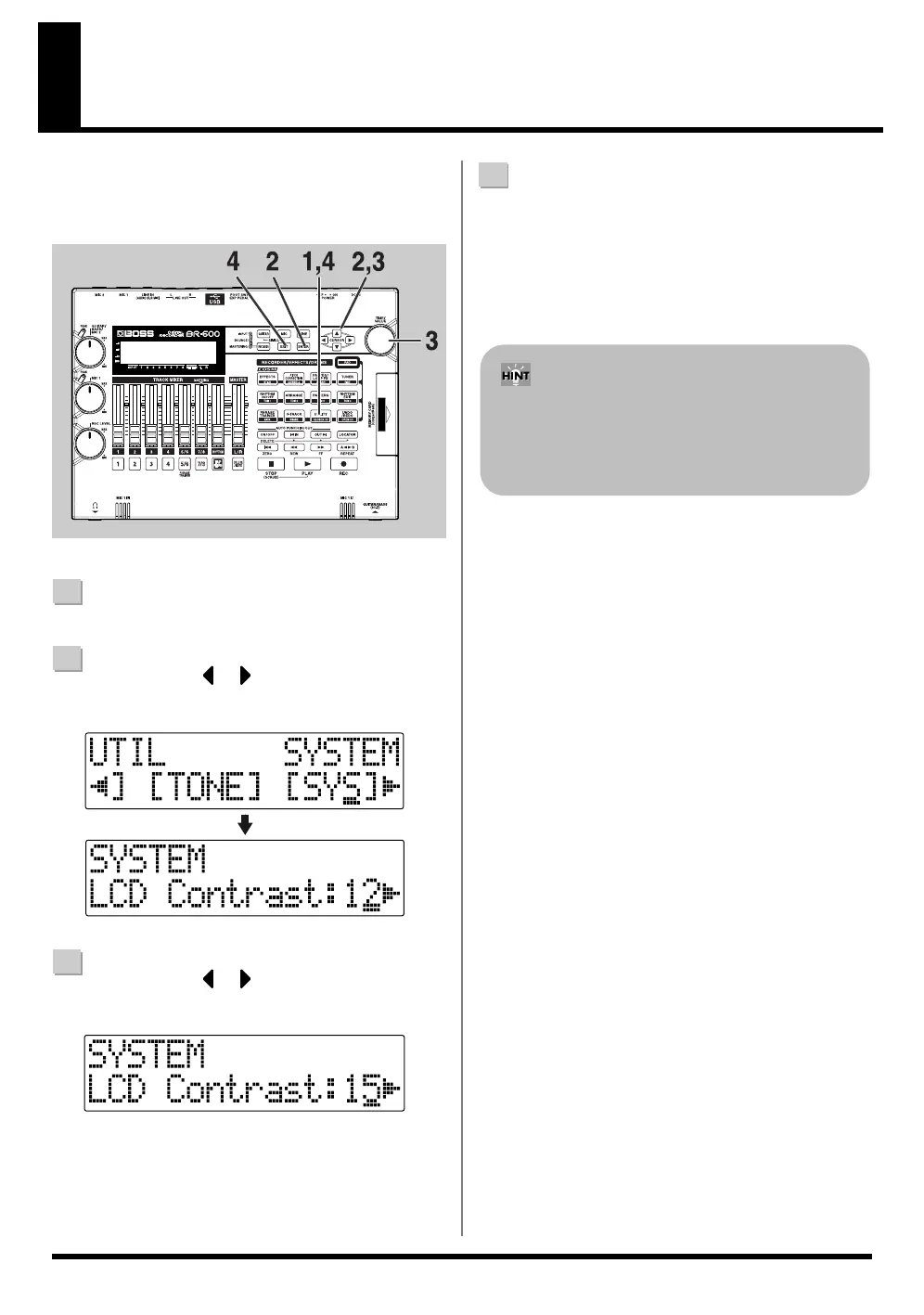
Adjusting the Display Contrast
Depending on where the BR-600 is situated, the display
contents may be difficult to read. If this is the case, perform
the procedure given below to adjust the contrast (1 to 17).
fig.06-010
1
Confirm that [PAD] is not lit, then press [UTILITY].
2
Press CURSOR [ ] [ ] to move the cursor to
“SYS,” and press [ENTER].
fig.06-020
3
Press CURSOR [ ] [ ] to select “LCD Contrast,”
and adjust the contrast with the TIME/VALUE dial.
fig.06-030
4
After completing the adjustment, press [UTILITY] (or
press [EXIT] repeatedly) to return to the Play screen.
* During updating, “Keep power on!” appears in the upper
line of the display, while the lower line shows what is being
processed.
If you press and hold [UTILITY] while turning the
TIME/VALUE dial, you will be able to change the
contrast in real time. Choose the method that best suits
the BR-600’s setup.



 To Next Page