175
With Windows
Section 5
6
Quit the connection to the computer.
With Windows XP
In My Computer, right-click on the “BOSS_BR-600”
icon (or “Removable disk (*:)” icon) to “Eject” the disk.
* If this procedure fails to eject the disk, use the procedure
below.
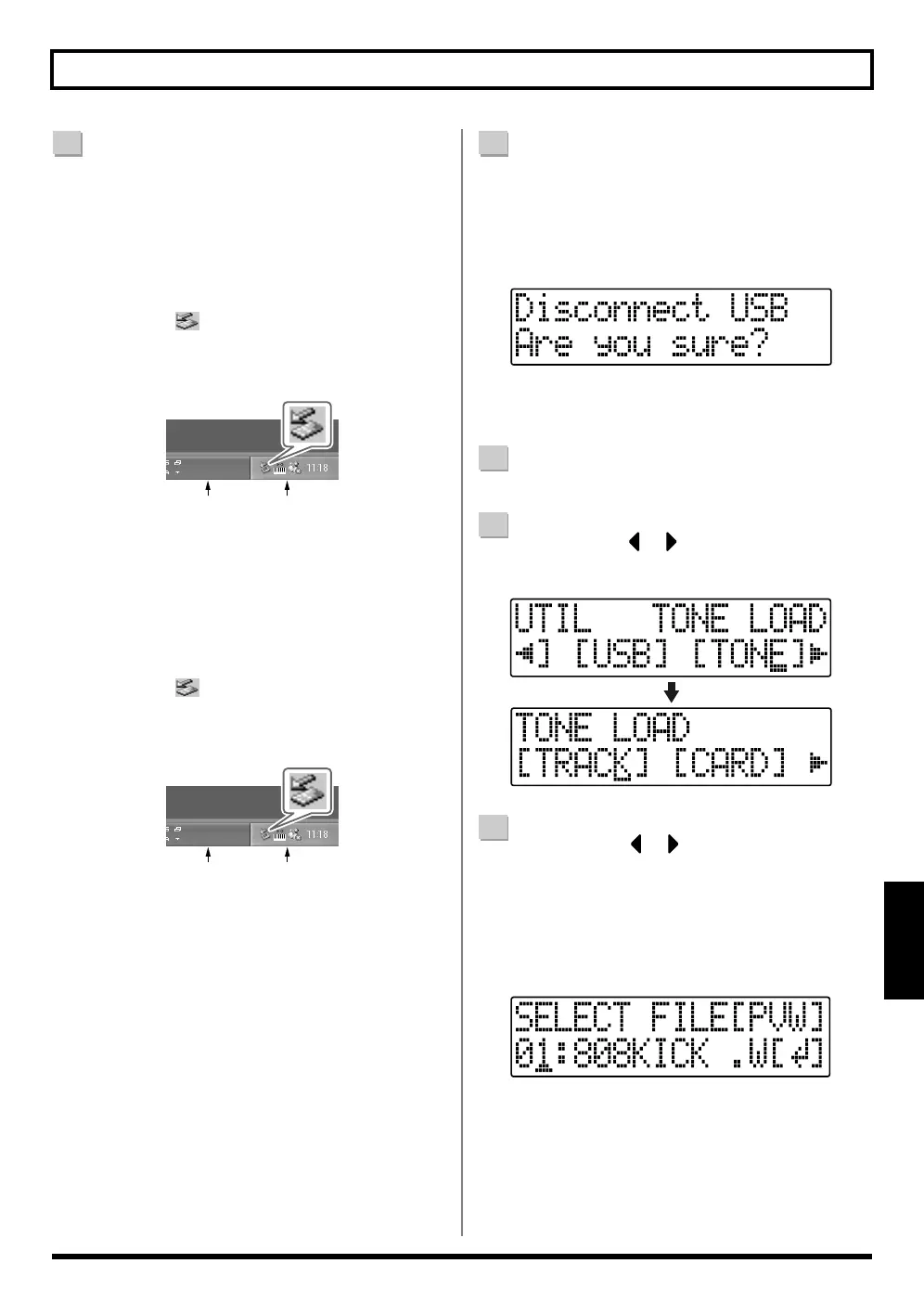
1) Click the icon in the task tray, then click the
“Stop USB Disk–drive (*:)” message displayed
there.
fig.05-080
2) Click [OK] in the “Safe To Remove Hardware”
dialog box that appears.
With Windows 2000/Me
1) In My Computer, right-click on the “BOSS_BR-
600” icon (or “Removable disk (*:)” icon) to
“Eject” the disk.
2) Click the icon in the task tray, then click the
“Stop USB Disk–drive (*:)” message displayed
there.
fig.05-080
3) Click [OK] in the “Safe To Remove Hardware”
dialog box that appears.
7
[EXIT] repeatedly to return to the Play screen.
* If you press [EXIT] without quitting the connection to the
computer, the following screens appear. In this case, pressing
[ENTER] and then [EXIT] returns the Play screen to the
display.
fig.05-420
At this point, you can safely disconnect the USB cable
from the BR-600 and the computer.
8
Press [UTILITY].
9
Press CURSOR [ ] [ ] to move the cursor to
“TONE,” and press [ENTER].
fig.05-430
10
Press CURSOR [ ] [ ] to move the cursor to
“CARD,” and press [ENTER].
The names of the WAV and AIFF files on the memory
card are displayed.
* WAV files are indicated by the symbol “.W”; “.A” indicates
AIFF files.
fig.05-440
Task Tray
Task Bar
Task Tray
Task Bar



 To Next Page