183
With Macintosh
Section 5
6
Use [CURSOR] and the TIME/VALUE dial to specify
the measure or position in the track from which
loading is to start, then press [ENTER].
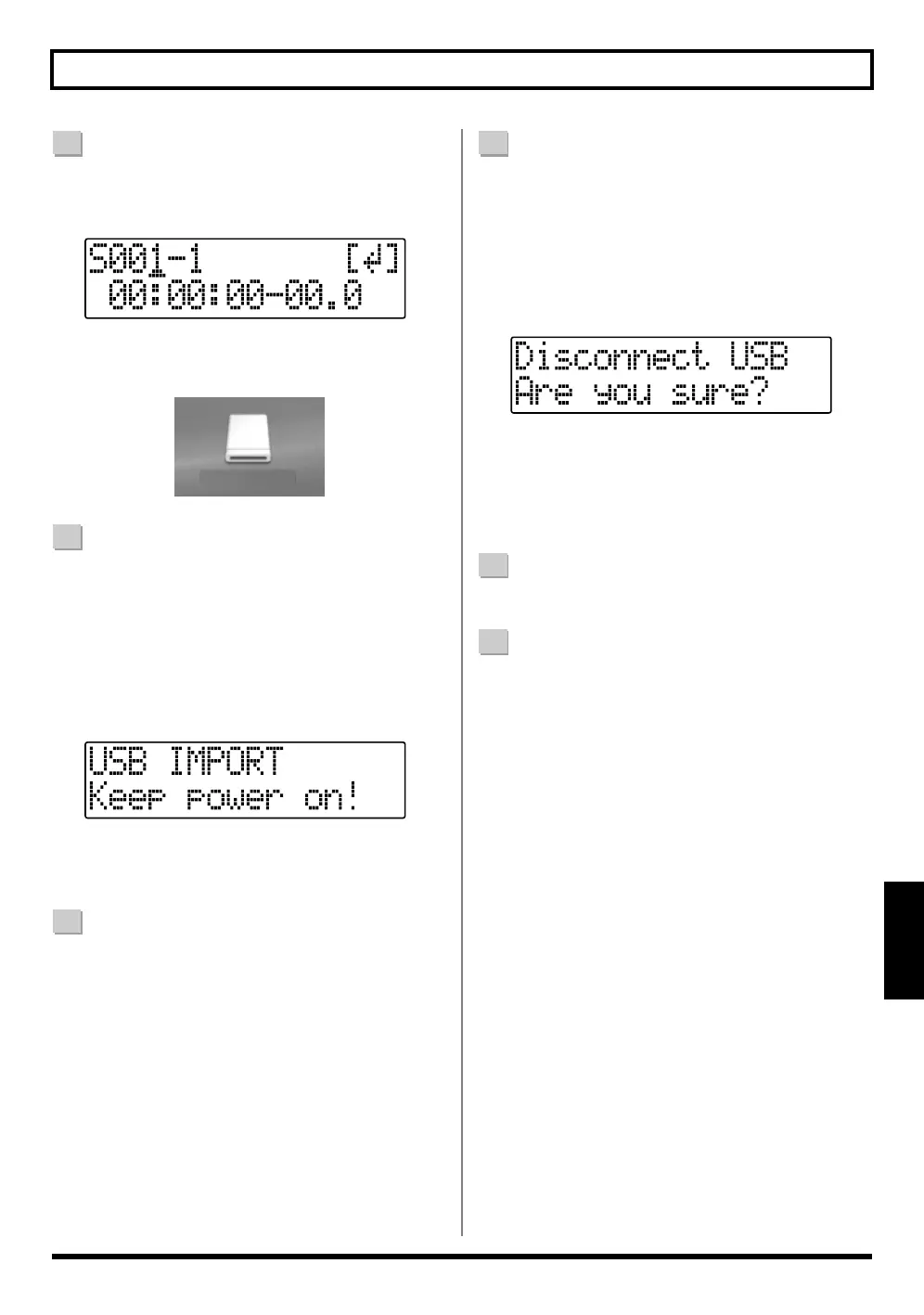
fig.05-660
The “BOSS_BR-600” icon is added to the computer.
fig.05-860
7
Copy the WAV or AIFF files you want to import.
1) Double-click the “BOSS_BR-600” icon.
2) Drag the imported WAV or AIFF file to the “USB”
folder in the “ROLAND” folder.
* Only one file can be imported at a time in each import
operation. Do not drag and drop more than one file at a
time.
fig.05-680
When you have finished copying the data, the Idling
screen returns to the display.
8
Quit the connection to the computer.
1) Drag the “BOSS_BR-600” icon into the trash.
9
Press [EXIT].
The WAV or AIFF file is imported.
The contents of the “USB” folder are automatically
deleted at the time the import is finished.
* If you press [EXIT] without quitting the connection to the
computer, the following screens appear. In this case, pressing
[ENTER] imports the WAV or AIFF file.
fig.05-690
Once the import is complete, you are returned to the
screen for specifying the import-source track/V-Track.
At this point, you can safely disconnect the USB cable
from the BR-600 and the computer.
10
Repeat Steps 4–9 as needed.
11
When you have finished importing the WAV or AIFF
file(s), press [EXIT] repeatedly to return to the Play
screen.
BOSS_BR-600
(Ex.)


 To Next Page