66
Putting Multiple Tracks Together (Bounce)
5
If you want to mix in the sound of the Rhythm as
well, increase the Rhythm fader.
If you do not want to record the Rhythm, lower the
fader.
6
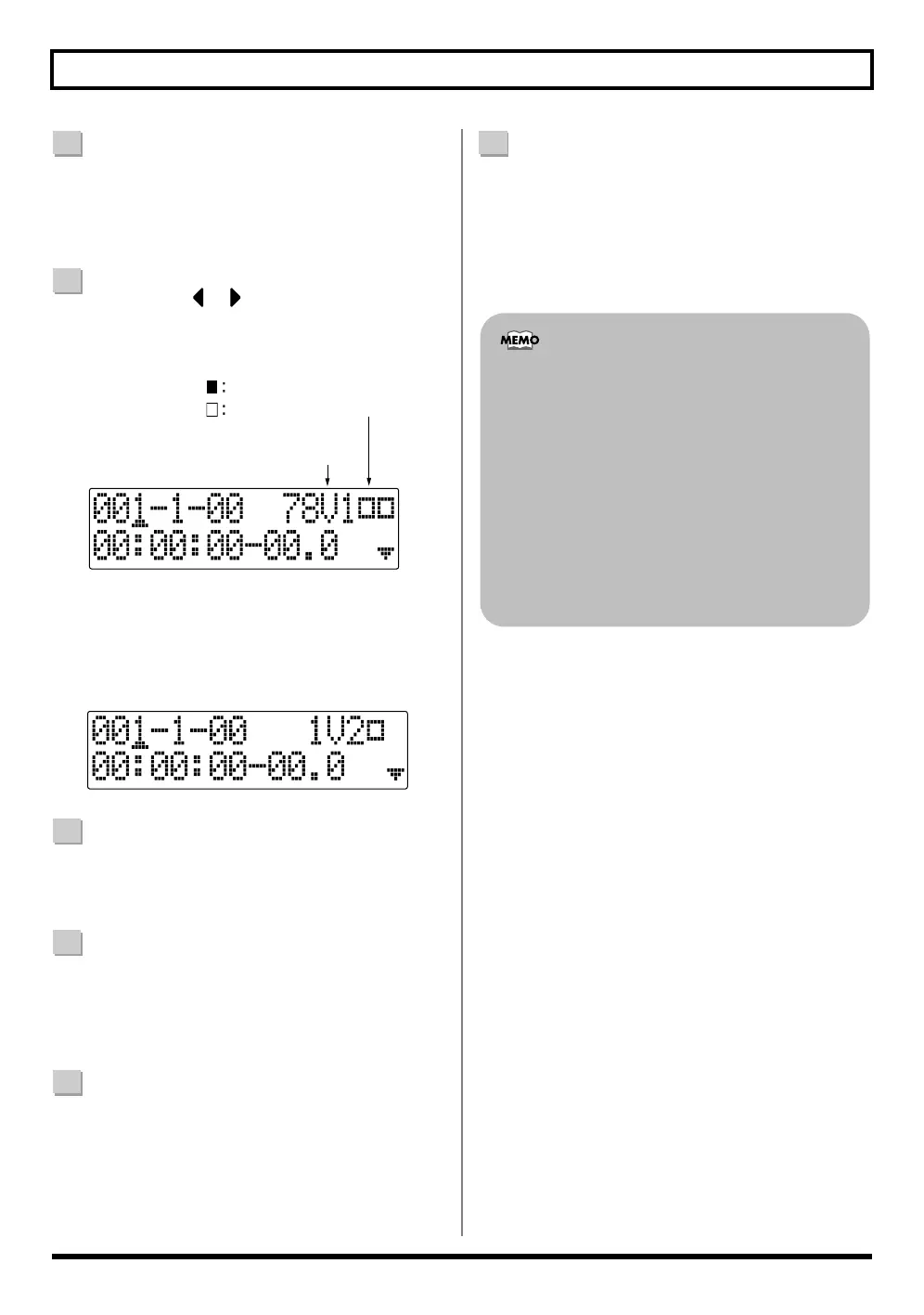
Use CURSOR [ ] [ ] and the TIME/VALUE dial
to select the recording-destination track/V-Track.
Here, set this to “78V2” (V-Track 2 of Tracks 7/8).
fig.01-290
(When bouncing while recording in mono)
If you turn the TIME/VALUE dial at this time, the
screen for specifying the track for mono recording is
displayed.
fig.01-300
7
After pressing [ZERO] to return to the time location
00:00:00-00.0, press [REC] and then press [PLAY] to
start bounce recording.
8
When you are finished recording, press [STOP].
* During updating, “Keep power on!” appears in the upper
line of the display, while the lower line shows what is being
processed.
9
Lower all TRACK faders except those for Tracks 7
and 8, press [PLAY], and then check the sounds
bounced to Tracks 7 and 8.
* The pan for tracks 7 and 8, where the music was bounced, is
set all the way to the left and right respectively.
10
If you want to save the settings in the currently
selected song, hold down [STOP], and press [REC].
* During updating, “Keep power on!” appears in the upper
line of the display, while the lower line shows what is being
processed.
Recording Destination
V-Tracks with recorded data.
V-Tracks without data.
• When using bounce recording, you can record the
sounds with insert effects (p. 92), loop effects (p.
118), Track EQ (p. 121), or Pitch Correction (p.
123) applied. When using the insert effects, refer
to “Changing the destination Insert Effects are
Connected” (p. 95).
• If you wish to mix an input source as part of the
bounce recording, press [INPUT SELECT] to
select the desired input source. At this time, you
can apply loop effects (p. 118) to the sound of the
input source.



 To Next Page