Page 288 of 479
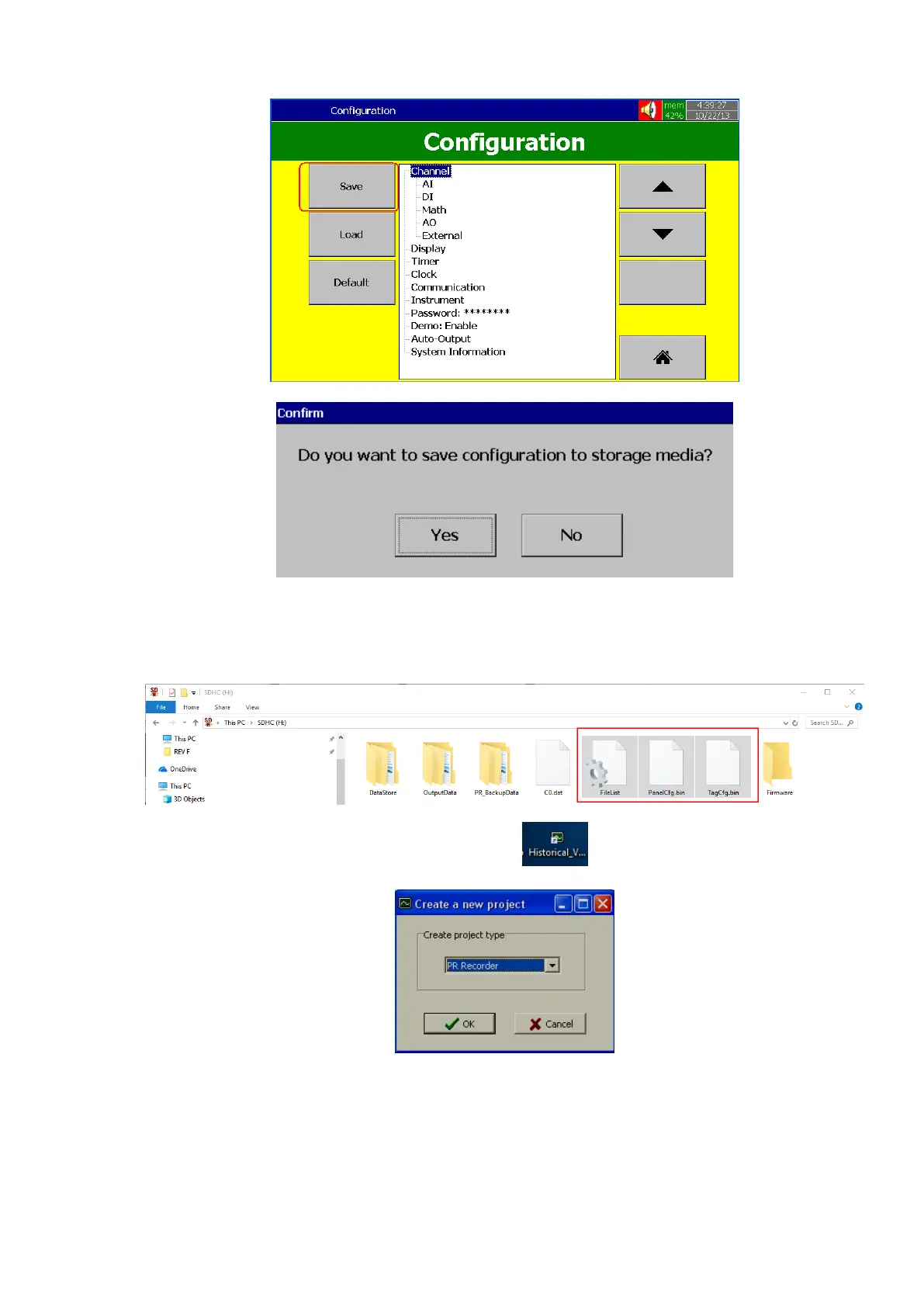
3. Press “Yes” to save the configuration to storage media.
4. Remove the removable media from the recorder. Insert into PC
5. Check contents of storage media. It should have the following files.
6. Double click the historical viewer icon at desktop and follow
on-screen instructions to create a new project.
7. Select PR Recorder. Click “OK”



 To Next Page