Page 289 of 479
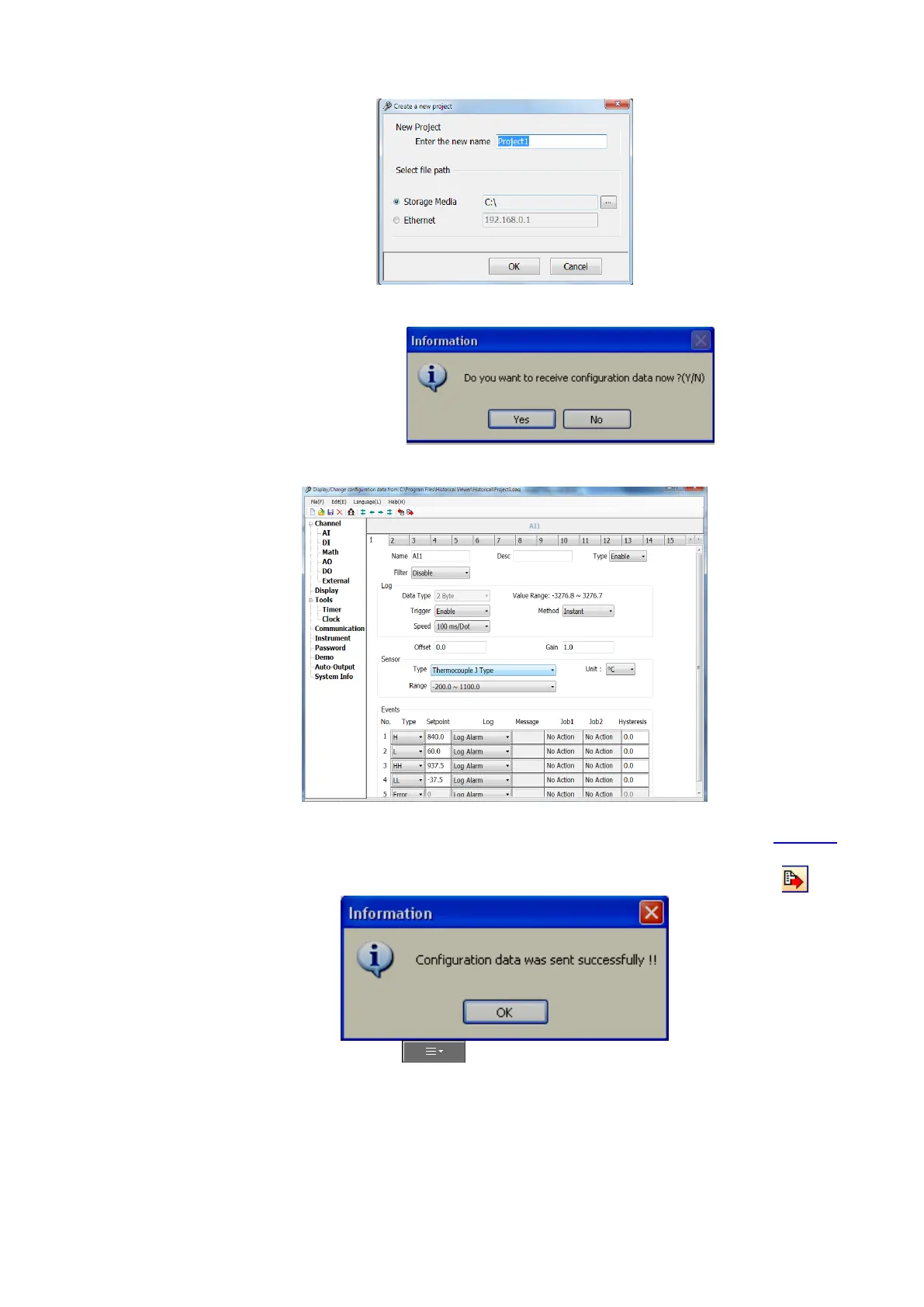
8. Select “Storage Media”. Then enter the path to the Recorder files in USB stick or SD card.
Click “OK”
9. Click “Yes”. It will open Recorder configuration screen
Note: The configuration screen is the same as the screen available directly in recorder. Refer chapter 5 for
more details.
10. Do the required changes in the configuration. Click at Send configuration icon
11. In the recorder, Press (Menu), then More and then Config soft key to enter
Configuration mode. In the configuration menu Press “Load”



 To Next Page