Page 363 of 479
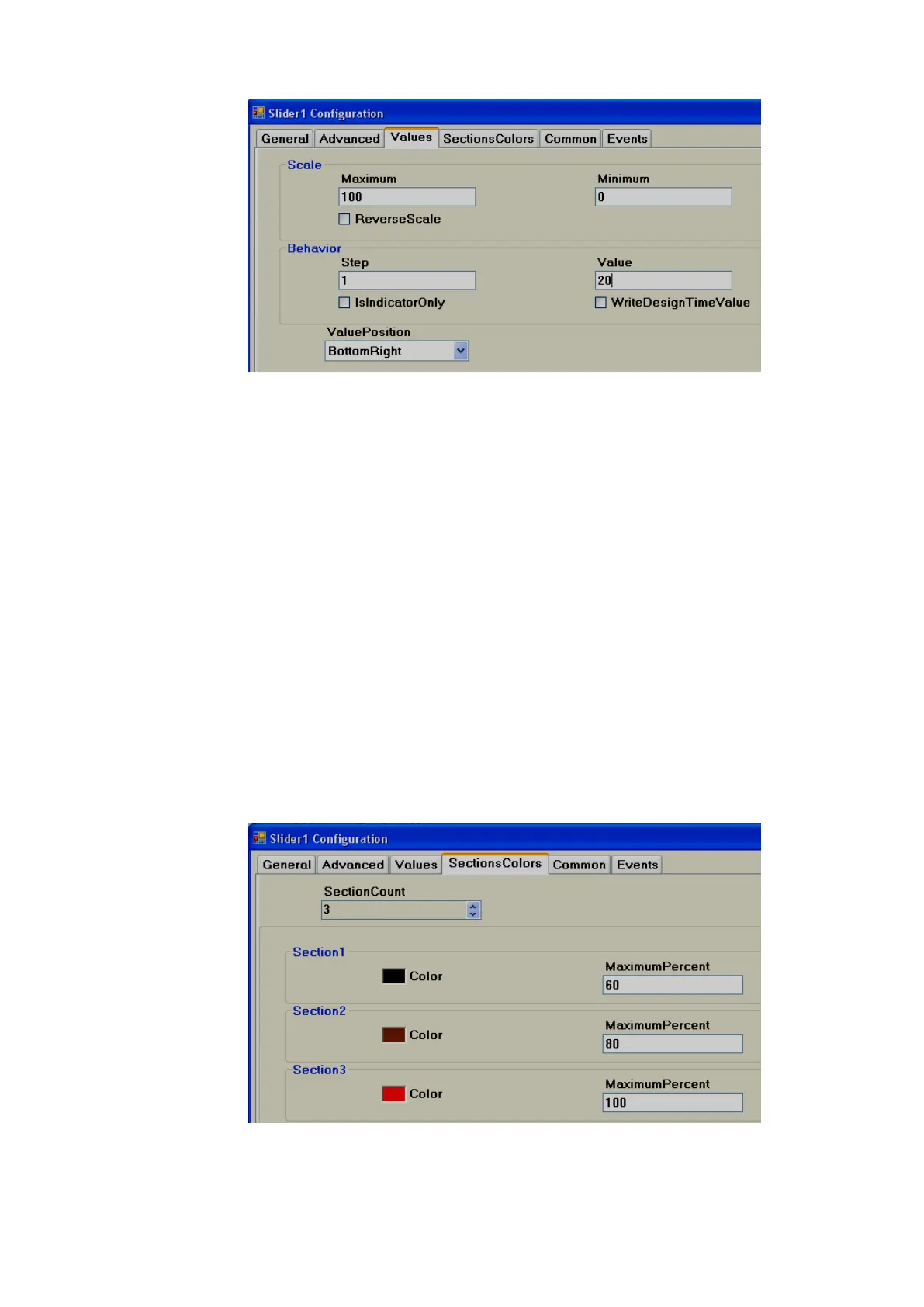
Scale:
Maximum: This is maximum range of Set point (Analog Tag, Normally Analog Output).
Minimum: This is minimum range of Set Point (Analog Tag, Normally Analog Output).
Example: If Controller set point is 0 to 100。C, set Minimum = 0, Maximum = 100.
Reverse Scale: If Selected, Scale labels will be displayed in Reverse.
Behaviour:
Step: It is the minimum value change when the slider is moved.
For example: By default, Step = 0, i.e., Slider moves its position in Real time even with minor
change in process value.
For example: If Step = 5, Slider moves its position in Real time in steps of 5.
Value: It is used to enter process value in design time and check the Slider position in PC.
Indicator only: If Indicator only is selected, slider is used for Read only. Operator will be not
able to move slider in Run time. If Indicator only is not selected, the slider is
used for Read/Write. Operator will be able to move slider in Run time for
example: change set point for variable speed drive.
Value Position: Define position for the value to appear during Run time. Available options
include Top left, Bottom Right, Both, Internal and None.
Sections colors: It is configure bands for the sections to show different colors for Labels and
Ticks in Slider.
Example: Three bands



 To Next Page