Page 362 of 479
Properties
Back color: Back color for the component.
Active bar color: Define active bar color.
Slider bar color: Define border color for the slider.
LED color: Color of the handle
Inactive bar color: Define inactive bar color.
LabelsPosition: Define Label position. Available options include Top Left, Bottom Right, Both,
Internal and None.
Orientation: Horizontal/Vertical. This is the orientation of the slider component. In the above
figure, it is in the Horizontal position.
Slide size: Define height and width of the slider.
Text Font: It is to set the font for the label including Name of Font, Size of font and Style of font.
Supported styles include Regular, Bold, Italic, Underline & Strikeout.
Bevel: It is to set a border including inner border, outer border and style of border.
Inner Border: True/False
Outer Border: True/False
Style: 9 styles are available
None, Flat, Single, Double, Raised, Lowered, Double Raised, Double lowered, Frame Raised,
and Frame Lowered.
Tag Binding: Select the Analog Tag of a process value.
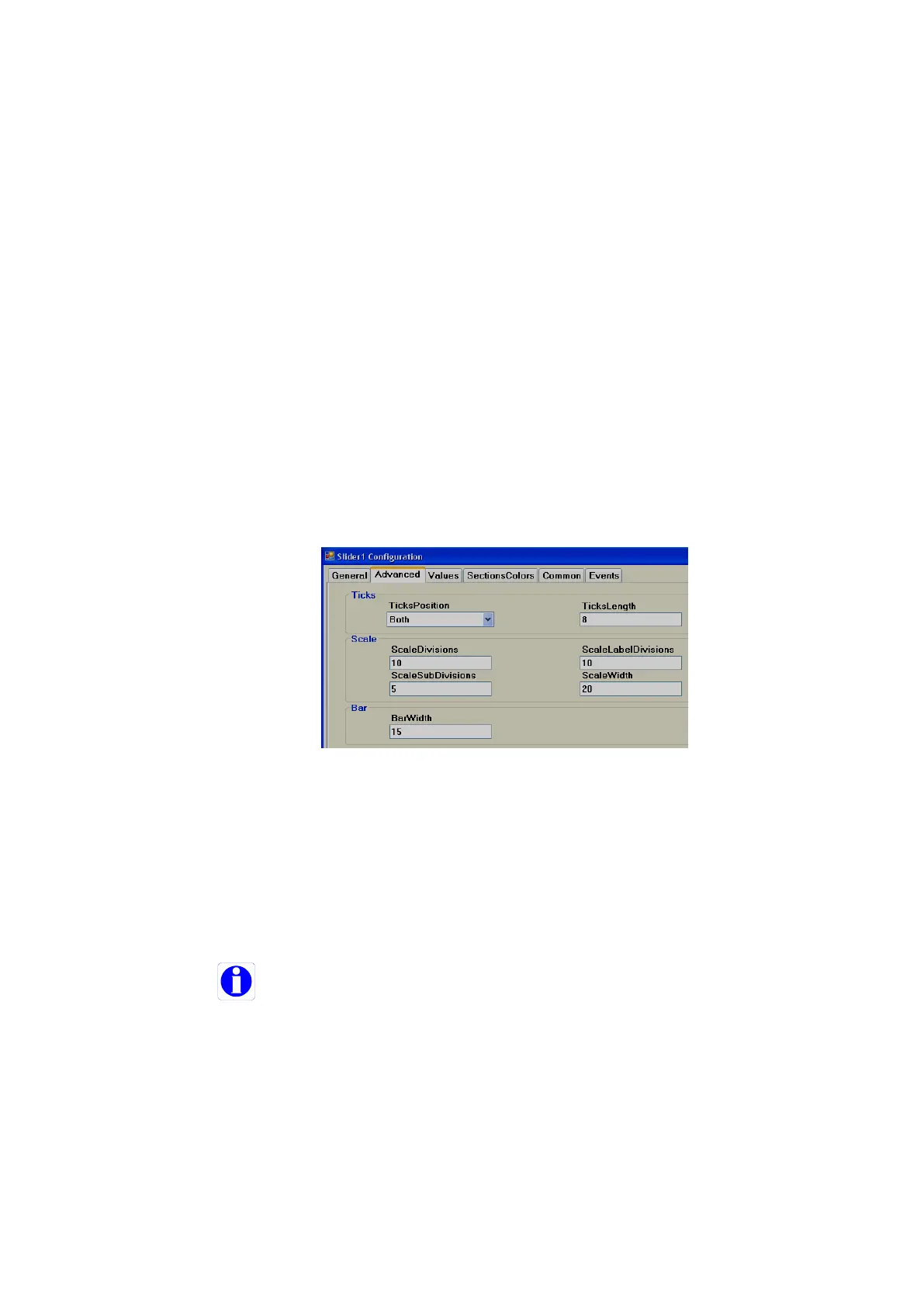
Ticks:
Ticks Position: Define ticks position. Available options include Top Left, Bottom Right, Both,
Internal and None.
Ticks Length: Set Tick length in pixels
Scale:
Scale divisions: Define number of Scale divisions (Big ticks).
Scale Sub Divisions: Define number of Sub divisions (Small Ticks between big ticks).
Scale Label Divisions: Define number of Labels to appear. Ex. 0, 10, 20 etc. till 100 for
scale 0 to 100.
Define same value for both Scale divisions and Scale label divisions.
Scale Width: Define Scale width.
Note: This is only the width for Scale divisions. Example: If ticks position is selected on both
sides, then it is the gap between two scale ticks (Top and Bottom in Horizontal orientation
or Left and Right in vertical orientation).
Bar:
Bar Width: Define width of Bar.



 To Next Page