Page 382 of 479
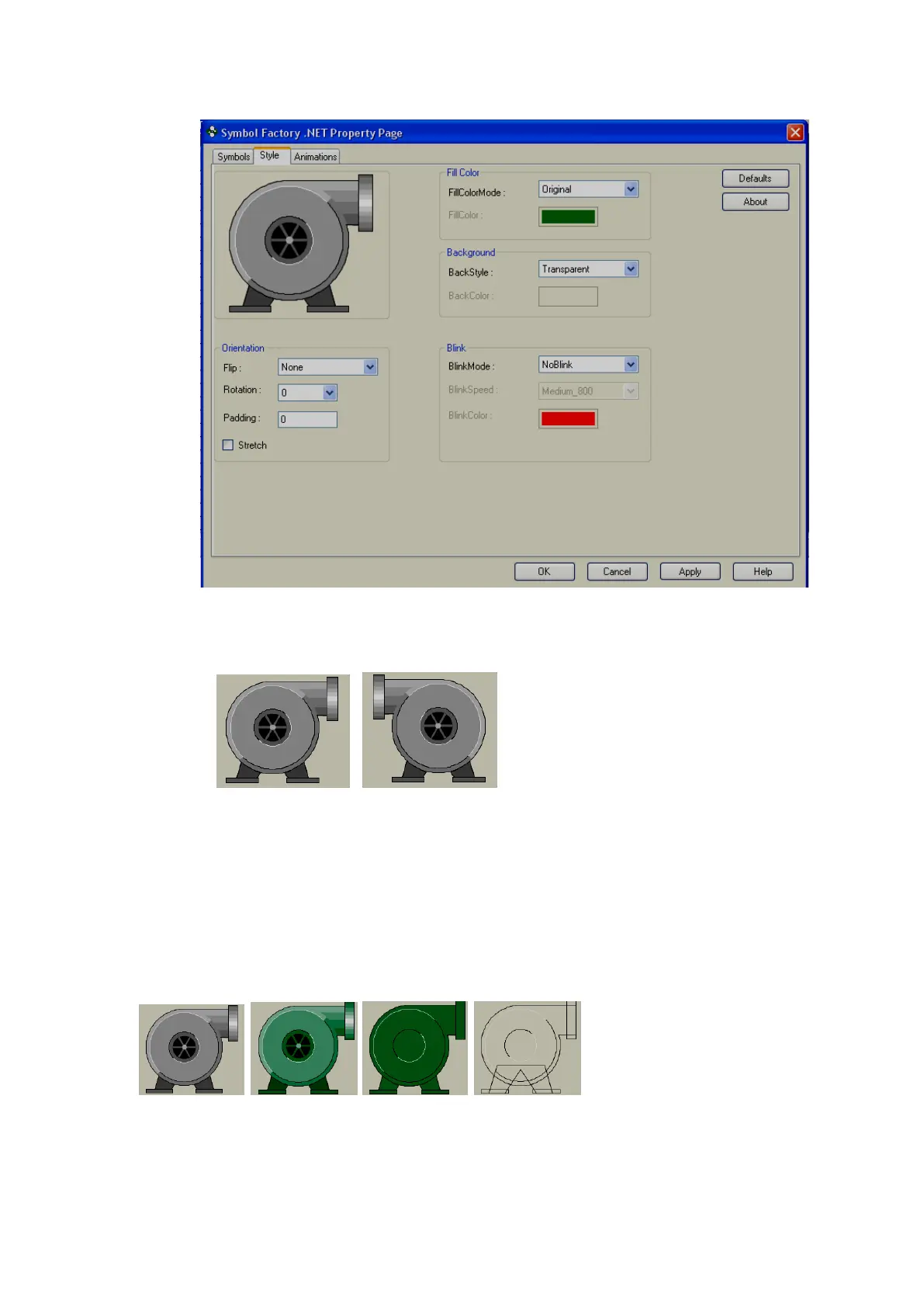
Click on “Style”. The following screen will appear.
Orientation:
Flip: It is possible to flip the symbol during Design time. Available options include Horizontal,
Vertical, Both and None.
Flip=None Flip = Horizontal
Rotation: It is possible to rotate symbol during design time. Available options include 0
0
, 90
0
,
180
0
and 270
0
Padding: Normally it is 0. It is used to decrease size of symbol within selected boundaries.
Stretch: It is used to stretch symbol within selected boundaries.
Fill Color:
Fill color mode: Available options include Original, Shaded, Solid and Hollow.
Fill Color Mode: Original Shaded Solid Hollow
Fill Color: N.A Green Green N.A
Fill color: Define color to be filled in Shaded and Solid fill color mode.



 To Next Page