System User Guide Rev. 2.5 Kolibri Ver. 2.0 23
KOLIBRI WORKSTATION
3.3 Panels, Cabling & System Ventilation
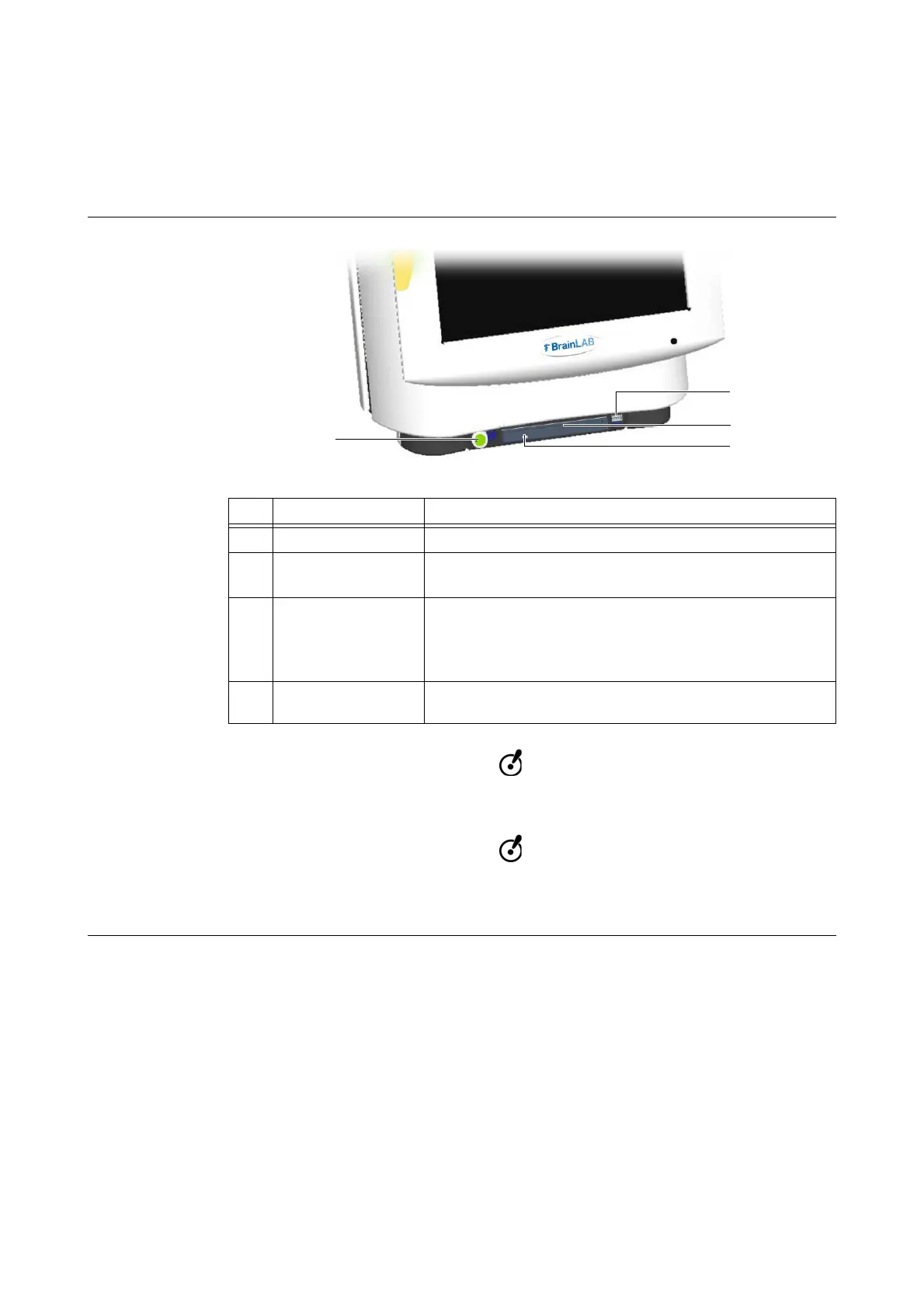
3.3.1 Front Panel
Features
Figure 3
Only insert standard CD/DVDs of 120 mm diameter. Do not insert irregularly shaped
CD/DVDs.
The inserted USB flashdrive should contain only relevant patient data. Inserting larger
USB flash drives (>4 GB), e.g., that contain large amounts of private data, may cause
the system to crash.
No. Feature Comment
a
On/Off button See page 33
s
USB port
• To load patient data via USB flash drive
• To save the therapy report
d
DVD/CD drive slot
To insert a CD/DVD, push it into the CD/DVD drive slot
d until
it is pulled in automatically
NOTE: If you feel resistance, there may already be a CD/DVD in
the drive.
f
Eject button
(of DVD/CD drive)
To eject a CD/DVD, press eject button f, wait until CD/DVD
has been ejected, and remove it from CD/DVD drive slot d



 To Next Page