24 System User Guide Rev. 2.5 Kolibri Ver. 2.0
Panels, Cabling & System Ventilation
3.3.2 Back Panel
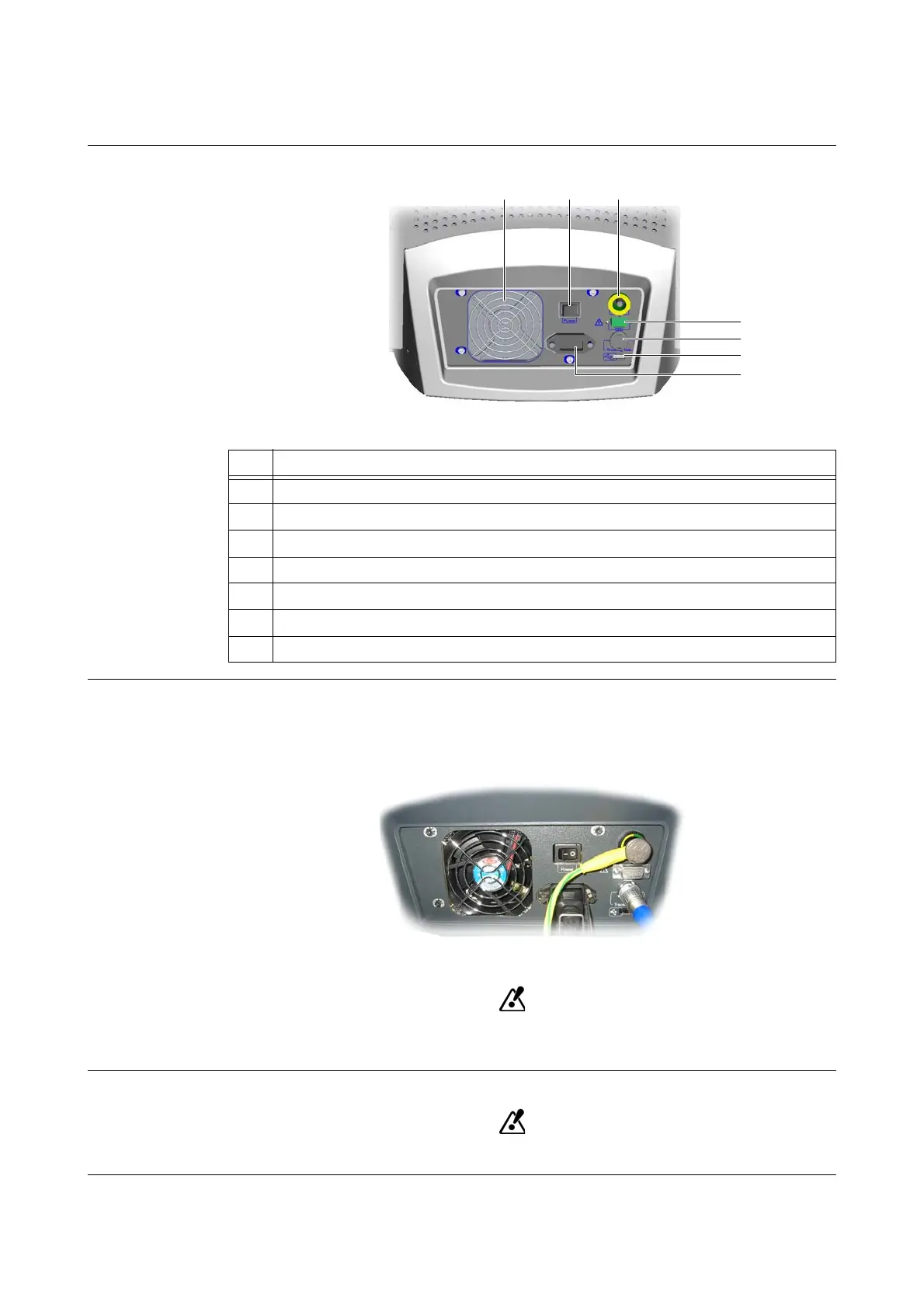
Features
Figure 4
Potential
Equalization
(Yellow/Green)
Purpose:
• Equalizing potentials between different metal parts that can be touched simultaneously
• Reducing differences of potential that can occur between medical electrical devices and other
conductive parts of other objects during operation
Figure 5
Before using the system, connect the potential equalization cable to the workstation
and an equivalent wall outlet.
Serial 1 Port
For safety reasons, cover serial 1 port f with a cap if no cable is connected.
No. Feature
a
Fan (see page 32)
s
Power switch (see page 33)
d
Potential equalization
f
Serial 1 port
g
Camera port (labeled “Tracking Unit”)
h
USB port
j
Power inlet



 To Next Page