System User Guide Rev. 2.5 Kolibri Ver. 2.0 53
KOLIBRI CART
4.4 Operating
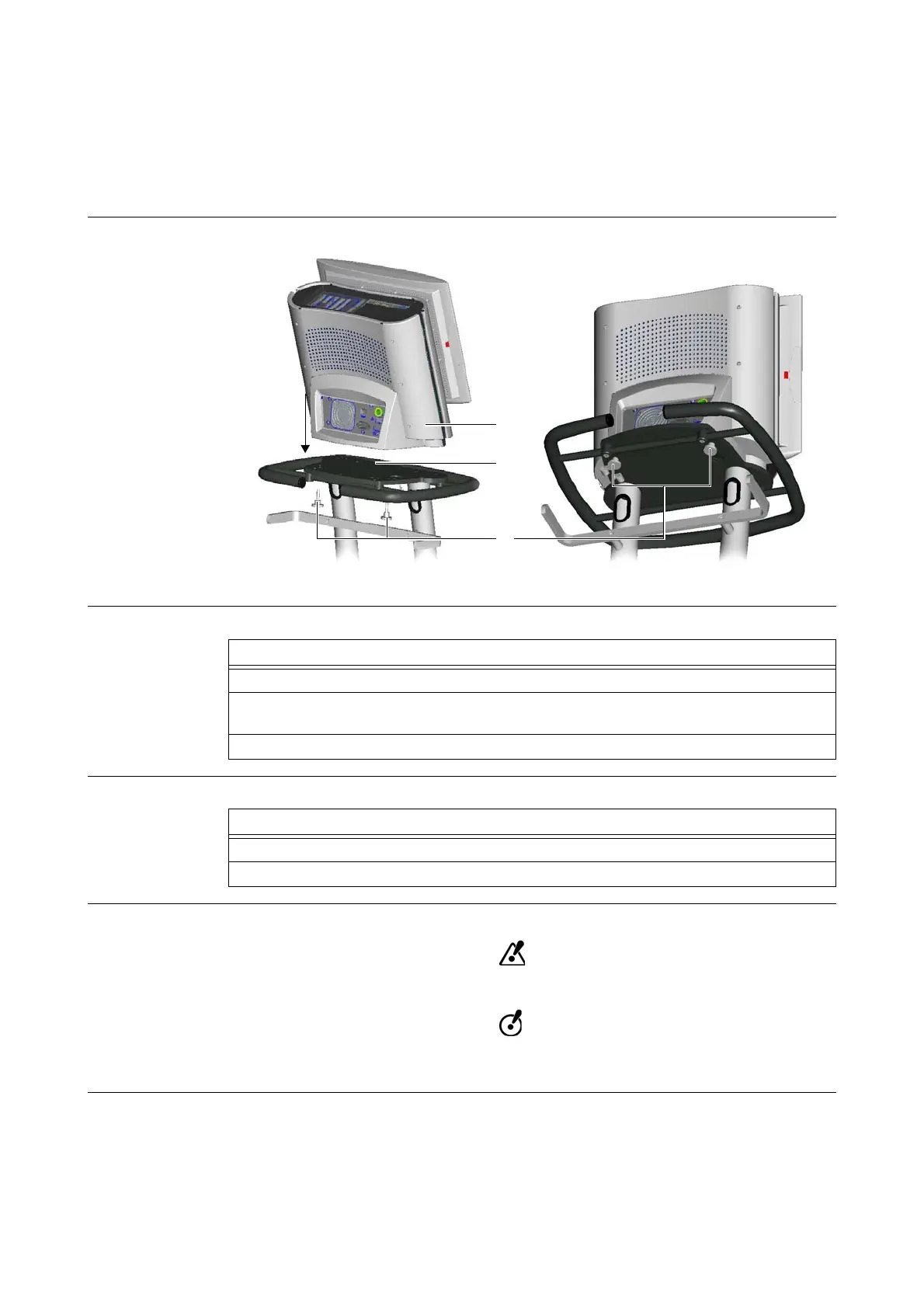
4.4.1 Attaching & Removing Kolibri Workstation
Illustration
Figure 23
How to Attach
How to Remove
Securing Knurled
Screws
Always secure Kolibri workstation using two M8 knurled screws.
Regularly check whether knurled screws are securely tightened. If extreme vibrations
cause knurled screws to loosen, tighten them by hand. Do not use tools.
Steps
1. Ensure that cart is in parking position.
2. Place Kolibri workstation
a onto top shelf of cart s so that Kolibri workstation is
aligned with holes on top shelf.
3. Fasten Kolibri workstation securely to cart using two M8 knurled screws d.
Steps
1. Unscrew the two knurled screws
d.
2. Remove Kolibri workstation a from top shelf of cart s.



 To Next Page