System User Guide Rev. 2.5 Kolibri Ver. 2.0 39
KOLIBRI WORKSTATION
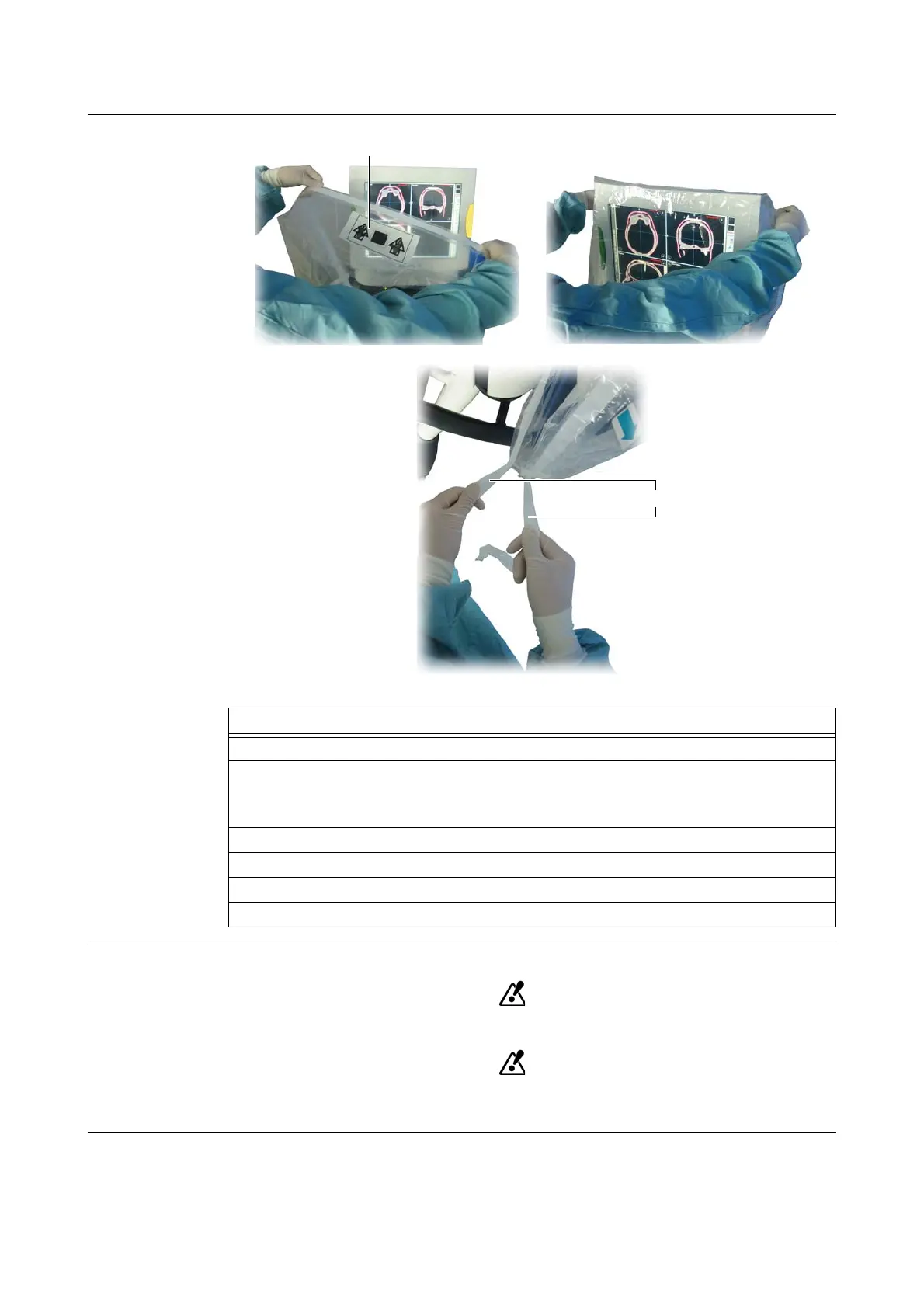
How to Drape the
Touchscreen
Figure 15
Operating Draped
Touchscreen
Do not touch drape with sharp tools.
To keep sterile field, only touch touchscreen and monitor housing where covered by
drape.
Steps
1. Open packaging under sterile conditions.
2. Ensure that wings (with adhesive tabs) are not unfolded, but stay inside.
NOTE: Wings are designed for a different monitor type, hence they are not necessary for
Kolibri
monitor.
3. Hold drape with both hands to the left and right of orientation label
a.
4. Place drape on touchscreen.
5. Fasten drape using tie
s.
6. Verify that drape sits securely on touchscreen.



 To Next Page