System User Guide Rev. 2.5 Kolibri Ver. 2.0 43
KOLIBRI WORKSTATION
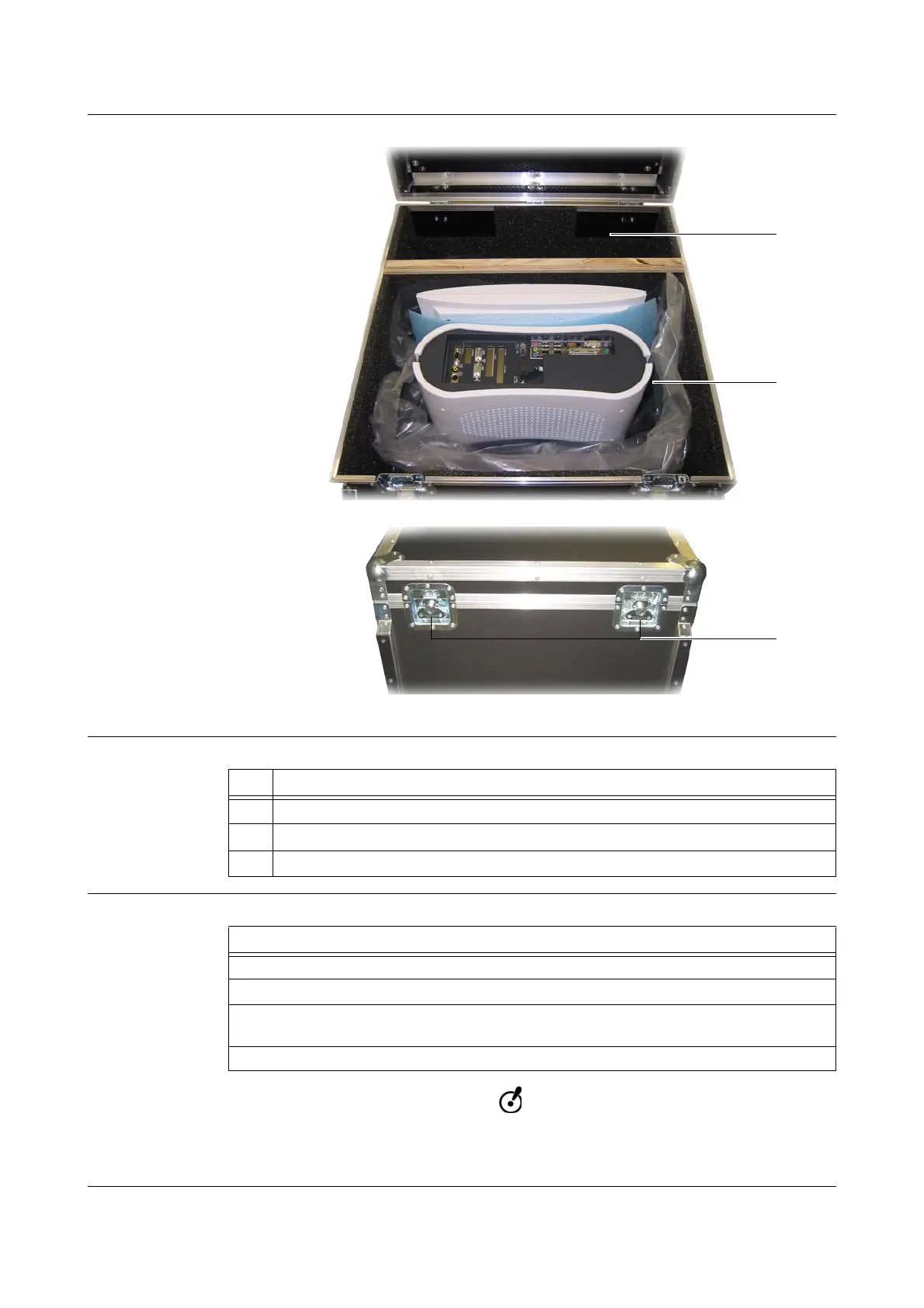
Case
Figure 19
Components
How to Place
Do not cover the workstation with the monitor protection cover when storing the work-
station in the transportation case. The monitor protection cover is stored in the acces-
sories area in the transportation case.
No. Component
a
Accessory area
s
Computer area
d
Twist locks
Steps
1. Shut down, turn off and unplug system.
2. Grip workstation and place it in computer area
s.
3. Place accessories such as cables, CD-ROMs and the monitor protection cover in the
accessories area a.
4. Securely close both twist locks
d.



 To Next Page