Brookeld Engineering Labs., Inc. Page 17 Manual No. M13-167-A0415
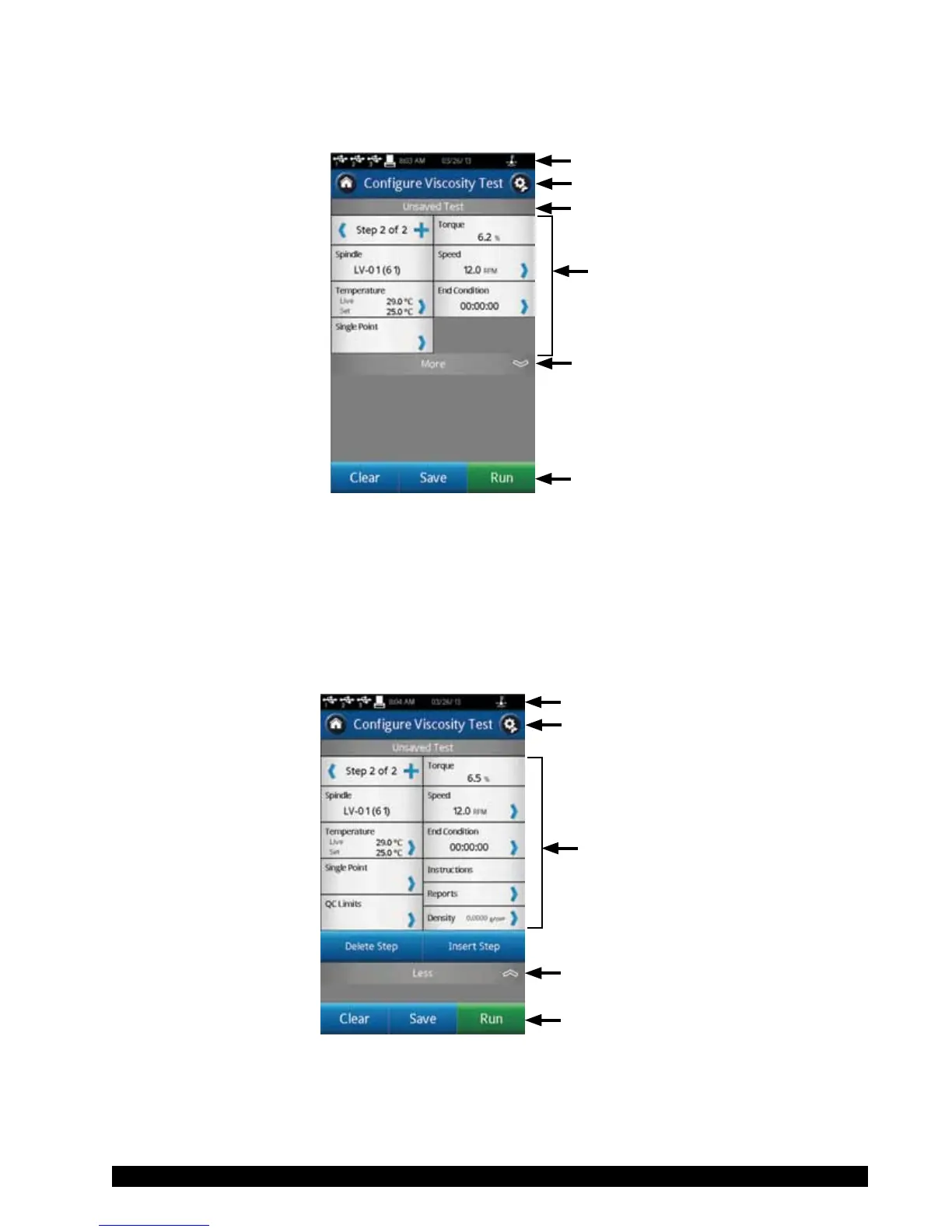
ThebasicCongureViscosityTestviewisshowninFigureII-4.ThisviewincludestheStatusBar
(SectionII.3),TitleBar(whichincludestheHomeandSettingsicons),testname,testparameters,
theMore/Lessbar,andCommandKeys(seeSectionII.4).
More/Less Bar
Command Keys
Status Bar
Title Bar
Test Parameters
Test Name
Figure II-4
TheusercanseethenameofanytestthathasbeenloadedthroughtheLoadTestfunction.InFigure
II-4,thelenameislistedasUnsavedTest,indicatingthatthecurrenttesthasnotbeensaved.
The More/Less bar is seen just below the test parameters. In Figure II-4, this bar includes a
downarrow,whichindicatesthatmoreinformationisavailable.FigureII-5showstheadditional
informationthatcanbeaccessed.TheMore/Lessbar,inthisview,nowhasanuparrowindicating
thattheadditionalinformationcanbehidden.
More/Less Bar
Command Keys
Status Bar
Title Bar
Data Fields
Figure II-5











 To Next Page