Brookeld Engineering Labs., Inc. Page 69 Manual No. M13-167-A0415
V.4 Admin Functions
TheAdminFunctionsmenuincludessettingsrelatedtoaccessandbasicinstrumentmanagement
oftheDV3T.TheAdminFunctionsmenuisonlyavailabletotheAdministratorwhenLogInis
required.UsersandPowerUsersdonothaveaccessrightstotheAdminFunctions.Ninesettings
areavailableincluding:
LogInandLockOut - RequireUserIDandPassword.DeneLockOutparameters.
UsersandAccess - DeneUserID,Password,Usercapabilities.AddUser.
SetTimeandDate - Setthetimeanddate.
BackupandImport - UpdateInstrumentFirmware,addLanguagele,BackUp
dataandsettings.
DefaultPath - DenethelogicfortheDefaultPathforsavingdataandtests.
SettingsReset - ResetbasicsettingstoDV3Tfactorydefault.
DeviceReset - ResettheentireDV3Ttofactorydefault.
CalibrationReminder - Establishuseandfrequencyofcalibrationreminder.
SaveAuditTrail - ExporttheAudittrailtoassistBrookeldwhentroubleshooting
DV3Toperation.
V.4.1 Log In and Lock Out
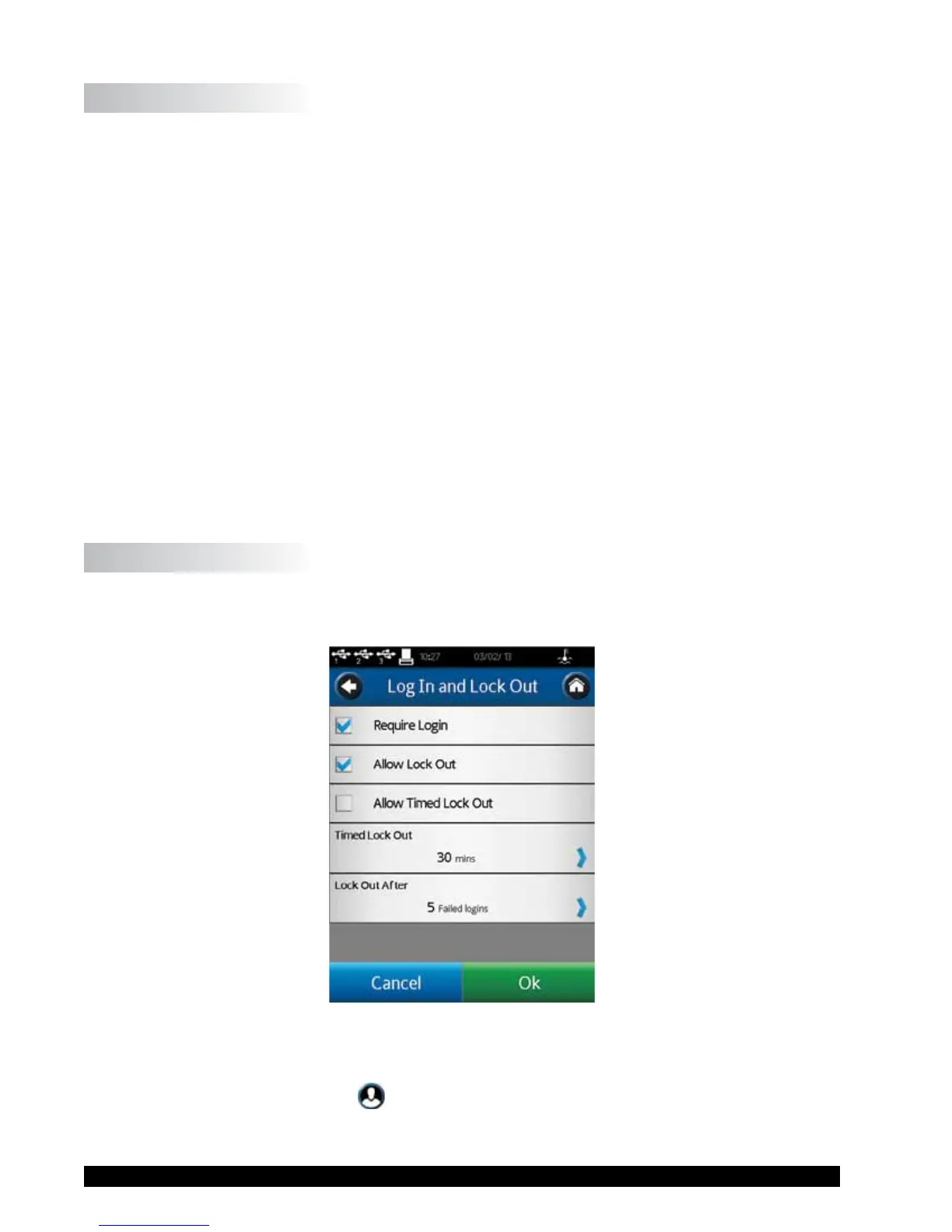
TheLogInandLockOutmenuallowstheusertodenetheLogInrequirementandtogglethe
LockOutfeaturewithinRunningViscosityTest(seeFigureV-11).
Figure V-11
TheLogIncheckboxcontrolstheLogInrequirement.WhenLogInischecked,theDV3Twill
requireaUserIDandPasswordpriortoallowinganyactivity.TheLogInscreenispresentedon
poweruporwhentheUserIcon
isselectedfromtheHomeMenu.Theusermustselecttheir
UserIDfromthedropdownlistandthenentertheirpassword.TheLogInrequirementisremoved
whenthecheckboxisunchecked.











 To Next Page