Brookeld Engineering Labs., Inc. Page 22 Manual No. M13-167-A0415
II.5.6 External Mode
TheDV3TRheometercanbecontrolledfromacomputerthroughtheuseofoptionalBrookeld
SoftwareRheocalcT.TherheometermustbeplacedintoexternalcontrolmodefromtheMain
Menu
.TherheometermustbeconnectedtothecomputerwithaUSBAcable(DVP-202).
TIP: TheStatusBarwillindicateaproperconnectiontothecomputerbydisplayingtheComputer
Icon
.
TheDV3TwilldisplayExternalModewhenconguredforoperationwiththecomputer.This
displayincludesaReturnbuttonthatwillresettherheometertostandaloneoperation.
II.6 Range
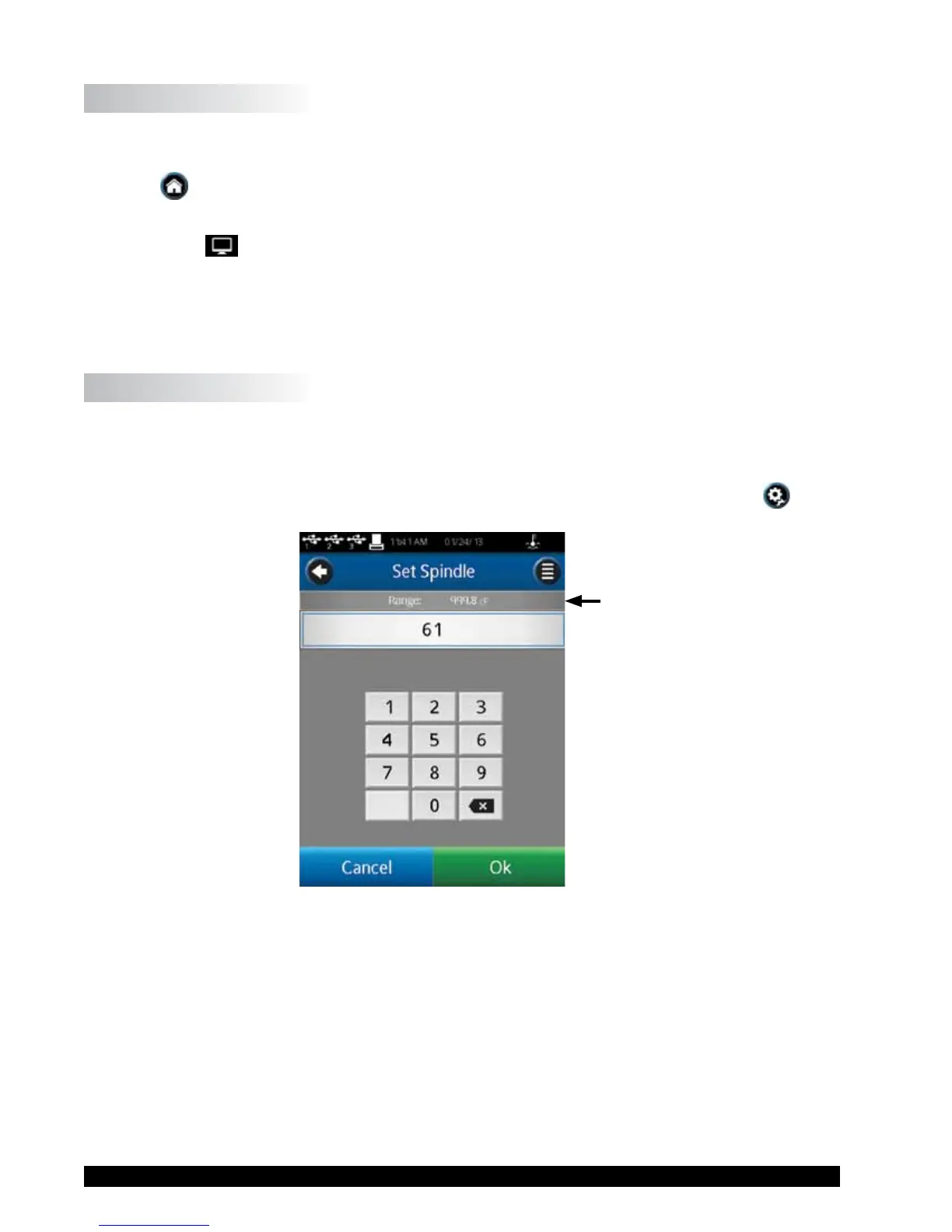
The DV3T Rheometer will calculate the measurement range for a specic spindle and speed
combination.Thisinformationisdisplayedonthescreenwhileselectingthespindlenumberas
showninFigureII-6.TheRangeisalsoshownintheRunningViscosityTestviewduringthe
measurement.ViscositywillbedisplayedintheunitofmeasurespeciedinSettings
andis
settocentipoise(cP)fromthefactory.
Range
Figure II-6
TIP: TheRangevalueisthesameastheAutoRangeavailableonearlierBrookeldrheometer
models.











 To Next Page