Disassembly
2 - 3
Disassembly
Disassembly
Main frame / Covers / Upper thread guide
1
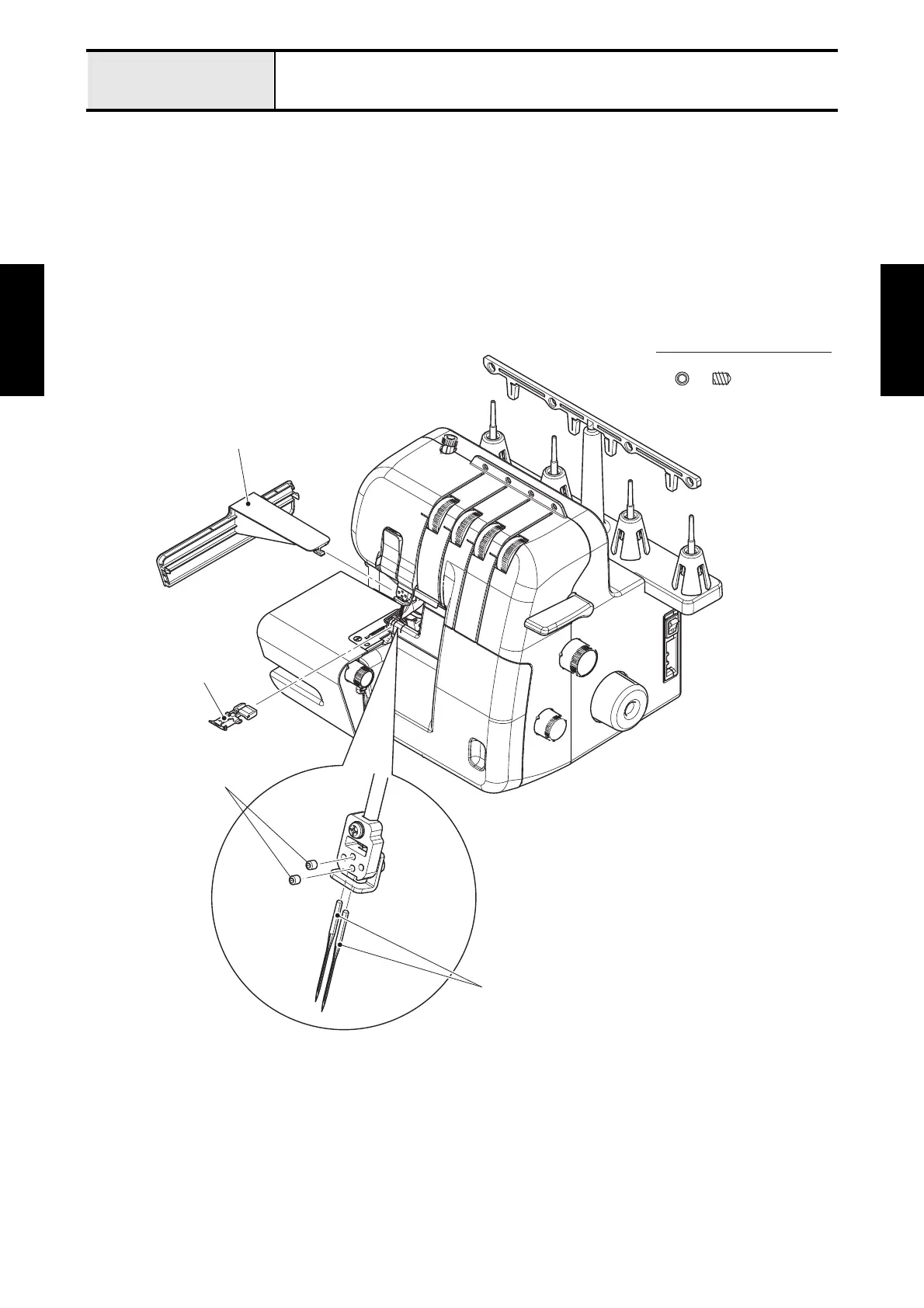
Disconnecting cables and removing accessories
1. Disconnect the Power cord (if connected)
2. Remove the two screws (set screw, socket (CN) M3x4) to remove the two needles.
3. Remove the presser foot.
4. Remove the sub table.
Fig. 2-1
Set Screw, Socket (CN) M3X4
Sub table
Presser foot
Set screw, socket (CN)
M3x4
Needle






 To Next Page