3 - 17
Adjustment
Adjustment
Adjustment
Thread tension release adjustment
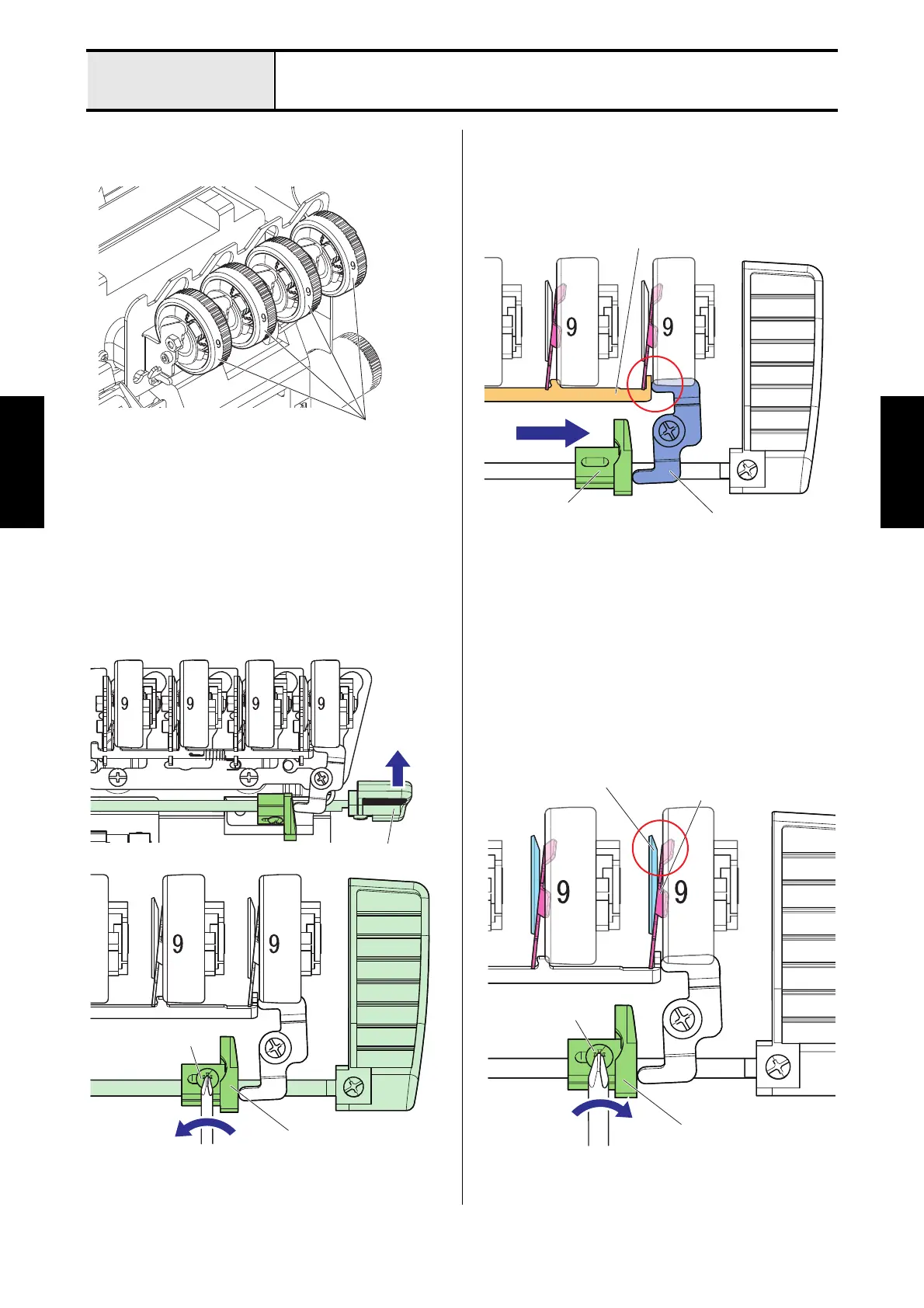
1. Turn the all thread tension dials to [9],
2. Lift the presser foot lever and loosen the screw
(screw, truss M3x8) of the thread tension release
cam.
3. Shift the thread tension release cam in the
direction of the arrow to abut the thread tension
lever to the thread tension release.
4. Fasten the screw (screw, truss M3x8) for the
thread tension release cam.
*Key point
• When tightening the screw, make sure that
there is a clearance between the tension disk
A and the tension release disk B.
Thread tension dial
Presser foot lever
Screw, truss M3x8
Thread tension release cam
Thread tension release
Thread tension
lever
Thread tension
release cam
Screw, truss M3x8
Thread tension release cam
Tension disc A
Tension release disc B






 To Next Page