3 - 22
Adjustment
Adjustment
Adjustment
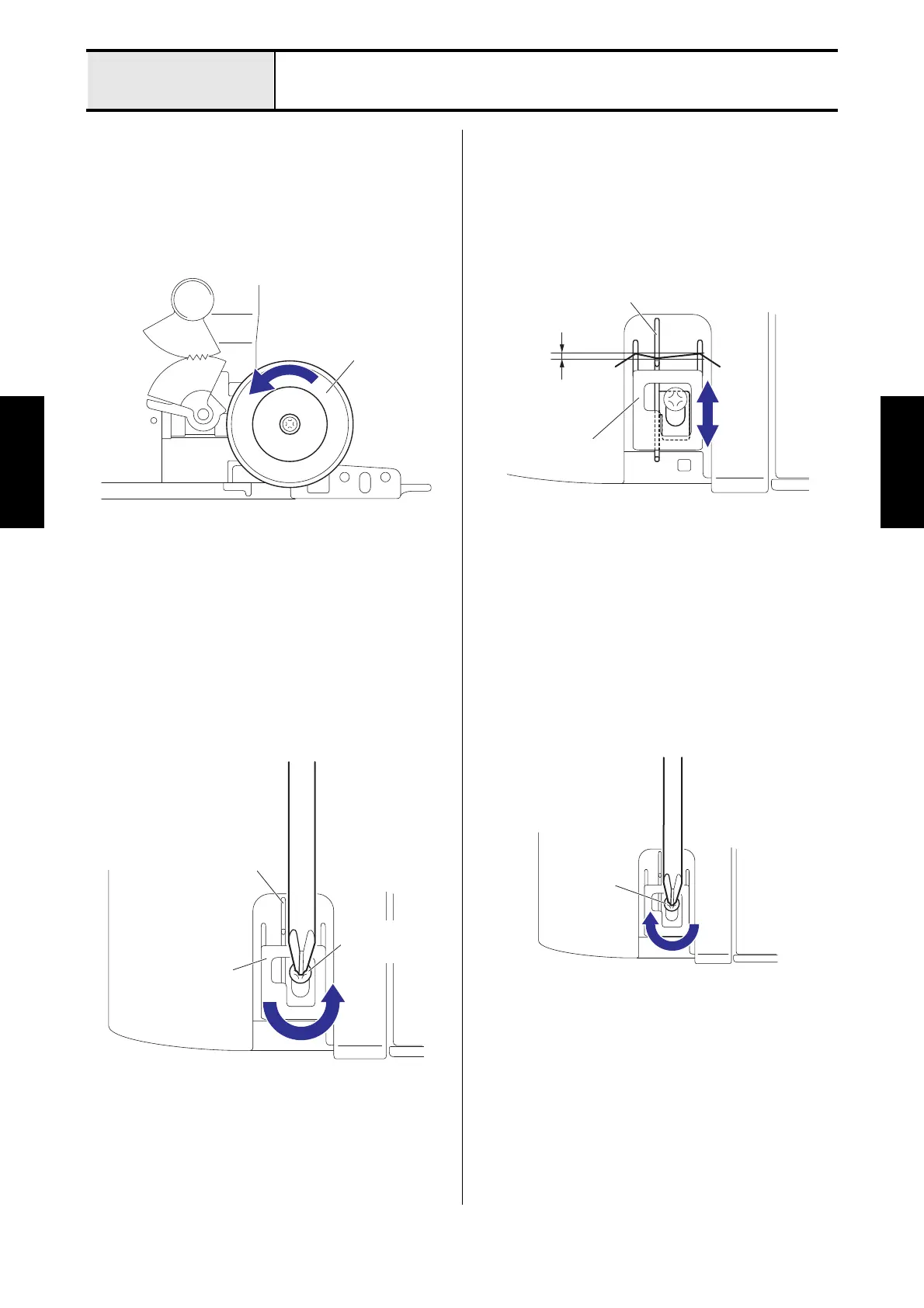
Thread take-up position adjustment
1. Remove the thread take-up cover.
2. Turn the pulley counterclockwise rotation, and
then the needle bar is the lowest position.
3. Loosen the screw (screw, bind M4x6) for the
thread take-up.
4. Move the thread take-up, and then adjust the
position so that the hanging condition of the
needle thread which hangs the needle thread
take-up guide and the thread take-up is 0 to 0.5
mm.
5. Fasten the screw (screw, bind M4x6) for the
thread take-up.
6. Attach the thread take-up cover.
Thread take-up
Needle thread
take-up guide
Screw, bind
M4x6
0 to 0.5 mm
Thread take-up
Needle thread
take-up guide
Screw, bind
M4x6






 To Next Page