3 - 20
Adjustment
Adjustment
Adjustment
Motor position adjustment
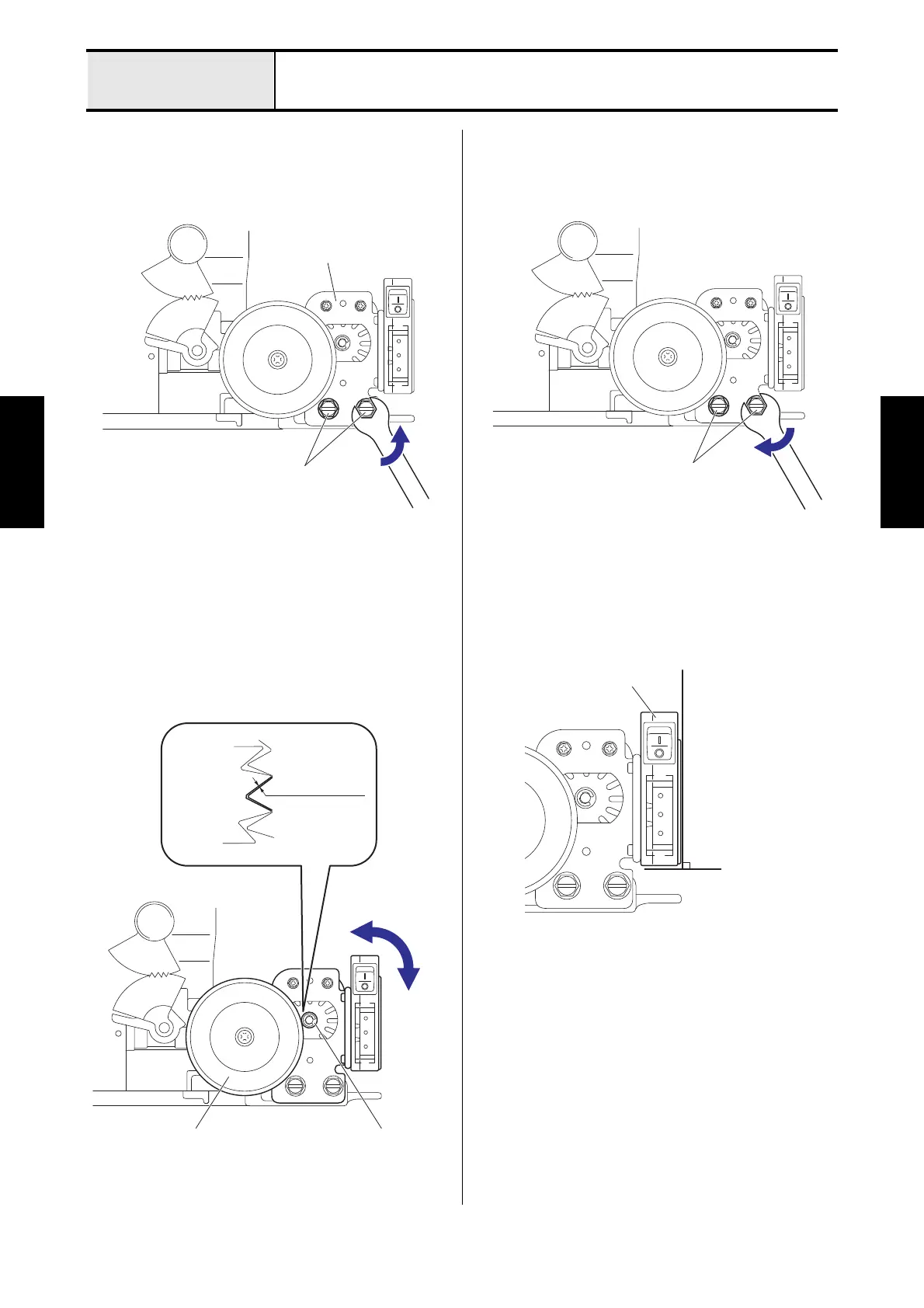
1. Loosen the two screws (bolt 7.14) for the motor
holder.
2. Move the motor holder, and then adjust the
backlash of the pulley and the motor gear to 0.1
to 0.5 mm.
3. Fasten the two screws (bolt 7.14) for the motor
holder.
*Key point
• Check that the 3P socket is perpendicularity.
Bolt 7.14
Motor holder
0.1 to 0.5 mm
Pulley Motor gear
Pulley Motor gear
Perpendicularity
3P socket






 To Next Page