3 - 18
Adjustment
Adjustment
Adjustment
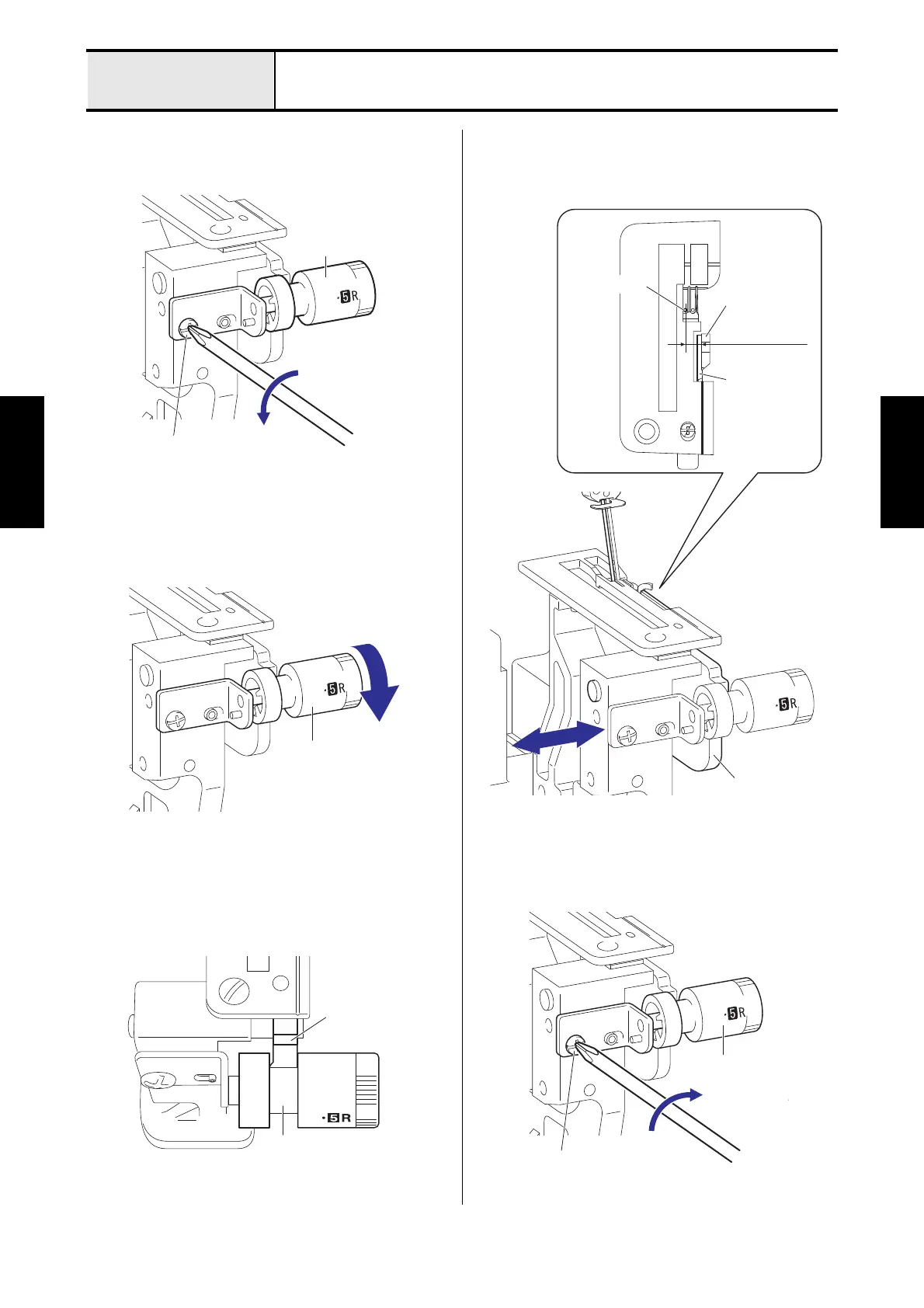
Stitch width dial adjustment
1. Loosen the screw (screw, bind M4x6) for the
stitch width dial.
2. Turn the stitch width dial toward.
3. Align the groove of the stitch width dial to the
lower knife holder.
4. Move the lower knife holder, and then from the
center of the needle (left) to the right side end of
the lower knife to 4.8 to 5.2 mm.
5. Fasten the screw (screw, bind M4x6) for the
stitch width dial.
Stitch width dial
Screw, bind M4x6
Stitch width dial
Lower knife
holder
Lower knife holder
Lower knife
Upper knife
Needle (left)
4.8 to 5.2 mm
Screw, bind M4x6
Stitch width dial






 To Next Page