3 - 9
Operation panel
Main unit
Assembly
Assembly
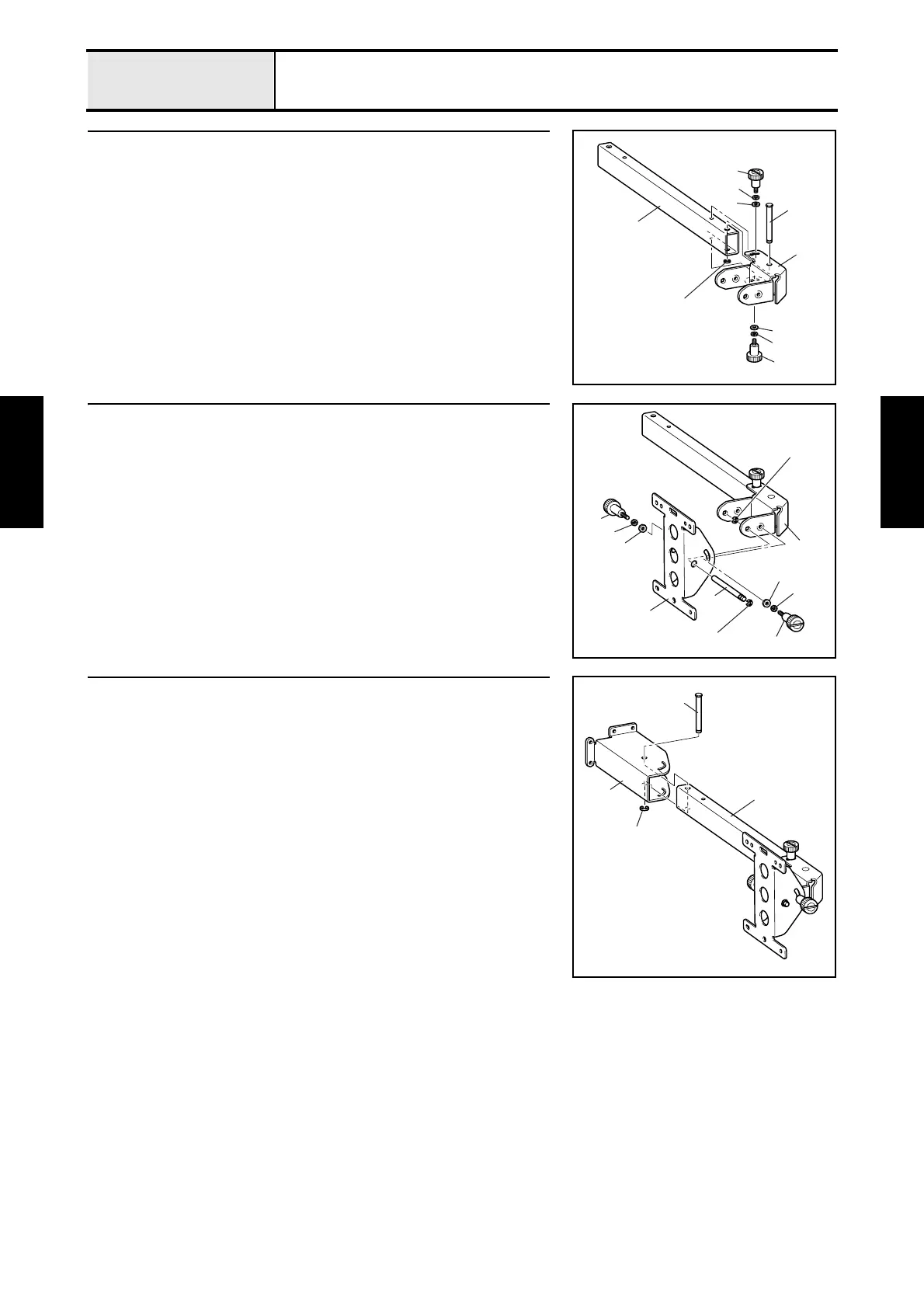
15 Operation panel lever A attachment
1. Set the operation panel lever A 1 to the operation panel lever B 2, and
then insert the operation panel lever shaft 3 into the operation panel lever
A 1 and the operation panel lever B 2, and then secure them with the
retaining ring E6.
2. Tighten the thumb bolt (M4 L) 4, spring washer (2-4) 5, and plain
washer (M4) 6. (2 locations)
2
1
3
4
4
5
6
5
6
Retaining ring E6
16 Panel holder attachment
1. Attach the retaining ring E6 to the operation panel holder shaft 1.
2. Set the panel holder 2 to the operation panel lever A 3, and then insert
the operation panel holder shaft 1 into the panel holder 2 and the
operation panel lever A 3, and then secure them with the retaining ring
E6.
3. Tighten the thumb bolt (M4 L) 4, spring washer (2-4) 5, and plain
washer (M4) 6. (2 locations)
3
6
1
2
5
4
6
5
4
Retaining ring E6
Retaining ring E6
17 Operation panel lever C attachment
1. Set the operation panel lever C 1 to the operation panel lever B 2, and
then insert the operation panel lever shaft 3 into the operation panel lever
C 1 and the operation panel lever B 2, and then secure them with the
retaining ring E6.
3
1
2
Retaining ring E6















 To Next Page