2 - 57
Upper shaft unit
Main unit
Disassembly
Disassembly
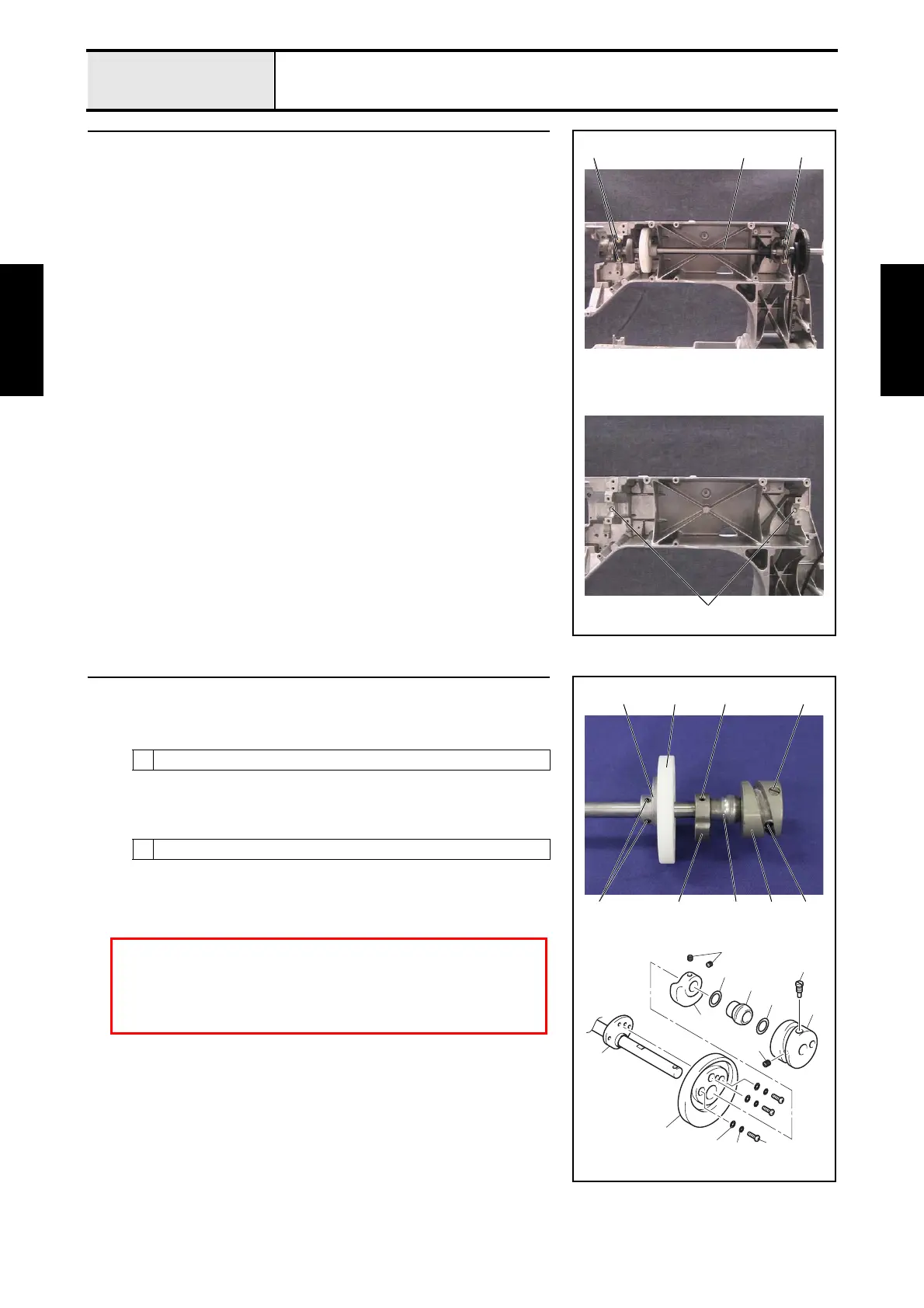
14 Upper shaft assembly removal
1. Remove the 4 screws 1, and then remove the 2 metal pressers.
2. Remove the upper shaft final assembly 1.
*Key point
• Be careful not to damage the encoder.
3. Remove the 2 felts 2 from the metal collar on the arm bed.
4. Remove the pulley from the upper shaft final assembly.
1
11
2
15 Upper shaft disassembly
1. Remove the screw 1 from the thread take-up cam 1.
2. Remove the screw 2, and then remove the thread take-up cam 1.
3. Remove the washer, thrust 2, the upper shaft metal 3 and the washer,
thrust 4.
4. Remove the 2 screws 3, and then remove the balancer 5.
5. Remove the 3 screws 4, and then remove the 3 spring washers 6 and the
3 washer plains S4 7, and then remove the presser foot cam 8 from the
presser foot cam collar 9.
2
Flat-blade screwdriver
3
Hex wrench 2.0 mm
1
2
4
3
1
6
7
8
9
2
3
4
5
1
5
9
3
8 3
1 25
CAUTION:
DO NOT remove the screw 5 of the presser foot cam collar 9.
If remove the screw 5, need the adjustment to the position of the
presser foot cam 8.















 To Next Page