3 - 85
Feed unit
Main unit
Assembly
Assembly
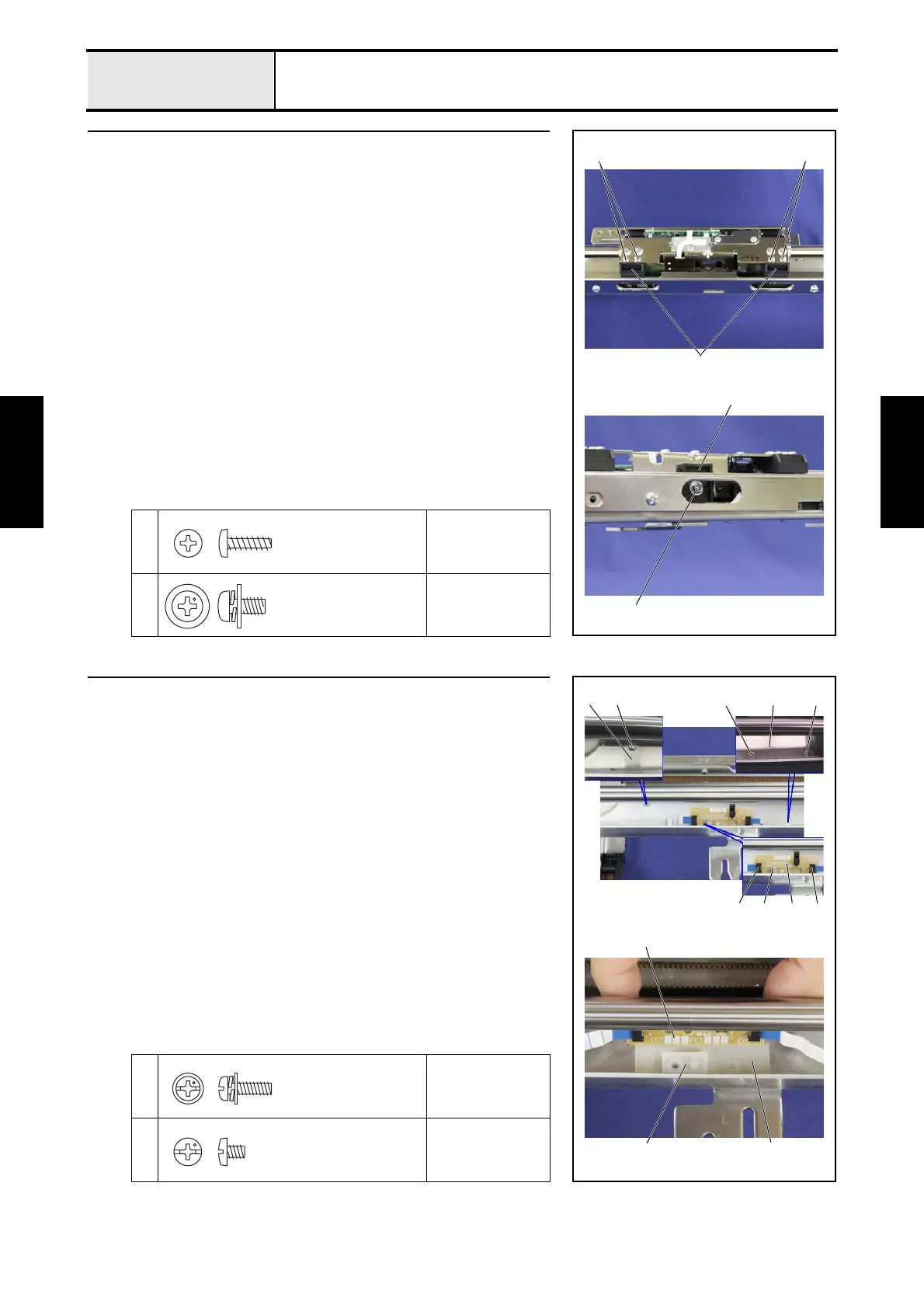
11 Y-frame spacer and X-belt presser attachment
1. Attach the 2 Y-frame spacers 1 to X-carriage B with the 4 screws 1.
2. Align the X-belt presser 2 with the highest point of the T-belt, and then
attach the X-belt presser 2 to X-carriage B. Secure them with the screw
2.
1
Torque
0.39 — 0.78 N-m
2
Torque
0.78 — 1.18 N-m
2
2
1 1
1
Taptite, Bind B
M3X10
Screw, Pan (S/P washer)
M4X8
12 FFC and X-area sensor assembly attachment
1. Connect the FFC (SML2CD-X) 1 to the X-area sensor assembly 2, and
lock the connector.
2. Connect the FFC (SML2CD-C) 3 to the X-area sensor assembly 2, and
lock the connector.
3. Attach the insulation sheet 4, X-frame spacer 5 and X-area sensor
assembly 2 to the feed frame assembly with the screw 1.
4. Hold the FFC (SML2CD-X) 1 with sheet B 6, and secure the FFC to the
feed frame assembly with the 2 screws 2.
5. Thread the FFC (SML2CD-C) 3 through the slot on the feed frame
assembly.
6. Hold the FFC (SML2CD-C) 3 with sheet C 7, and secure the FFC to the
feed frame assembly with the screw 3.
1
Torque
0.59 — 0.78 N-m
2
3
Torque
0.59 — 0.78 N-m
2
3
21
7
6
2
2
3
54
1
Screw, Pan (S/P washer)
M3X10
Screw, Bind
M3X4















 To Next Page