3 - 101
Main unit
Main unit
Assembly
Assembly
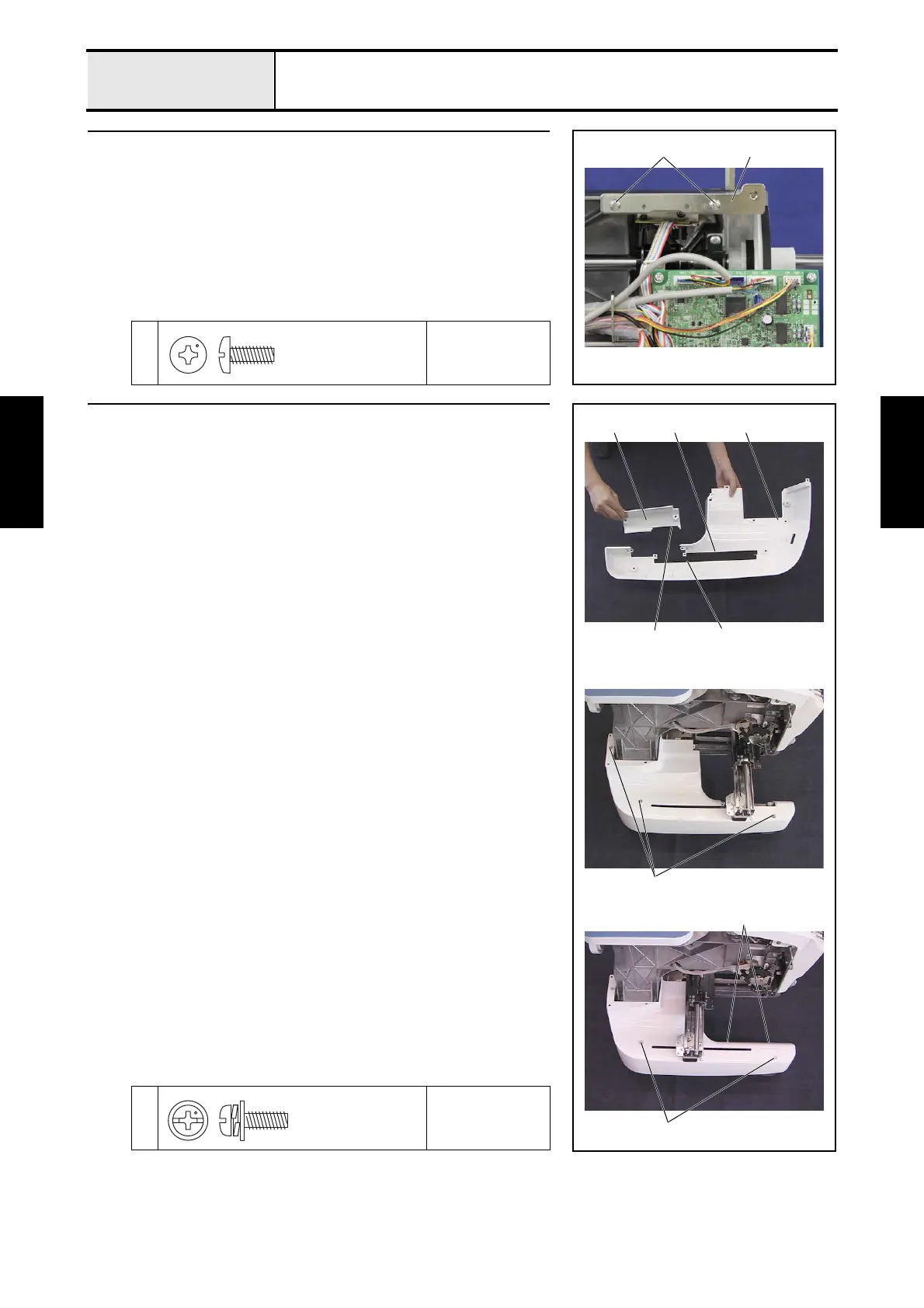
14 LED PCB plate attachment
1. Attach the LED PCB plate 1 to the arm bed with the 2 screws 1.
1
Torque
1.47 — 1.96 N-m
1 1
Taptite, Bind S
M4X10
15 Base cover L attachment
1. Attach the groove cover A 2 and the groove cover B 3 to the rear of the
base cover L 1.
2. Attach the groove cover C 5 to the rear of the base cover L lid 4.
3. Attach the base cover L with the 3 screws 1.
*Key point
• Fully draw the X-guide toward you before attachment.
4. Attach the base cover L lid to the base cover L with the 2 screws 2.
5. Attach the 2 screw covers 6.
1
2
Torque
0.78 — 1.18 N-m
2
1
4
2
3 1
5
6
Screw, Pan (S/P washer)
M4X10















 To Next Page