4 - 43
Inspection and
Adjustment
Inspection and
Adjustment
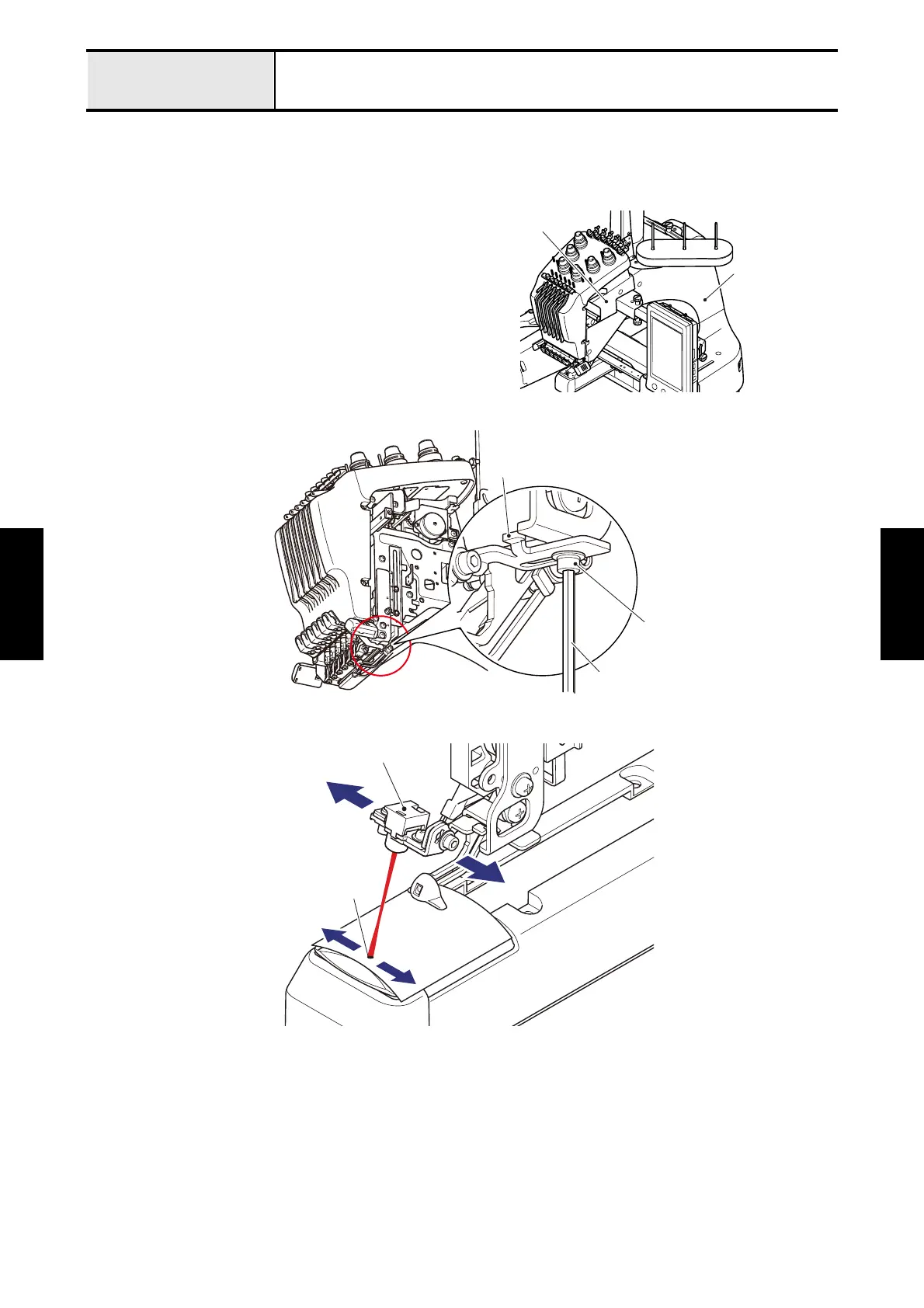
Adjustment LED pointer position
When the LED pointer deviates to the left or right of the needle drop point
[Adjustment]
1. Remove the arm cover R lid and arm cover R.
2. Loosen the screw of the LED PT base plate.
3. Move the light source assy to the left and right to adjust the LED pointer position.
4. Tighten the screw of the LED PT base plate.
5. After the adjustment, set the frame with a cloth attached and check if the needle drop point on the cloth is matched with the
LED pointer position.
*Note
• Depends on the thickness of cloth, the LED pointer position could slightly deviate from the needle drop point.
Arm cover R
rm cover R lid
LED PT base plate
Screw
Hex wrench 2.5 mm
LED pointer
Light source assy















 To Next Page